Category
Sonic Weaver
Building and using Sonic Weaver: reading audio with the Web Audio API, the twenty-nine engines and their 180 modes, the Classic editor and node-based Studio, beat-synced rendering, and exporting release-ready video in the browser with WebCodecs.
29 articles
About the Sonic Weaver thread
Turning a track into video is a rendering problem wearing a music-theory costume. This cluster covers both halves: how audio is analysed in the browser with the Web Audio API and FFT, and how that analysis is turned into motion across the 29 engines in Sonic Weaver (Particles, Trails, Bloom, Character Motion, Radial, Spectrum, Bars, Tunnel, Waveform, Logo, Lattice, Terrain, Stage Lights, Harmonic Constellation, Chladni Resonance Plate, Voronoi Stained Glass, Procedural Night City, Spectral Topography, Fluid Ink Feedback, Arrangement Tunnel, Cover-Art Relief, Kinetic Lyric Typescape, Stereo Phase Garden, Horizon Scenes, Disco, Liquid, Portal, Now Playing, and Sketchbook), each carrying 6 or 7 modes, for 180 in total.
The recurring theme is that beat sync is not one thing. Locking every element to the same kick drum produces something that pulses uniformly and reads as cheap. The articles on multi-band sync work through splitting bass, mid, and treble onto different layers so a visualizer responds to the actual arrangement, which is the single change that most reliably separates an amateur result from a releasable one.
Export is treated as a first-class topic rather than a footnote. Rendering happens locally via WebCodecs, which means no queue and no upload, but it also means the constraints are your device's, and knowing where they bite is the difference between a finished video and a stalled tab.
What this topic covers
- Reading audio in the browser: FFT, frequency bands, onset detection, and what the numbers actually represent
- The 29 engines and their 180 modes: what each is good at, and how to mix them across layers
- Classic Editor vs the node-based Studio Workstation, and which one suits which job
- Multi-band beat sync: driving separate layers from bass, mid, and treble
- Release formats (vertical shorts, Spotify Canvas, lyric videos) and exporting with WebCodecs
Who it's for
Musicians and labels producing release assets, video editors who want audio-reactive motion without After Effects, and anyone interested in real-time graphics on the web platform.
29 articles in this thread, newest first. Every one is free to read with no signup.
Beyond the articles: Sonic Weaver
Turn a track into a beat-synced video: 180 modes, in the browser. The articles above are commentary; the pages below are the reference material, documentation for how the app works, a tool map listing every surface in it, and step-by-step tutorials.
- Documentation →The full technical reference for Sonic Weaver: what it does, how it works, and its limits.
- Tool map →Every tool and page in the app, each with a description and a direct link.
- Tutorials →Step-by-step walkthroughs, from a first run through to the advanced workflows.
- Open the app →Free, in your browser, with no signup for the core workflow.
6 articles in this threadReset filters
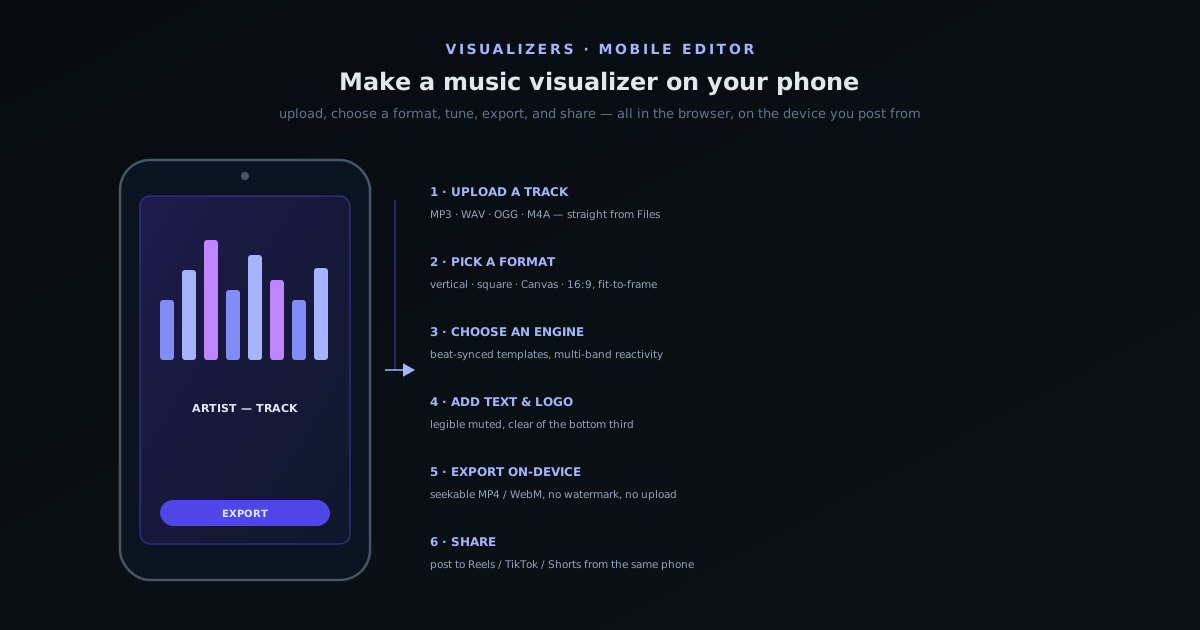
Sonic Weaver · Jun 14, 2026
Make a music visualizer on your phone, start to finish
The full phone workflow: why the v2.0 mobile editor makes a desktop optional, picking a track and a format, choosing an engine and syncing it to the beat, adding text and a logo, exporting on-device, sharing to Reels and TikTok, and getting good results within mobile's limits.
Sonic Weaver
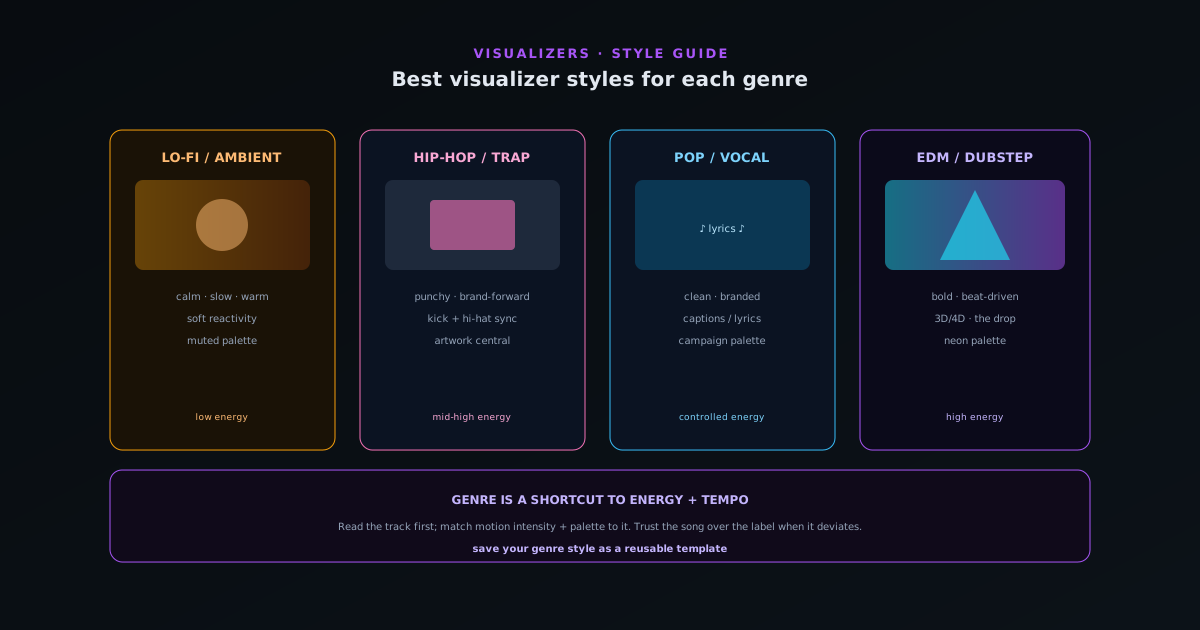
Sonic Weaver · Jun 12, 2026
Best music-visualizer styles for each genre
Matching visualizer style to genre (energy, tempo, color, and motion) so the visuals feel like they belong to the track, with practical picks for each genre.
Sonic Weaver
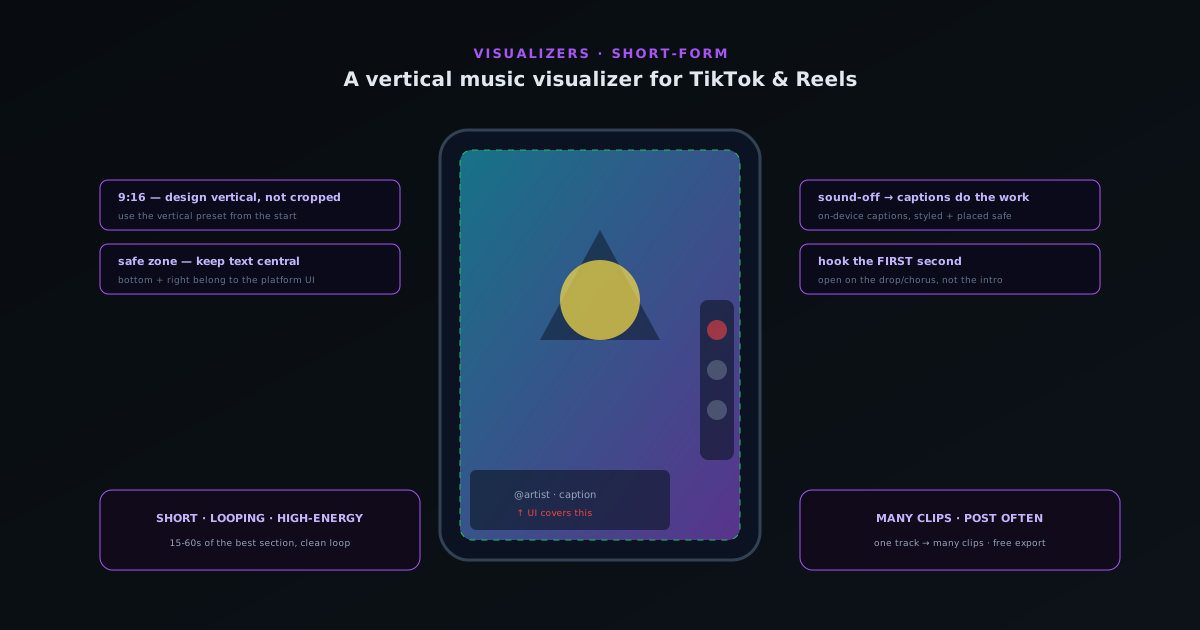
Sonic Weaver · Jun 1, 2026
Making a vertical music visualizer for TikTok & Reels
The 9:16 frame, safe zones for platform UI, designing for sound-off with captions, the first-second hook, and exporting a vertical visualizer that works on TikTok and Reels.
Sonic Weaver
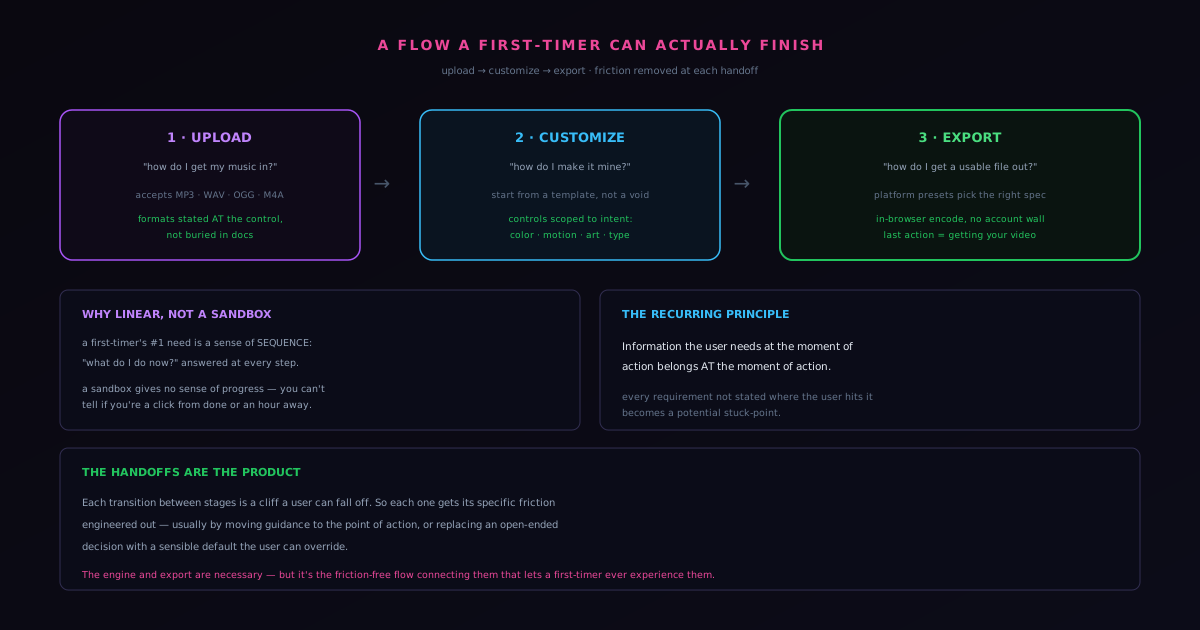
Sonic Weaver · May 31, 2026
Designing an upload → customize → export flow a first-timer can actually finish
How a deliberately linear three-stage flow turns a deadline-heavy creative task into something a first-timer completes in one session.
Sonic Weaver
Sonic Weaver · May 30, 2026
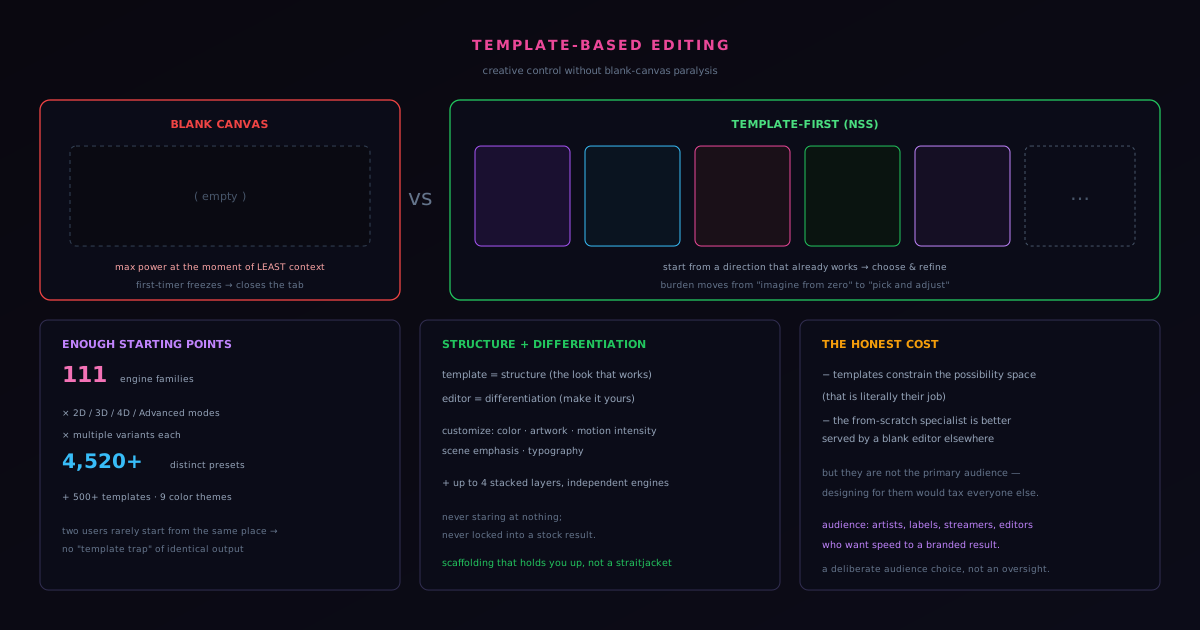
Engine and mode starting points: creative control without blank-canvas paralysis
The case for engine-and-mode starting points over a blank editor, and how the Classic Editor and Studio Workstation keep a shared start from flattening into sameness.
Sonic Weaver
Sonic Weaver · May 29, 2026
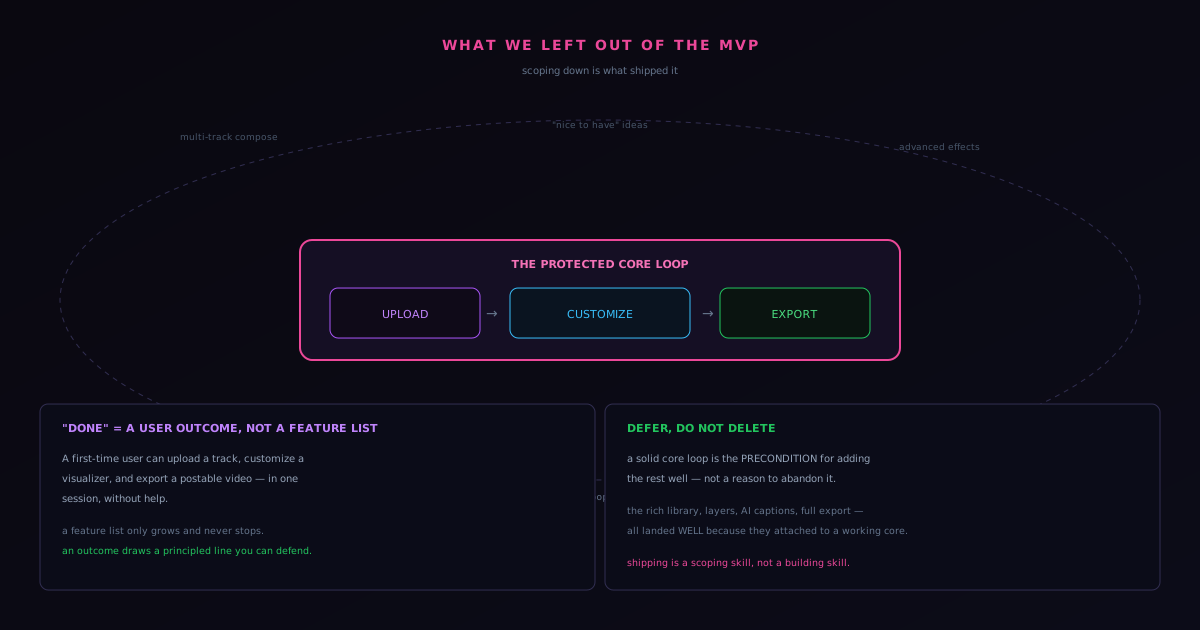
What we deliberately left out of the Sonic Weaver MVP, and why scoping down shipped it
How narrowing the scope, rather than expanding it, is what actually got the product live.
Sonic Weaver