Novus AI Stats
Novus AI Stats is the privacy-first AI history dashboard in the Novus Stream Solutions portfolio. It runs at aistats.novusstreamsolutions.com as a PWA: import ChatGPT, Claude, Gemini, Claude Code, Codex CLI/Desktop, Gemini CLI, and Cursor history from user-approved exports and files, then track time, sessions, agents, tokens, projects, and streaks in one place. Exports are parsed transiently in your browser and only normalized statistics are stored against your account: raw prompts, responses, attachments, source files, transcripts, and local paths are never persisted. The product is live and still in progress, free to use, with advertising kept off authenticated analytics pages. This hub page documents what exists today, what happens to an import, how metric quality labels work, and where to go for tutorials and updates.
Contents
What Novus AI Stats is today
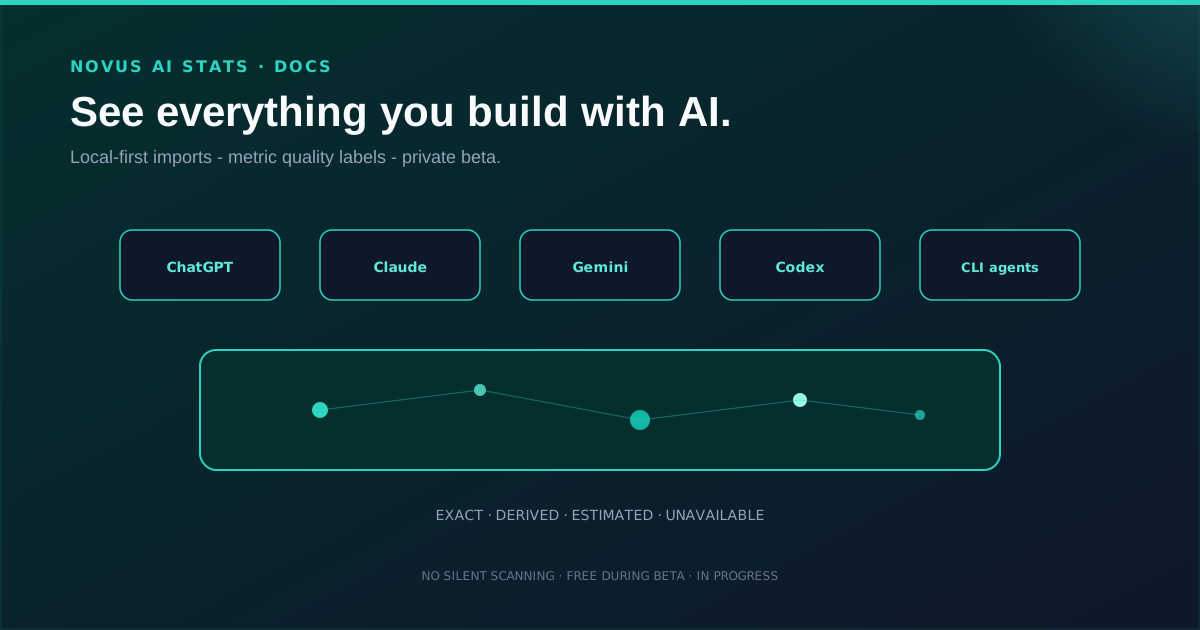
AI Stats turns your AI history into a constellation you can actually read. Web chats and coding agents land in the same frame: ChatGPT, Claude, and Gemini exports beside Claude Code, Codex CLI/Desktop, Gemini CLI, and Cursor session logs. It works from transparent, user-approved imports, not hidden monitoring.
Because the product is still shipping features, treat the live build as an in-progress surface. Free to use, with no payment information required. Viewing your own history needs an account: open the sign-up page to see whether registration is currently accepting new members, and use the contact form if it is closed.
- PWA at aistats.novusstreamsolutions.com; marketing pages at /features, Integrations, /methodology, /editorial-policy, /map, /security, and /pricing.
- Seven import sources: ChatGPT, Claude, Gemini, Claude Code, Codex CLI/Desktop, Gemini CLI, and Cursor.
- Browser-side parsing: raw prompts, transcripts, attachments, and local paths are never persisted.
- Metric quality labels so estimates never masquerade as facts.
- Compare two URL-synced slices; deltas only when adapter, normalization, quality, source, and calculation all match. Blocked rows stay visible and name the gate.
- Saved views store named dashboard filters against the account.
- Privacy-safe share cards / AI Wrapped snapshots: unlisted by default, no raw transcripts.
Local-first imports: no silent scanning
Exports and logs are parsed transiently in the browser and only the normalized statistics are stored against your account. Raw prompts, responses, code, attachments, source files, transcripts, and local paths are never persisted. The PWA cannot watch local folders in the background; every import begins with an explicit user file or folder selection.
That boundary is intentional. AI Stats focuses on transparent imports rather than ambient monitoring, so you always know when history enters the dashboard.
- ChatGPT: official account export ZIP or conversations.json. Token counts are usually absent from account exports.
- Claude: official Claude account export ZIP/JSON, with shape detection.
- Gemini: Google Takeout ZIP and Gemini Apps/My Activity records; unrecognised shapes fail closed rather than guessing.
- Claude Code: user-selected local JSONL transcripts or documented telemetry.
- Codex CLI/Desktop: persisted rollout JSONL; the product surface is recorded separately from the vendor.
- Gemini CLI: local OpenTelemetry output; disable prompt logging before capture.
- Cursor: exported Markdown or a recognised local SQLite snapshot; unknown SQLite versions are rejected rather than parsed on a guess.
- Planned but not supported: GitHub Copilot, OpenCode, Cline/Roo, Windsurf, Aider, Continue, and others. A roadmap entry is not an ingestion claim.
Metric quality labels
Each metric is marked exact, source reported, derived, estimated, or unavailable. That labeling is the product’s honesty contract: a derived session count and an exact token total from the source should never look the same on the chart.
When you read streaks, time spent, or project totals, check the quality label before treating a number as ground truth. The tutorials walk through how to read those labels without over-claiming.
Privacy-safe sharing
Share cards are snapshots of milestones: an AI Wrapped-style card you control. You choose included fields, visibility, expiration, provider names, project names, and indexing. Links are unlisted by default, revocable, and never dump raw transcripts.
Dedicated OG images go with share cards so a link preview matches the snapshot you approved, not a private chat dump.
Honest status: live and in progress
Calling AI Stats live and in progress is deliberate. The site is public, the PWA is usable, and the brand sits in the portfolio, while imports, metrics, and sharing continue to expand. Hub copy will not pretend every provider edge case or dashboard polish pass already shipped.
Advertising stays off authenticated analytics pages. Free to use, with no payment information required. Viewing your own history needs an account: open the sign-up page to see whether registration is currently accepting new members, and use the contact form if it is closed.
How Novus AI Stats fits the portfolio
Novus AI Stats sits beside the other live utility and simulation apps as the studio’s personal AI analytics surface: browser-first, privacy-forward, and documented on this hub with a tool map, tutorials, and a product-blog launch note.
Open aistats.novusstreamsolutions.com and import a provider export. The methodology centre is at /methodology, the tool map is at Tool maps, tutorials begin at Getting started with Novus AI Stats: demo to dashboard, and the launch story is Novus AI Stats launch: local-first AI history dashboard.
Frequently asked questions
Quick answers to common questions about this topic.
What is Novus AI Stats?
A privacy-first PWA that imports your ChatGPT, Claude, Gemini, Claude Code, Codex CLI/Desktop, Gemini CLI, and Cursor history so you can track sessions, tokens, projects, and milestones in one dashboard.
Is it finished?
It is live and still in progress: imports, metrics, and share cards continue to expand. Free to use, with no payment information required. Viewing your own history needs an account: open the sign-up page to see whether registration is currently accepting new members, and use the contact form if it is closed.
Which AI tools can it import?
Seven sources are supported today: ChatGPT, Claude, Gemini, Claude Code, Codex CLI/Desktop, Gemini CLI, and Cursor. Everything else on the roadmap is listed as planned, and a roadmap entry is not an ingestion claim.
How do I get an account?
Free to use, with no payment information required. Viewing your own history needs an account: open the sign-up page to see whether registration is currently accepting new members, and use the contact form if it is closed. The sign-up page at aistats.novusstreamsolutions.com/sign-up is the authoritative answer at any given moment.
Does it upload my chats?
Imports are local-first by default. Raw prompts, responses, code, attachments, and full transcripts stay on your device unless you explicitly choose otherwise for a share card field you control.
Can it scan my folders silently?
No. The PWA cannot watch local folders in the background. Every import starts with an explicit file or folder selection.
Is it free?
Yes. No payment information is required, and advertising stays off authenticated analytics pages.
Related workflow
Turn your AI work into a report you can actually show someone
Measure what you built with AI assistants over a period, then package the numbers into a document with the caveats attached.
- Import your history and read the quality labelsNovus AI Stats: Token and session figures differ in how reliably each provider reports them; the labels say which numbers can carry an argument and which cannot.
- Assemble and protect the reportNovus PDF Studio: Merge the exported pages into one document and apply a password before it leaves your device.
Related troubleshooting
Was this page helpful?
Your answer stays in this browser, it is not sent anywhere and no account or cookie is involved.