Novus Learn
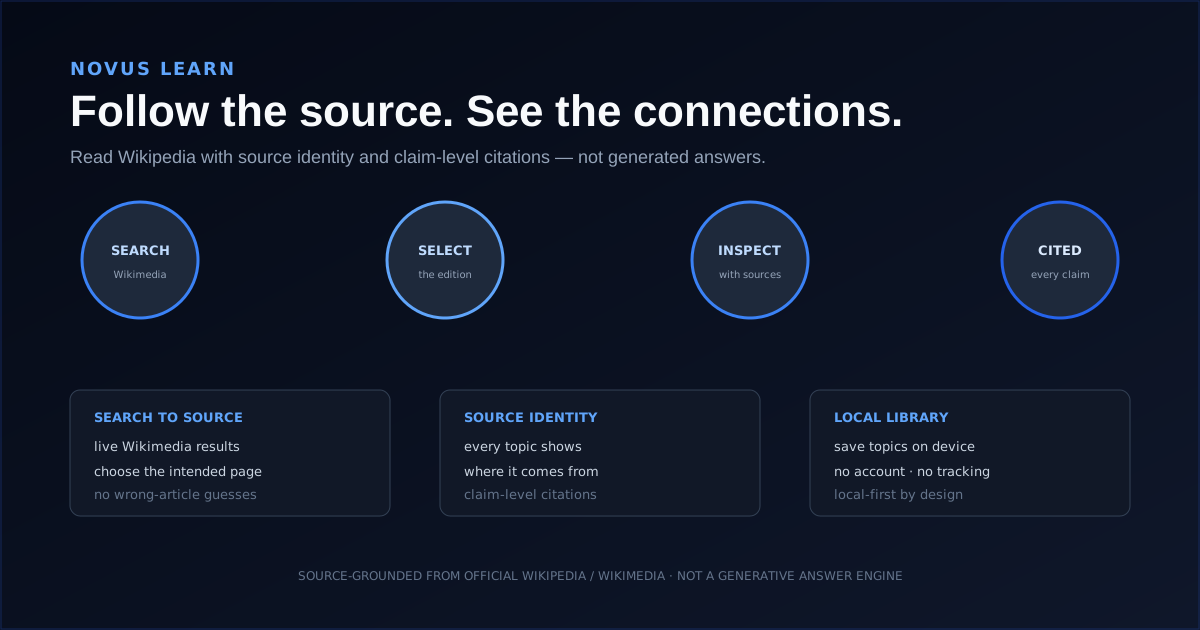
Novus Learn is the source-grounded study app in the Novus Stream Solutions portfolio. Its promise is "follow the source, see the connections", and it now applies that promise to far more than an encyclopedia. You give it a source (a Wikipedia topic, a web page, an entire site, an open-access journal article, a video, a textbook, a file you upload, or a codebase) and it reads that fixed source and builds everything from the source's own sentences: a summary, study notes, flashcards, a quiz, a concept map, a guided lesson, and visuals. It is deliberately extractive rather than generative. It does not write answers, paraphrase a source into an unattributed summary, or invent citations; when the source cannot answer a question, it says so instead of filling the gap. Everything runs locally with no account and no cloud profile, saved projects live in versioned IndexedDB snapshots on your device, and Wikipedia sources can be drawn from ten language editions. The interface itself is English. Since mid-2026 the app has also grown well beyond the study pipeline: a researched careers layer of 565 occupations across 20 families with a device-local matcher, 376 aptitude practice suites, 2,200 cognitive practice questions, 200 puzzles, the Novus Reasoning Challenge, and a 12-module JavaScript course all sit alongside it under the same local-first, accountless contract.
Contents
- 1.What Novus Learn does today
- 2.Nine ways to bring in a source
- 3.What you get back: seven study artifacts
- 4.The careers layer
- 5.Aptitude, cognitive skills, and the Novus Reasoning Challenge
- 6.Programming courses and the JavaScript curriculum
- 7.Visual Studio and the Teacher Hub
- 8.Sources, the dictionary, and languages
- 9.Local by default: storage, privacy, and appearance
- 10.How Novus Learn fits the portfolio
What Novus Learn does today
Novus Learn turns a source into study material without ever leaving that source behind. You point it at something fixed (a Wikipedia topic pinned to a specific revision, a URL, a whole site, an open-access paper, a video, a textbook, an uploaded file, or a codebase) and it reads that material and assembles everything downstream out of the material's own sentences. What comes back is a summary, study notes, flashcards, a quiz, a concept map, a guided lesson, and visuals, each traceable to the passage it came from.
The distinction that matters most is still what Novus Learn does not do. It does not generate an answer, paraphrase a source into an unattributed summary, or invent citations. Its own phrasing for this is blunt: when the source cannot answer, it says so. Ambiguous and sparse topics stay limited rather than being padded with unsupported detail.
- Choose a source: nine input modes, from a Wikipedia topic to a codebase.
- Extract: claims are lifted from the source, not rewritten around it.
- Study: summary, notes, flashcards, quiz, concept map, guided lesson, visuals.
- Keep: projects saved in versioned IndexedDB snapshots on your device, no account.
Nine ways to bring in a source
The June 2026 launch read Wikipedia. Everything since has been about widening the front door while keeping the same extractive contract behind it. Today nine input modes feed the same study pipeline, so the artifacts you get from a journal article are built exactly the way the artifacts from an encyclopedia topic are.
Video and code deserve a specific note. Video breakdowns work from captions when they exist and fall back to on-device transcription when they do not, so a clip never has to leave your machine to become notes. The code surfaces analyse a JavaScript codebase and cite official language documentation rather than improvising explanations.
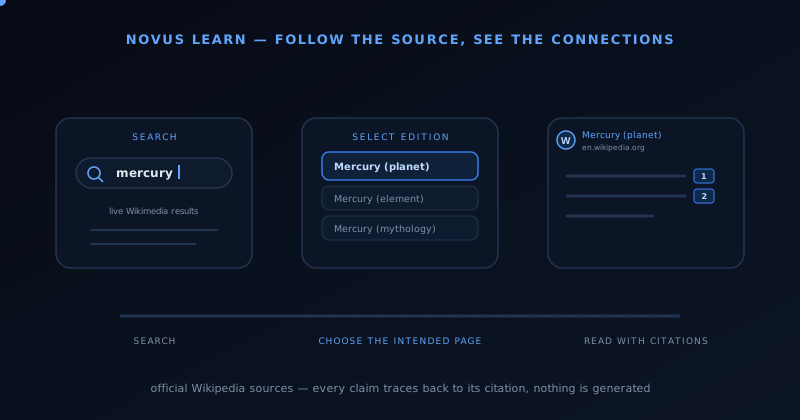
- Search a topic: Wikipedia, pinned to a specific revision so a project does not drift.
- Read a URL (/read): any public web page.
- Index a site (/site): crawl a whole site into one project.
- Study a paper (/paper): open-access articles via Europe PMC.
- Break down a video (/video): captions, or on-device transcription when there are none.
- Break down a textbook (/textbook): chapter-aware structure.
- Upload (/upload): PDF, EPUB, Word, plain text, and Markdown.
- Learn to code (/languages): paths that cite official documentation.
- X-ray a codebase (/code) plus a JavaScript scratchpad (/playground).
What you get back: seven study artifacts
Every project produces the same set of artifacts, because the point is to study one source several ways rather than to collect several sources. The summary reorganises without adding; notes are structured for revision; flashcards, a quiz, and a concept map turn the same claims into recall practice; a guided lesson sequences them; and Visual Studio renders the structure the source already implies.
Flashcards can be exported as a printable Markdown answer key carrying the prompt, the answer, and the source for each card, which is the small detail that makes the deck usable away from the screen without breaking the citation trail.
The careers layer
Novus Learn now carries a researched occupation catalog: 565 occupations grouped into 20 families, each with pathway overviews, qualification routes, and links to the official bodies the information came from. It is built the same way the study material is (sourced and cited rather than summarised from memory) which is why it sits inside this app rather than being a separate product.
The career matcher (/careers/matcher) is a questionnaire that runs entirely on your device and suggests families rather than pronouncing a single verdict. It comes in three lengths: a quick pass, a full form, and a career-change variant aimed at people already in work. No account is involved, results are not uploaded, and nothing is shared unless you export it yourself. Country pages (/careers/countries) cover how entry routes and qualifications actually differ by jurisdiction, and the methodology page states plainly how the content is sourced and kept honest.
- 565 occupations across 20 families; browse at /careers, or by family at /careers/families.
- Occupation guides at /guides cite published profiles and aptitude suites, not a second catalog. Reliability engineer and ecologist landings are the first two.
- Career matcher at /careers/matcher: quick, full, and career-change forms, all device-local.
- Country-specific entry routes and qualifications at /careers/countries.
- Sourcing and verification stated openly at /careers/methodology; matcher storage at /careers/privacy.
Aptitude, cognitive skills, and the Novus Reasoning Challenge
The assessments hub (/assessments) collects three practice layers. Aptitude preparation runs to 376 practice suites across 24 sectors and 35 constructs, totalling 22,560 keyed items; every suite is browsable at /aptitude/tests and filterable by the sector or the skill you are actually preparing for. Cognitive skills practice adds 2,200 questions across 22 banks (22 banks of 10 sections of 10 items) each written for its own construct rather than recycled from a general pool, with printable packs at /cognitive-skills/downloads.
The Novus Reasoning Challenge (/iq-challenge) is 9 public forms plus a practice lab of 12 modules covering pattern matrices, rule sequences, logical deduction, spatial transforms, quantitative and verbal relations, working memory, attention, symbol rules, warm-ups, strategy review, and pacing habits. The naming is deliberate: it is an entertainment and educational instrument, it is not an IQ test, and it does not return a clinical score. How the items are constructed and what a result does and does not mean are stated at /iq-challenge/methodology and /iq-challenge/faq.
Puzzles (/puzzles) sit alongside all of this: 200 original puzzles across 8 categories, 25 per category, untimed, and each one carrying an explanation that teaches the method rather than just revealing the answer.
- 376 aptitude practice suites: 24 sectors, 35 constructs, 22,560 keyed items (/aptitude/tests).
- 2,200 cognitive practice questions across 22 banks (/cognitive-skills), with printable packs.
- Novus Reasoning Challenge: 9 forms and 12 practice-lab modules (/iq-challenge). Not an IQ test.
- 200 puzzles across 8 categories, each explained (/puzzles).
- Item construction and editorial standards published at /assessment-methodology and /assessment-editorial-policy.
Programming courses and the JavaScript curriculum
The /languages section carries an authored course where one exists and a curated citation index otherwise: the distinction is stated on the page so nobody mistakes a reading list for a course. JavaScript is the authored one: 12 modules and 77 lessons running from values and types through control flow, functions, arrays and objects, iteration, strings, error handling, asynchronous JavaScript, data modelling, modules and tooling, testing and debugging, and a capstone.
Exercises are graded in a sandbox on the learner's own device, and the accompanying scratchpad (/playground) and code-study surface (/code) let you run what you are learning and then point the same extractive pipeline at a real JavaScript codebase. The curated documentation index at /languages/javascript/reference is explicitly an index into the official docs, not a substitute for them.
- JavaScript course: 12 modules, 77 lessons (/languages/javascript), graded locally.
- Official-docs reading order at /languages/javascript/reference: an index, not a course.
- Scratchpad at /playground; codebase study at /code.
Visual Studio and the Teacher Hub
Visual Studio (/visuals) produces visuals that earn their shape from the source rather than being decorated after the fact. Alongside the original diagram types it now renders hierarchies, labeled systems, and scale comparisons, and it has a full-screen presentation mode for teaching from a project directly.
The Teacher Hub (/teachers) turns any project (a textbook, a PDF, a slide deck, a document, or a Wikipedia topic) into a printable lesson containing learning objectives, key points, a worksheet with an answer key, review cards, and source citations. It prints, or saves to PDF, straight from the browser: no plugin, no account, and nothing uploaded. Because the lesson is assembled from the project's own sources, nothing in it is invented.
Sources, the dictionary, and languages
Novus Learn draws on Wikipedia article text, Wikidata for structured identity, Wikimedia Commons for reusable media, and Wiktionary for dictionary entries, plus whatever public page, open-access article, or file you bring it. The dictionary now falls back to an encyclopedic explanation from Wikipedia for phrases and terms that no standard dictionary carries.
A unified command palette (⌘K / Ctrl-K) searches topics, your library, and the dictionary from anywhere in the app. Wikipedia sources can be pulled from ten language editions: English, Français, Español, Deutsch, Português, Italiano, 日本語, 中文, العربية, and हिन्दी. The interface itself is English.
- Wikipedia, Wikidata, Wikimedia Commons, and Wiktionary.
- Public web pages, indexed sites, and open-access journal articles.
- Your own uploads: PDF, EPUB, Word, text, and Markdown.
- Explore (/explore), Featured (/featured), My Library (/library), and Recent (/recent).
Local by default: storage, privacy, and appearance
Novus Learn is accountless and local-first. Generated projects remain on the device that made them, held in versioned IndexedDB snapshots that skip unchanged writes, and theme and motion choices are stored only in that browser. There is no login, no cloud profile, and no third-party tracker on content pages.
Appearance controls cover theme, motion, and accessibility, treated as first-class settings rather than afterthoughts, which matters more here than in most apps, because a study tool is somewhere people sit for a long time.
- Accountless: no sign-in, no cloud profile, no sync you did not ask for.
- Versioned IndexedDB snapshots keep a project's history without a server.
- Theme, motion, and accessibility controls stored locally.
How Novus Learn fits the portfolio
Novus Learn is the learning-and-reference half of the portfolio alongside Novus Examples, and it is now the broadest app in it: study pipeline, careers, assessments, puzzles, and an authored course under one accountless roof. NSS Background Remover handles image and video cutouts and editing, Novus Visualizers handles creator video, Novus PDF Studio handles PDF work, Novus Convert handles file conversion, Novus AI Stats handles private AI history analytics, and Novus Striker is the arcade game. Each app keeps its core job free and uses the browser when local processing is the right architecture, which, for a tool that promises your reading stays yours, it plainly is.
Open learn.novusstreamsolutions.com to use the app. /features lists every shipped capability with registry-derived counts; /my-learning is the on-device dashboard (projects, resumable practice, due review, local backup); /guides are short occupation landings that cite published profiles rather than a parallel catalog. The current working inventory is mapped at Tool maps, the first complete walkthrough is Getting started with Novus Learn: from search to source, and the launch story is Novus Learn launch: follow the source, see the connections.
Frequently asked questions
Quick answers to common questions about this topic.
Does Novus Learn use AI to write answers?
No. Novus Learn is extractive, not generative: claims, summaries, notes, flashcards, quizzes, concept maps, and visuals are all assembled from the source's own sentences. It does not paraphrase a source into an unattributed answer, and it does not fabricate citations. When the source cannot answer a question, it says so rather than filling the gap.
What can I use as a source?
Nine input modes: a Wikipedia topic (pinned to a specific revision), a URL, a whole indexed site, an open-access paper via Europe PMC, a video (captions or on-device transcription), a textbook, an uploaded file (PDF, EPUB, Word, text, or Markdown), a coding path, or a JavaScript codebase.
Do I need an account?
No. Novus Learn is accountless and local-first. Projects are saved in versioned IndexedDB snapshots on your device, and theme and motion preferences are stored only in that browser. There is no login and no cloud profile.
Can I upload my own documents?
Yes. Upload (/upload) accepts PDF, EPUB, and Word alongside plain text and Markdown. It shipped on 18 July 2026, replacing the planned-only status it had at launch. Files are parsed and stored only in your browser.
Can teachers use it to make handouts?
Yes. The Teacher Hub (/teachers) turns any project into a printable lesson with learning objectives, key points, a worksheet and answer key, review cards, and source citations. It prints or saves to PDF from the browser with no account and no upload.
What languages does it support?
The interface is English. Your SOURCES need not be: Wikipedia can be searched in ten language editions (English, Français, Español, Deutsch, Português, Italiano, 日本語, 中文, العربية, and हिन्दी) and a page you bring in from any of them is summarised, turned into notes and quizzed in the language it was written in, because everything is extracted from the source's own sentences.
Is Novus Learn only a Wikipedia tool?
No. That was true at the June 2026 launch and has not been true for some time. Wikipedia is one of nine input modes, and alongside the study pipeline the app now carries 565 occupations with a career matcher, 376 aptitude practice suites, 2,200 cognitive practice questions, 200 puzzles, the Novus Reasoning Challenge, and a 12-module JavaScript course.
What is in the careers section?
565 occupations grouped into 20 families at /careers, each with pathway overviews, qualification routes, and links to official sources. The career matcher at /careers/matcher runs on your device in quick, full, and career-change forms, suggests families rather than a single verdict, and never uploads a result.
Is the Novus Reasoning Challenge an IQ test?
No, and it is deliberately not named like one. It is 9 public forms plus 12 practice-lab modules at /iq-challenge, built as an entertainment and educational instrument. It returns no clinical score and is not a substitute for a supervised assessment; /iq-challenge/methodology sets out exactly how items are built and what a result means.
Can I practise for aptitude tests?
Yes. /aptitude/tests carries 376 practice suites across 24 sectors and 35 constructs (22,560 keyed items), and /cognitive-skills adds 2,200 questions across 22 construct-specific banks with printable packs. It is practice material with published editorial standards, not a diagnostic.
Is there a programming course?
Yes: an authored JavaScript course of 12 modules and 77 lessons at /languages/javascript, with exercises graded in a sandbox on your own device. Languages without an authored course get a curated index into their official documentation instead, and the page says which one you are looking at.
Related workflow
From a source you can cite to a study pack you can hand out
Read from the source rather than a summary of it, then turn what you verified into a document someone else can use.
- Find the source and check the claim against itNovus Learn: The study material is extractive, not generative: what you get back is what the source says, which is the only kind you can safely cite.
- Assemble and finish the packNovus PDF Studio: Merge the pieces, add the fields a learner fills in, and sign it locally, so unpublished material stays unpublished.
Related troubleshooting
Was this page helpful?
Your answer stays in this browser, it is not sent anywhere and no account or cookie is involved.