Testaroo
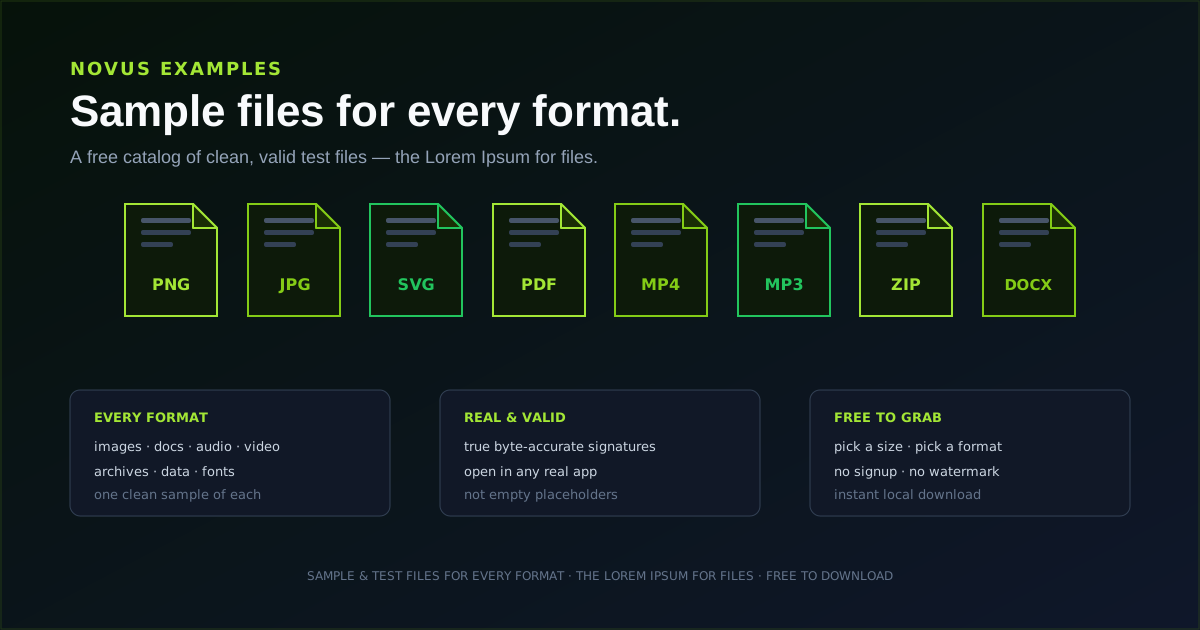
Testaroo (formerly Novus Examples) is the sample-file library in the Novus Stream Solutions portfolio, a "Lorem Ipsum for files." When you need a real file to test something (a converter, a background remover, an image editor, an upload form, a parser, or a QA pipeline) Testaroo gives you clean, correctly-formed sample files, plus deliberately awkward ones for testing how software behaves when a file is empty, oversized, or malformed. The library has grown to 8,584 files across 27 categories, 293 extensions, and 136 curated testing purposes, and every file is generated to an exact specification rather than collected, so it is copyright-free and ships with a spec sheet describing its properties; many come as paired fixtures (clean vs. messy, colour vs. greyscale, source vs. scanned). Beyond browsing, there is an Editor that now reads and rebuilds archives, a Visual Template Studio holding 840 templates across 42 categories, a Form Studio covering 243 catalog-backed form definitions, a Document Template Studio for 43 curated document families (36 of them editable), a format glossary, a Search, Live Test Targets, and purpose-based navigation so you can browse by exactly what you are testing. Everything is free to download, needs no account, and runs in your browser.
Contents
- 1.What Testaroo does today
- 2.The category catalog
- 3.Video, streaming, and captions
- 4.Visual templates and the Studio
- 5.OBS-compatible scene collections
- 6.The in-browser editor and studios
- 7.Testing a file converter
- 8.Testing a background remover
- 9.Edge cases and robustness
- 10.Live targets: fixtures you cannot download
- 11.Free, no account required, and browser-first
- 12.How Testaroo fits the portfolio
What Testaroo does today
Testaroo is a browsable catalog of 8,584 sample files across 27 categories and 293 extensions. You pick a category or search by what you are testing, preview what the file is, and download it: no sign-up, no upload, nothing to configure. Each file is a genuine, correctly-formed example of its format rather than a renamed placeholder, so a sample PNG really is a PNG, a sample PDF really opens as a PDF, and a sample MP4 really plays. Crucially, the files are generated to exact specifications rather than collected from the web, which makes them copyright-free and lets each one ship with a spec sheet: noise levels, timestamps, encodings, and other properties stated up front. Many are provided as paired fixtures (clean vs. messy, colour vs. greyscale, source vs. scanned) so a before/after test is one download away.
The library also keeps a shelf of deliberately difficult files (empty, corrupt, wrong-extension, and very large) because the most important tests are often the ugly ones. Software that works on a clean file can still fall over on a zero-byte upload or a malformed archive, and Testaroo gives you those cases without having to manufacture them yourself.
The format-coverage page states the position honestly rather than implying the library covers everything: 293 extensions are marked available because a real documented file exists for each, a short list is marked as coming, and roughly fifteen are marked unsupported with the actual reason given. A format only counts as available when you can download a file in it.
- Browse all 8,584 files across 27 categories, or navigate by use case (OCR, CSV parsing, form testing, ASR, colourization, visual diff/regression, schema/OpenAPI, JWT/JWKS, video codecs, streaming manifests, media accessibility, and more).
- Download a genuine, spec-sheet-backed sample (generated to exact specs, not collected) with many available as paired fixtures.
- Create your own with the built-in Editor, Visual Template Studio, Form Studio, Document Studio, and local audio/video generators; find files fast with Search; exercise software against Live Test Targets.
- Open 840 editable templates across 42 categories in the Studio, and take the broadcast ones away as OBS-compatible scene collections.
- Grab specialty files (empty, corrupt, wrong-extension, oversized) for error-handling tests.
- Free, no account required, and downloaded directly in the browser.
The category catalog
The catalog spans 27 categories and 8,584 files, and it keeps the variations that actually matter: a plain photo and a transparent PNG are different tests, and so are an sRGB image and a CMYK one, or a clean CSV and a deliberately messy one. Counts grow as the library expands, so treat these as a current snapshot rather than a fixed contract. The live tool map at testaroo.com/tool-map is the canonical category list.
- Images (2,343), data (1,255), documents (531), video (444), audio (396), creator audio (325), creator video (325), and prompts (300) lead the catalogue; the remaining nineteen categories run from 243 down to 88.
- Forms (243), templates (241), models (192), localization (161), geospatial (158), web assets (146).
- Testing & QA (142), security (135), archives (131), scientific (128), source code (125), AI/ML (124).
- Observability (120), supply chain (116), pipelines (115), email (110), fonts (100), e-books (90), version control (88).
- Plus 840 visual templates, 243 form definitions, fifty-two live targets, and local audio/video creation workspaces.
- Specialty & edge cases: zero-byte, corrupt/malformed, wrong-extension, and oversized files across categories.
Video, streaming, and captions
Video was the thinnest part of the catalog for a long time (the most subcategories of any category and the fewest files in each) and it is now the second largest at 444 files. The expansion was built around one idea that makes the difference between a demo clip and a test fixture: every degraded input names the pristine clip it was derived from, so when you run an upscaler or a denoiser you have something to score the output against rather than an opinion about whether it looks better.
The codec set is deliberately controlled. One encode is stream-copied into seven containers so that only the wrapper differs, which means a container-handling bug cannot hide behind a re-encode. Alongside it sit fourteen codecs, seven pixel formats, and variations in GOP structure, B-frames, faststart, fragmented MP4, interlacing, rotation metadata, and VP9 alpha.
Streaming fixtures are the one documented exception to the download-only rule: HLS and DASH packages are served inline with permissive CORS so an external player can actually fetch the manifest and its segments cross-origin, and Safari receives a correct MIME type for .m3u8. Only the attachment header is dropped for that one path: the sandbox CSP and nosniff protections stay.
Captions get the awkward cases rather than the tidy ones: UTF-8 with and without a BOM, UTF-16 LE and BE, CRLF, LF and mixed line endings, cp1252, CJK, Arabic, Hebrew, Cyrillic and emoji, SCC with computed odd parity, and a set of intentionally-corrupt captions. Accessibility fixtures carry multi-track subtitles and audio with real language tags and default, forced, hearing-impaired, visual-impaired and comment dispositions actually set, plus chapters in six formats.
- Codecs, containers, pixel formats: /for/video-codec-testing.
- HLS and DASH packages plus parser-only manifests: /for/streaming-manifest-testing.
- Caption encodings and line endings: /for/caption-encoding; subtitle parsing: /for/subtitle-testing.
- Multi-track subtitles, audio description, and SDH: /for/media-accessibility.
- Chapters, container tags, cover art, timecode: /for/media-metadata-testing.
- AI-video pairs with ground truth: upscaling, denoise, matting, interpolation, depth, stabilisation, restoration, segmentation, colourisation.
- VAST, VMAP, and SCTE-35 ad-signalling fixtures: /for/ad-insertion-testing.
Visual templates and the Studio
Alongside the file catalog sits a separate library of 840 editable visual templates across 42 categories, built by the same deterministic pipeline. You open one in the Visual Template Studio, change the words, images, and colours, and export a PNG or SVG, all in the browser, with nothing uploaded and no account required.
The categories cover the everyday jobs a small operator actually has: marketplace listings and product backgrounds, social posts and vertical stories, display ads at standard sizes, presentation and report graphics, certificates and badges, signage and shelf labels, infographics with real tables and arrowed flow diagrams, and a full set of broadcast and streaming layouts.
A few constraints are worth knowing up front because they are deliberate. Every certificate and badge carries a locked SAMPLE marker and a fictitious issuer, and the legal, financial, healthcare, fitness, and non-profit categories each carry a locked disclaimer, so a template cannot be quietly edited into something that reads as a genuine credential. Barcodes encode nothing and use a restricted-circulation prefix. Healthcare templates are operational only: no intake or history forms anywhere. All names, figures, and dates in the artwork are fictional sample content.
- Browse everything at /visual-templates, or the combined hub at /templates.
- 42 categories × 20 templates, each with editable text and image slots.
- Export PNG or SVG locally; the Studio never uploads your images.
- 43 curated document families (invoices, résumés, letters, reports, planners, agreements) sit alongside the visual set; 36 of them open in Document Studio.
OBS-compatible scene collections
The four broadcast template categories (live stream overlays, stream alerts and motion frames, stream scene backgrounds, and avatar state sets, 80 templates in total) each ship an OBS-compatible scene collection next to the PNG and WebP downloads. It is a JSON file you take through Scene Collection → Import, and it arrives as a scene already wired to the overlay you just downloaded, layered above a capture placeholder. Novus Stream Solutions is not affiliated with or endorsed by the OBS Project; the file is simply a documented JSON format that OBS reads.
One manual step is unavoidable and worth explaining, because it looks like a bug if nobody tells you. OBS stores an image source's path as an absolute local path on your machine, and a file downloaded through a browser has no way to know where it landed, so no path shipped in the JSON could ever be correct. Rather than guess a path that is wrong everywhere, the collection carries an obviously-fake folder name and relies on OBS's own recovery: on import it raises the Missing Files dialog, and "Search Directory…" relinks every source whose filename matches a file in the folder you point it at.
That is why the download names matter. Each template's artwork now saves under a unique name derived from its slug and dimensions rather than as a generic canonical.png, and the scene collection references exactly that name. Download the artwork and the JSON into the same folder, import, point Search Directory at that folder, and the whole collection relinks in one click.
- Live stream overlays (20): nameplates, corner frames, chat panels, status plates.
- Stream alerts and motion frames (20): alert cards, goal bars, countdowns, now-playing frames.
- Stream scene backgrounds (20): starting soon, be right back, ending soon.
- Avatar state sets (20): idle, talking, thinking, muted, away, as a matched set.
- Walkthrough: Build an OBS scene from a broadcast template.
The in-browser editor and studios
The Editor started as a way to tweak a sample before downloading it and has grown into a small authoring surface. It opens text and code files with syntax highlighting, falls back to a hex inspector for binaries, and now reads archives properly: open a .docx, .xlsx, .pptx, .epub, .odt, .cbz, .jar, .tar or .tar.gz and you get a member list rather than a hex dump. Edit word/document.xml inside a .docx and the rebuilt file still opens in Word. Dispatch is on the file's magic bytes rather than its extension, so a renamed archive still opens, and the cases that cannot be handled safely (ZIP64, encryption, bzip2 and xz) are refused by name and fall back to the hex inspector instead of producing something subtly wrong. Separate /create/audio and /create/video workspaces synthesize bounded media fixtures from versioned recipes with SHA-256 evidence: no camera, microphone, or upload.
It can also create files from nothing. The New menu carries 51 starters across eight groups, each a valid instance of its format, and the editor now emits binary output as well as text: a JSON tone spec renders to real 16-bit PCM WAV, and a self-contained glTF packs to binary GLB. Conversions are keyed by format family rather than literal extension, so a GeoJSON file is offered the JSON tools it obviously deserves: CSV and TSV to Markdown, HTML or SQL; JSON to XML, TOML, JSON Schema or INI; INI and env to JSON; SRT to VTT and back; Markdown to HTML; XML to JSON.
The Document Studio and Forms Studio sit alongside it. Documents get undo and redo with coalesced typing, numbered and nested lists, a page-size picker that defaults to A4 and reaches both the DOCX section properties and the print stylesheet, and export to DOCX, PDF, HTML, and Markdown under the document's own title. Spreadsheet export types its cells, so a number lands as a number and SUM() works, while leading zeros, long card numbers, and +-prefixed phone numbers are deliberately left as text, because converting those is silent data loss. Forms export as HTML carrying real validation attributes, or as a PDF AcroForm whose field names match the HTML, and the JSON export now round-trips through an Import button.
Testing a file converter
The most direct use is exercising a converter. Grab a sample in the source format you care about, run it through the tool, and check the output against what you expected: dimensions preserved, transparency intact, audio in sync, archive contents complete. Because the samples are real, a conversion that succeeds here will behave the same way on your users' files.
Download a batch of image, document, audio, or archive samples from Testaroo and use them to confirm a conversion pipeline end to end, whichever converter you are testing. The walkthrough at Test a file converter end to end with sample files covers the full loop.
Testing a background remover
Background removal has its own set of hard cases, and the right sample makes the test meaningful. A subject on a busy background stresses edge detection differently than one on a flat color; a hair- or fur-heavy portrait tests fine detail; a transparent PNG tests whether a tool preserves existing alpha; and a grayscale image checks that color assumptions do not break the cutout.
Testaroo keeps images chosen for exactly these cases, so you can put a background remover through its paces rather than only trying the easy photo. Test a background remover with the right sample images explains which sample to reach for and why.
Edge cases and robustness
Clean files tell you a tool works; awkward files tell you it is safe. A zero-byte file, a truncated or corrupt file, a file whose extension lies about its contents, and a file far larger than expected are the inputs that expose missing validation, unhandled errors, and memory problems. These are tedious to create by hand and easy to forget, which is why Testaroo keeps a dedicated set of them.
Reach for these when you are hardening an upload flow, a parser, or a conversion step. The reference at Sample file types explained: what each sample is for describes what each specialty file represents and the failure it is designed to surface.
Live targets: fixtures you cannot download
Some things you need to test are not files at all. Accessibility tooling, scrapers, and browser automation need a page that behaves a certain way, so Testaroo also hosts fifty-two live targets: real pages built to exhibit one specific behaviour each, in the same spirit as the AcroForm and HTML form fixtures.
They are deliberately narrow. A landmark test page is only landmarks; the infinite-scroll page is an append-only list with a sentinel and nothing else. That makes a failure unambiguous: if your crawler stalls on the scroll-spy target, the problem is scroll spying, not the twelve other things a real page would also be doing.
- Fifty-two live targets in total; the live /targets index is the canonical list.
- ARIA landmarks: banner, navigation, main, complementary, contentinfo.
- Nested modals: a dialog that opens another, for focus-trap and Escape stacking.
- Infinite scroll: append-only list with a sentinel, for scroll and virtualization scrapers.
- Print stylesheet, slow load, cookie banner, table sort & filter, file drop zone, iframe nest, scroll spy, forced dark and forced light.
- Plus later targets for accessibility, scraping, and automation that a downloadable file cannot exercise.
Free, no account required, and browser-first
Like the rest of the portfolio, Testaroo keeps its core job free and asks for nothing. Browsing and downloading need no account, there is no paywall, and there is no upload: you are downloading files from a library, so nothing of yours is sent anywhere. Grabbing a test file should be the quickest part of your day, not a detour through a registration form. A free account is optional and adds one thing, a saved list of the files you want to come back to.
That restraint is deliberate. The tool is meant to disappear into your workflow: open it, take the file you need, and get back to the thing you were actually testing.
How Testaroo fits the portfolio
Testaroo supplies the raw material the rest of the portfolio is tested against. Sonic Weaver handles creator video, and the apps in the portfolio were exercised against files from this library before they shipped. It is the utility the others quietly assume you already have, which is also why it doubles as our internal QA fixture source.
Open testaroo.com to use the app. The current inventory is mapped at Tool maps, the first walkthrough is Getting started with Testaroo: find and download a sample file, and the launch story is Testaroo: free sample and dummy files for every format.
Frequently asked questions
Quick answers to common questions about this topic.
What is Testaroo?
A free library of 8,584 sample and test files across 27 categories and 293 extensions, a "Lorem Ipsum for files." You download real test files to exercise converters, background removers, editors, upload forms, parsers, and QA pipelines, and you can also create files with the built-in Editor and the Visual Template Studio's 840 templates.
Do I need an account?
No. You browse the library and download the sample files you need directly in your browser, with nothing to sign up for. A free account is optional and does one thing: it saves files to a list you can return to from another device.
Are the sample files real files or placeholders?
They are genuine, correctly-formed files of their format: a sample PNG is a real PNG, a sample PDF really opens, a sample MP4 really plays. Each is generated to an exact specification rather than collected, so it is copyright-free and ships with a spec sheet, and many come as paired fixtures. The library also includes deliberately empty, corrupt, and oversized files for error-handling tests.
What can I test with it?
Anything that takes a file as input: file converters, background removers, image editors, upload flows, and parsers. The 444-file video set adds codec, container, streaming-manifest, caption, and AI-video testing, where degraded clips are paired with the ground truth they came from. Specialty edge-case files help you test how software handles bad input.
What are the OBS-compatible scene collections?
The 80 templates in the four broadcast categories each ship a JSON scene collection alongside their image downloads. You import it through OBS's Scene Collection → Import and get a scene already wired to that overlay above a capture placeholder. Because OBS stores image paths as absolute local paths, a browser download cannot supply a correct one, so the collection triggers OBS's own Missing Files dialog, and "Search Directory…" relinks the whole collection in one click as long as the artwork is in the folder you point it at. Novus Stream Solutions is not affiliated with or endorsed by the OBS Project.
Can the editor open a .docx or a .zip?
Yes. The editor reads ZIP- and TAR-family archives (.docx, .xlsx, .pptx, .epub, .odt, .cbz, .jar, .tar and .tar.gz) and shows a member list you can open and edit, then rebuilds the archive so the result still opens in the original application. Files it cannot handle safely, such as ZIP64, encrypted, bzip2 and xz archives, are named as unsupported and fall back to the hex inspector.
Related troubleshooting
Was this page helpful?
Your answer stays in this browser, it is not sent anywhere and no account or cookie is involved.