Novus Visualizers
Theming stream overlays for a live premiere
Use the Stream Overlays companion (a curated catalog of broadcast-oriented overlays) to extend your release look into a live stream so the premiere matches the rest of the kit.
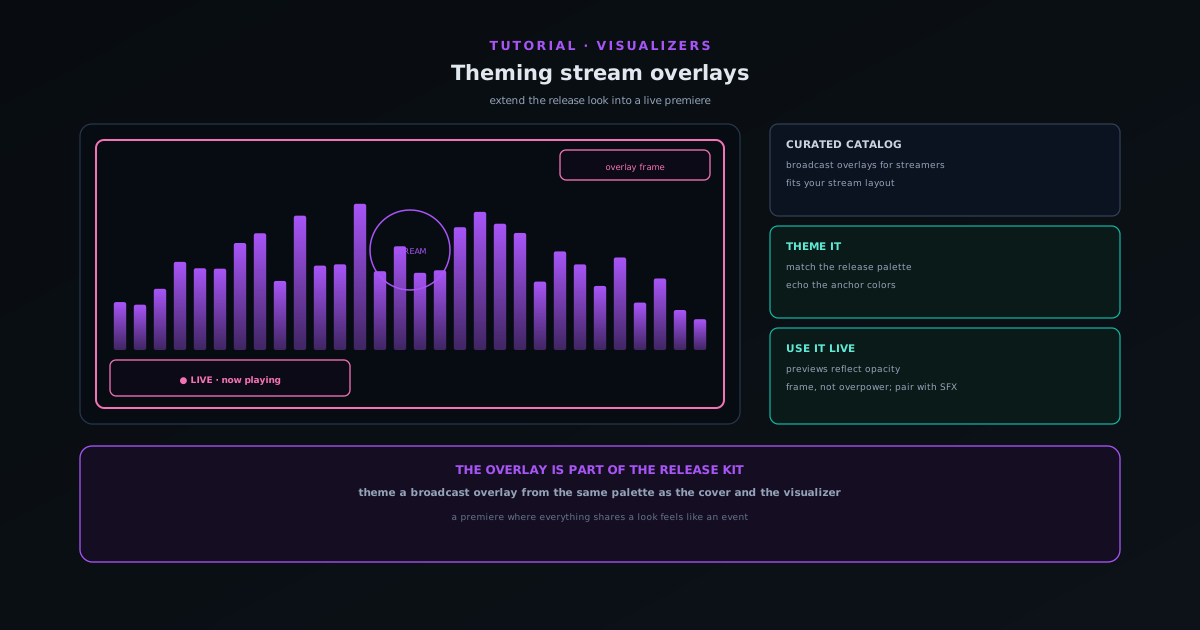
If you premiere a release on a stream, the overlay around your video is part of the impression. The companion Stream Overlays system is a curated catalog of broadcast-oriented overlays, rebuilt to extend the engine library into live, broadcast-oriented use.
This tutorial covers choosing an overlay, theming it to match your release palette, and using it so the premiere belongs to the same visual family as the cover and the main visualizer.
- 1
1. Open Stream Overlays
From the Tools area, open Stream Overlays. It offers a curated catalog of overlays designed for streamers, so you do not have to build broadcast graphics from scratch.
Pick an overlay whose structure fits your stream layout: the frame around your content, the lower-third area, the accents.
- Curated catalog of broadcast-oriented overlays.
- Pick an overlay that fits your stream layout.
- 2
2. Theme it to your release palette
Theme the overlay to match the palette and type of your release, so the stream where you premiere belongs to the same visual family as the cover, the main visualizer, and your other cuts. Consistency across the launch reads as intent.
Pull the same colors you used on the anchor visualizer so the overlay does not look like an unrelated graphic dropped on top.
- Match the overlay to your release palette and type.
- Echo the anchor visualizer's colors for a coherent look.
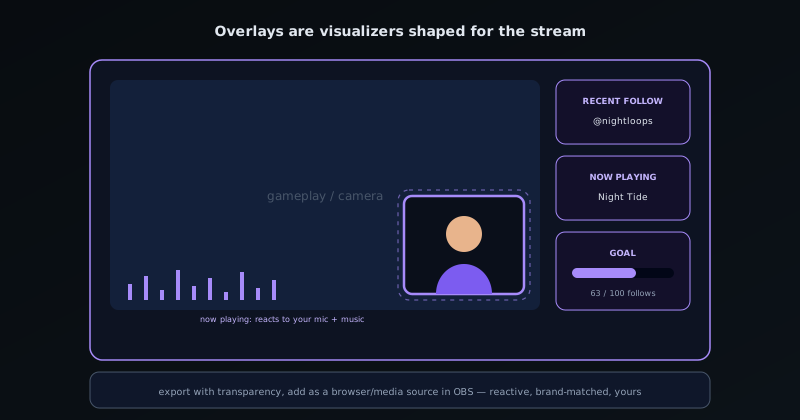
Overlays are visualizers shaped for streaming: reactive, transparent, OBS-ready. - 3
3. Use it in your stream
Take the themed overlay into your streaming setup as part of the premiere. Because overlay previews reflect opacity settings, you can dial the overlay so it frames your content without overpowering it.
Pair the overlay with short audio elements from the Audio Effects Generator for a premiere intro that matches both visually and sonically.
- Overlay previews reflect opacity, so you can tune the balance.
- Pair with SFX for a matched premiere intro.
The overlay is part of the release kit
Treat the stream overlay as one more asset in the release kit, themed from the same palette as everything else. A premiere where the overlay, the visualizer, and the cover all share a look feels like an event rather than an upload, and it costs only a few minutes once the release look is decided.
Frequently asked questions
Quick answers to common questions about this topic.
How do I make stream overlays for a live premiere?
Use the Stream Overlays tool to theme broadcast-ready overlays that match your visualizer's look, then add them to your streaming software for a premiere or live set.
Do the overlays match my visualizer style?
Yes: theme them with the same colors and motifs so your stream and your visualizer feel like one consistent brand.
Related workflow
A track to a release-ready visualizer, per platform
Render the visual once, then produce the platform masters from it, instead of re-rendering the whole video for every aspect ratio.
- Render the beat-synced videoNovus Visualizers: Pick the engine and mode against your actual track; the analysis is done on your audio, not on a preset preview.
- Trim or upscale the exportNSS Background Remover: The video utilities handle the tidy-up pass so the render does not have to be repeated to fix ten seconds of it.
- Produce the per-platform mastersNovus Convert: Each destination wants a different container and bitrate; converting the finished render is far cheaper than re-rendering it.
Related troubleshooting
Was this page helpful?
Your answer stays in this browser, it is not sent anywhere and no account or cookie is involved.