Novus Visualizers
Making a lyric video
Turn a track into a word-synced lyric video: use on-device AI captions for the transcript, fix per-word timing so lines land with the vocal, set a readable look, and export. Plus when to reach for the Lyric Video Creator.
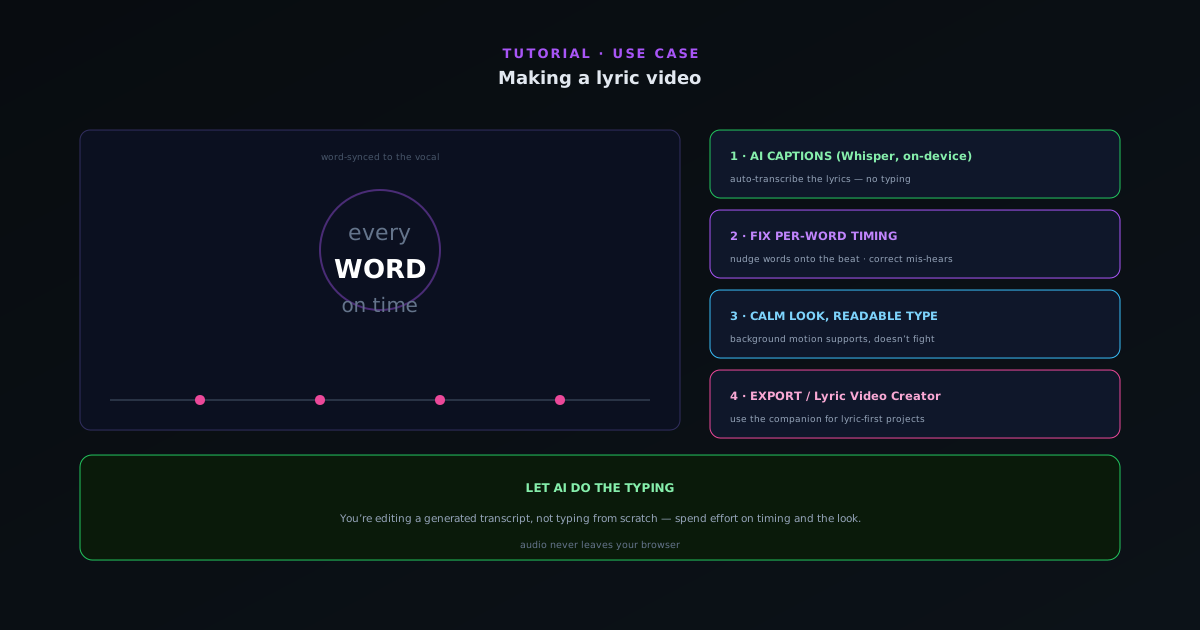
Lyric videos are one of the highest-value assets for a release, and the slow part (typing and timing every word) is exactly what the on-device AI captions automate. This guide covers building one in Visualizers, and when the dedicated Lyric Video Creator companion is the better tool.
Contents
- 1
1. Generate the lyrics with AI captions
Upload the track and run AI captions, which transcribe the vocal on-device with Whisper; no audio leaves your browser. This gives you the full lyric track automatically as a starting point instead of typing it out by hand.
- On-device Whisper transcription.
- Full lyric track generated automatically.
- 2
2. Fix per-word timing
Automatic timing is close; per-word timing edits make it exact. Nudge words so each line appears with the vocal and any emphasized word lands on its beat. Correct any mis-heard lyric inline. This is the step that makes a lyric video feel authored rather than auto-generated.
- Per-word timing edits.
- Inline lyric corrections.
- 3
3. Set a readable, on-brand look
Choose a calm engine that does not fight the text, pick a clear font, and keep strong contrast between the words and the background. Recolor to match the single’s artwork. The visualizer reacts to the music behind the lyrics, giving motion without pulling focus from the words.
- Calm background engine.
- High-contrast, readable type.
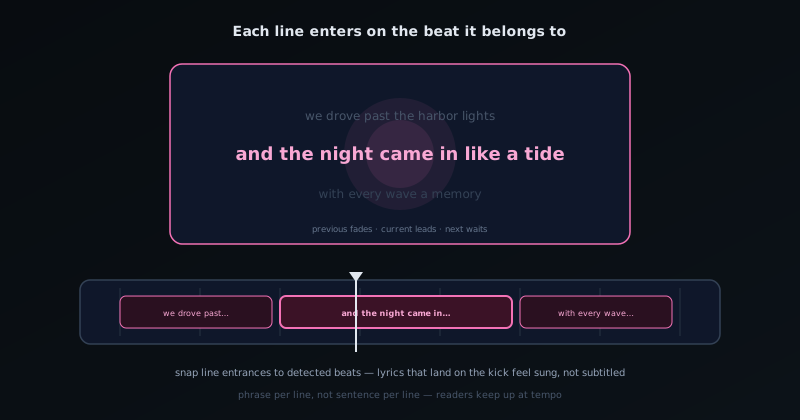
Lyric timing is placement work: each line enters on the beat it belongs to. - 4
4. Export, or use the Lyric Video Creator
Export at your target resolution and platform preset. If a project is lyric-first (full song, heavy text choreography) the dedicated Lyric Video Creator companion tool is purpose-built for it and may be faster than doing everything in the main visualizer. Use whichever fits the release.
- Export with platform presets.
- Lyric Video Creator for lyric-first projects.
Let AI do the typing
The whole reason this is fast is that you are editing a generated transcript instead of typing and timing from scratch, so spend your effort on the timing nudges and the look, not retyping lyrics. Keep the background motion calm; in a lyric video the words are the star and everything else is support.
Frequently asked questions
Quick answers to common questions about this topic.
How do I make a lyric video?
Use the Lyric Video Creator: it transcribes your track on-device with per-word timing, lets you correct and style the captions over a visualizer, and exports, all free.
Can I fix mis-heard lyrics before exporting?
Yes. The transcription is editable per word, so you can correct names and terms and adjust timing before rendering.
Related workflow
A track to a release-ready visualizer, per platform
Render the visual once, then produce the platform masters from it, instead of re-rendering the whole video for every aspect ratio.
- Render the beat-synced videoNovus Visualizers: Pick the engine and mode against your actual track; the analysis is done on your audio, not on a preset preview.
- Trim or upscale the exportNSS Background Remover: The video utilities handle the tidy-up pass so the render does not have to be repeated to fix ten seconds of it.
- Produce the per-platform mastersNovus Convert: Each destination wants a different container and bitrate; converting the finished render is far cheaper than re-rendering it.
Related troubleshooting
Was this page helpful?
Your answer stays in this browser, it is not sent anywhere and no account or cookie is involved.