Novus Visualizers
Cinematic effects and finishing touches
The post-processing layer that separates a polished visualizer from a raw one (vignette, film grain, and chromatic aberration, plus the drift reaction) and how to use them without overdoing it.
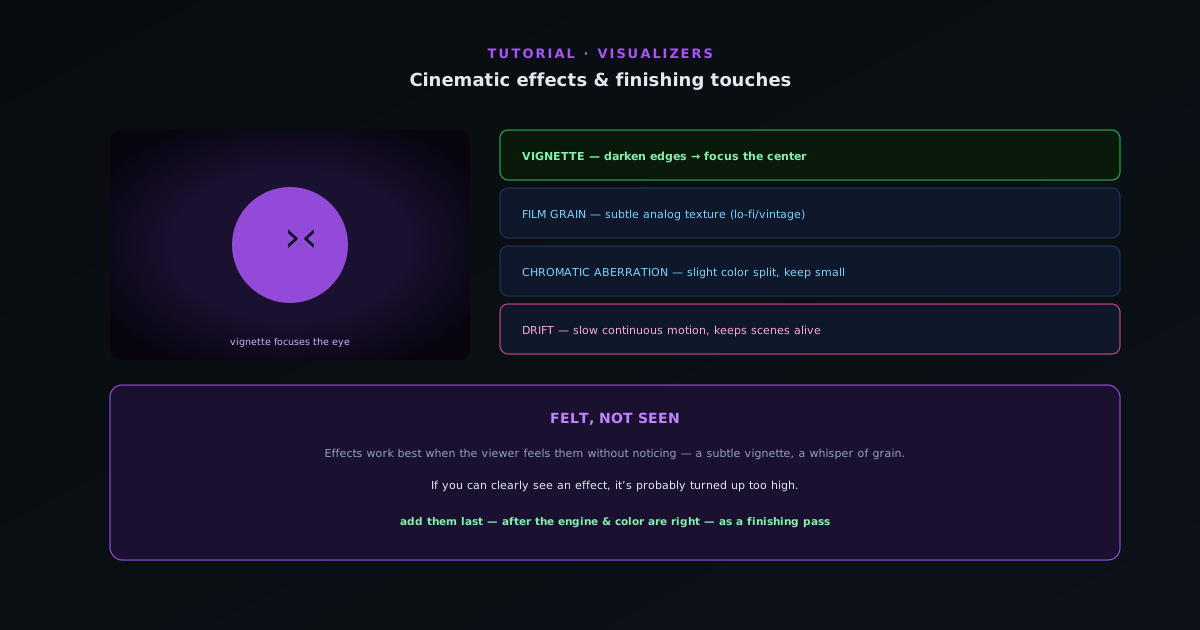
Beat-sync handles motion; cinematic effects handle finish. A vignette, a touch of grain, and a hint of chromatic aberration give a visualizer a polished, filmic quality that raw engine output lacks. This guide covers the finishing effects and the restraint to use them well.
Contents
- 1
1. Vignette: focus the eye
A vignette darkens the edges of the frame, drawing the eye to the center where your main motion and palette live. It is the single most effective finishing touch: subtle and almost invisible, but it makes the whole frame feel more intentional and keeps attention where you want it.
- Vignette: darken edges → focus the center.
- 2
2. Film grain: add texture
A light film grain adds analog texture that takes the digital sheen off a perfectly clean render. It is especially nice on lo-fi, vintage, and cinematic looks. Keep it subtle: grain should be felt more than seen; heavy grain looks like noise rather than film.
- Film grain: subtle analog texture (especially lo-fi/vintage).
- 3
3. Chromatic aberration: a hint of edge
Chromatic aberration splits the color channels slightly at the edges, mimicking a real lens. A small amount adds energy and an edgy, modern feel; too much makes everything look broken. Pair it with the beat (a touch more aberration on hits can add punch) but keep the baseline low.
- Chromatic aberration: slight color-channel split; keep it small.
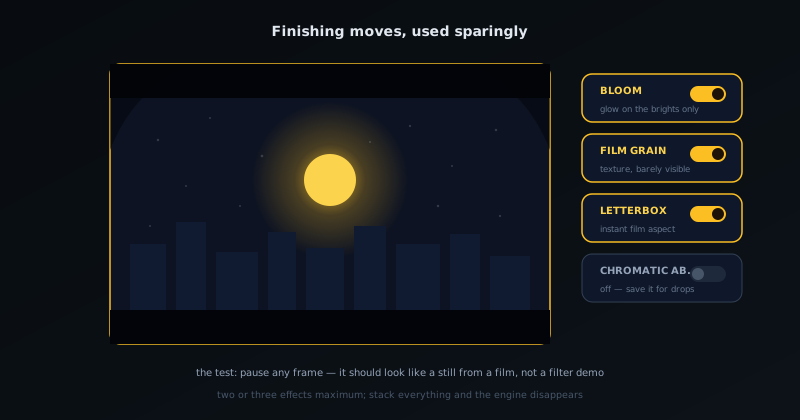
Cinematic effects are finishing moves: bloom, grain, and letterbox, used sparingly. - 4
4. Drift and motion finishing
Beyond the beat reactions (shake, pulse, glow, tilt), drift adds a slow, continuous motion that keeps a scene alive between beats so it never feels static. Combined with the post effects, drift gives even a calm section a sense of gentle movement. Use it to keep ambient or low-energy passages breathing.
- Drift: slow continuous motion to keep scenes alive.
Felt, not seen
Cinematic effects work best when the viewer feels them without noticing them: a subtle vignette, a whisper of grain, a hint of aberration. If you can clearly see an effect, it is probably turned up too high. Add them last, after the engine and color are right, as a finishing pass.
Frequently asked questions
Quick answers to common questions about this topic.
How do I make a visualizer look cinematic?
Add finishing effects (subtle grain, vignette, bloom, depth, and color grading) and keep motion smooth and purposeful. Restraint reads more cinematic than piling on every effect.
Should I apply effects before or after exporting?
Apply them in the editor so they render into the final export at full quality. Preview is lighter; the export carries the finished look.
Related workflow
A track to a release-ready visualizer, per platform
Render the visual once, then produce the platform masters from it, instead of re-rendering the whole video for every aspect ratio.
- Render the beat-synced videoNovus Visualizers: Pick the engine and mode against your actual track; the analysis is done on your audio, not on a preset preview.
- Trim or upscale the exportNSS Background Remover: The video utilities handle the tidy-up pass so the render does not have to be repeated to fix ten seconds of it.
- Produce the per-platform mastersNovus Convert: Each destination wants a different container and bitrate; converting the finished render is far cheaper than re-rendering it.
Related troubleshooting
Was this page helpful?
Your answer stays in this browser, it is not sent anywhere and no account or cookie is involved.