Sonic Weaver
Working with depth and 3D modes
Depth is not a separate engine; it lives inside specific modes. How to use the 3D modes (Bars 3D Columns, Spectrum Spectral Mesh, Waveform 3D Surface, Character Motion 3D Performer, and the Tunnel corridor and tube modes) plus the camera and depth controls that make them sing.
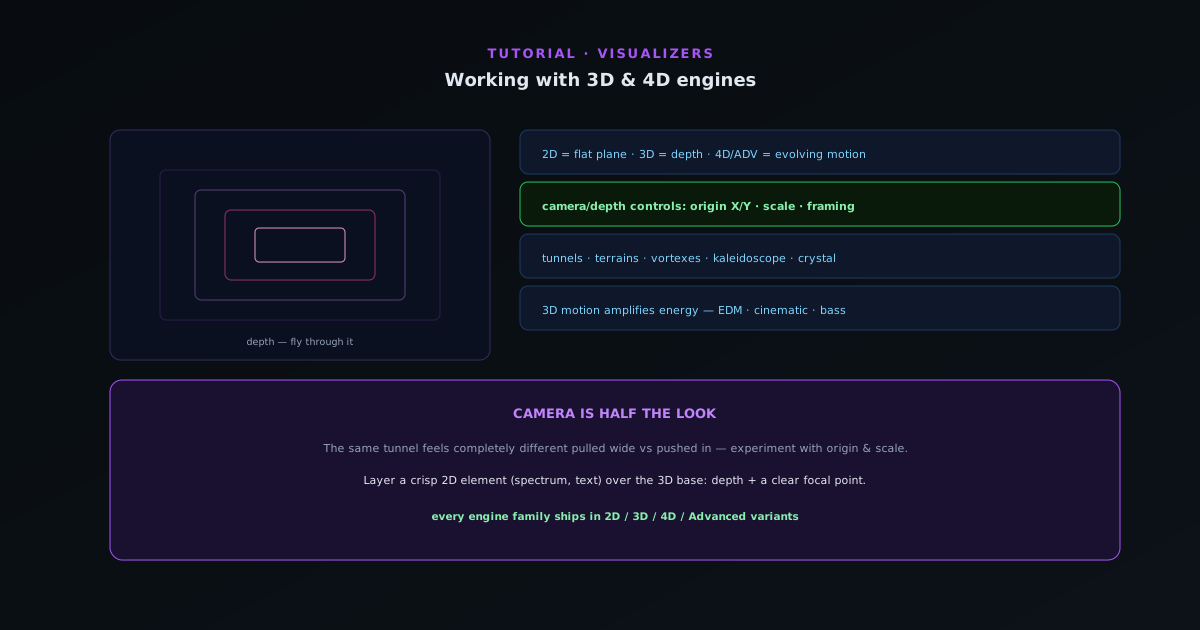
Depth is not a separate variant axis in Sonic Weaver; it lives inside specific modes. A handful of modes render in space and add real dimensional motion: a corridor you fly through, a mesh that ripples in depth, columns that recede toward a horizon. This guide covers getting the most out of them.
Contents
1. Understand what depth adds
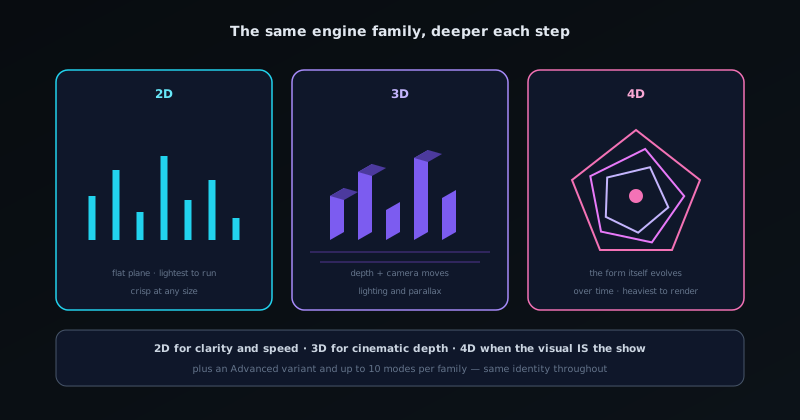
A flat mode renders on a plane; a depth mode renders in space, so the motion moves toward and away from you, not just across the frame. The modes that render this way are Bars 3D Columns, Spectrum Spectral Mesh, Waveform 3D Surface, Character Motion 3D Performer, and the Tunnel corridor and tube modes (Corridor Grid, Warp Field, Spectrum Tube, Waveform Tube). Those are where a sense of space really comes alive.
- Depth modes: Bars 3D Columns · Spectrum Spectral Mesh · Waveform 3D Surface · Character Motion 3D Performer · Tunnel corridor/tube.
2. Use the depth and camera controls
The depth modes expose camera and depth parameters (including origin X/Y position and overall scale) so you can frame the scene the way you want. Pull the camera back for a wide, immersive feel or push in for intensity. Small camera adjustments change a scene’s whole character, so it is worth experimenting before you settle.
- Camera/depth controls: origin X/Y, scale, framing.
3. Match the engine to the energy
Depth modes pair especially well with electronic, cinematic, and bass-driven music where the sense of motion through space amplifies the track. A Tunnel corridor rushing on the beat or a Particle Vortex tightening through a build adds drama a flat spectrum cannot. For calmer tracks, a slow Waveform 3D Surface or Spectrum Spectral Mesh gives depth without intensity.
- 3D motion amplifies energy, great for EDM/cinematic/bass.
4. Layer a flat mode over a depth mode
A reliable combination is a depth mode for the immersive background and a crisp flat element (a Line Spectrum, a Linear Equalizer, or text) on a layer in front, so you get depth and a clear focal point. The depth base provides the atmosphere; the flat foreground keeps the frame legible and on-brand.
Keep the depth motion smooth and the flat foreground sharp, and the two read as a designed scene rather than two competing engines.
Camera is half the look
With the depth modes, the camera framing matters as much as the mode choice; the same Tunnel corridor feels completely different pulled wide vs pushed in. Experiment with the origin and scale before committing, and consider a sharp flat layer in front so the depth has a clear focal point to anchor it.
Frequently asked questions
Quick answers to common questions about this topic.
Which visualizer modes render in 3D?
Depth lives inside specific modes rather than in a separate engine: Bars 3D Columns, Spectrum Spectral Mesh, Waveform 3D Surface, Character Motion 3D Performer, and the Tunnel corridor and tube modes render in space with camera movement. They produce more dimensional visuals than the flat modes.
Do the 3D modes need a powerful device?
They use more GPU than the flat modes, so a capable device renders and exports them faster. Everything runs client-side, so performance scales with your hardware.
Related troubleshooting
Was this page helpful?
Your answer stays in this browser, it is not sent anywhere and no account or cookie is involved.