Novus Visualizers
Color & theme design for visualizers
Color is the fastest way to set a mood and match your release art. How to use the nine themes and per-element color control to design a look that feels intentional instead of default.
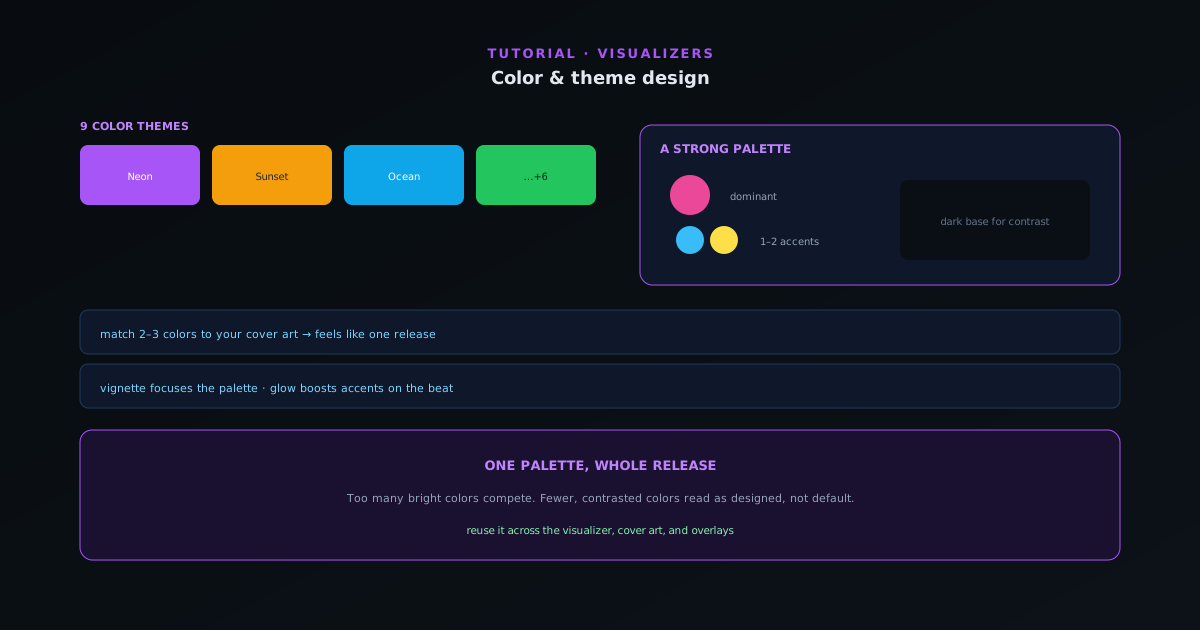
Two creators can pick the same engine and get completely different results; the difference is almost always color. A considered palette is what makes a visualizer look designed rather than default. This guide is about using color deliberately.
Contents
- 1
1. Start from a theme
The nine built-in color themes (Neon, Sunset, Ocean, and more) instantly recolor any engine into a coherent palette. They are the fastest way to change the entire mood; try a few against your track before touching individual colors. A theme that matches the song’s energy does most of the work.
- Nine themes recolor the whole engine instantly.
- Audition a few against your track first.
- 2
2. Match your cover art
If the visualizer accompanies a release, pull its palette from the single’s cover art. Matching even two or three colors to the artwork makes the visualizer feel like part of the same release rather than a generic video. Set those colors per-element where the theme does not get you there.
- Pull the palette from your cover art.
- Match 2–3 key colors for cohesion.
- 3
3. Use contrast and restraint
The most common mistake is too many bright colors competing. A strong palette usually has a dominant color, one or two accents, and a dark base for contrast, so the reactive elements pop against the background. If the frame looks busy or muddy, the fix is usually fewer colors, not more.
- Dominant color + 1–2 accents + dark base.
- Fewer, contrasted colors read better.
One palette, applied everywhere; theme design is consistency, not quantity. - 4
4. Keep effects in service of color
Effects like glow, chromatic aberration, and vignette all interact with color. A vignette darkens the edges so the center palette stands out; glow intensifies your accent color on the beat. Use them to reinforce the palette you chose rather than adding visual noise.
- Vignette focuses the palette; glow boosts accents on beats.
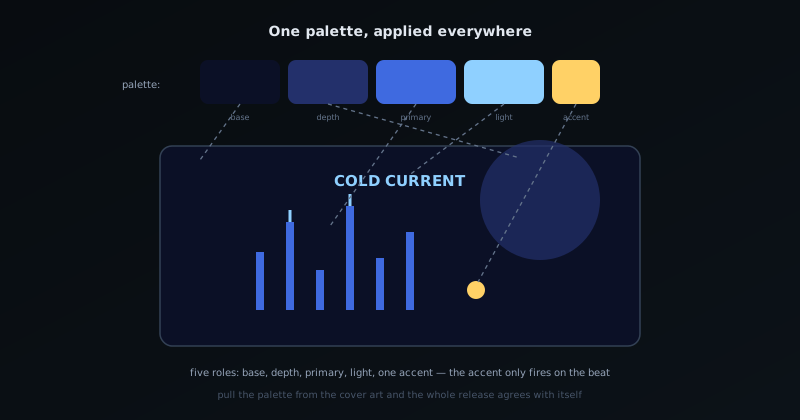
One palette, whole release
Decide a palette once and reuse it across the visualizer, the cover art, and any overlays; that consistency is what builds a recognizable look over a series of releases. Start from a theme, match a couple of colors to your artwork, and resist the urge to use every color at once.
Frequently asked questions
Quick answers to common questions about this topic.
How do I choose colors for a music visualizer?
Start from a one-click color theme or your brand palette, keep contrast high enough for the visuals to read, and limit the palette so the frame feels intentional rather than noisy.
Can I reuse a color theme across videos?
Yes: applying the same theme across releases is what builds a recognizable visual brand. Save it with your project so you can reapply it to the next track instantly.
Related workflow
A track to a release-ready visualizer, per platform
Render the visual once, then produce the platform masters from it, instead of re-rendering the whole video for every aspect ratio.
- Render the beat-synced videoNovus Visualizers: Pick the engine and mode against your actual track; the analysis is done on your audio, not on a preset preview.
- Trim or upscale the exportNSS Background Remover: The video utilities handle the tidy-up pass so the render does not have to be repeated to fix ten seconds of it.
- Produce the per-platform mastersNovus Convert: Each destination wants a different container and bitrate; converting the finished render is far cheaper than re-rendering it.
Related troubleshooting
Was this page helpful?
Your answer stays in this browser, it is not sent anywhere and no account or cookie is involved.