Novus Visualizers
Mastering beat-sync: Beat Burst and beat-reactive properties
Make the visuals move with the music, not just under it. How Beat Burst drives primary motion on detected beats, and how to layer beat-reactive properties (shake, pulse, glow, tilt) so the hits land where you want them.
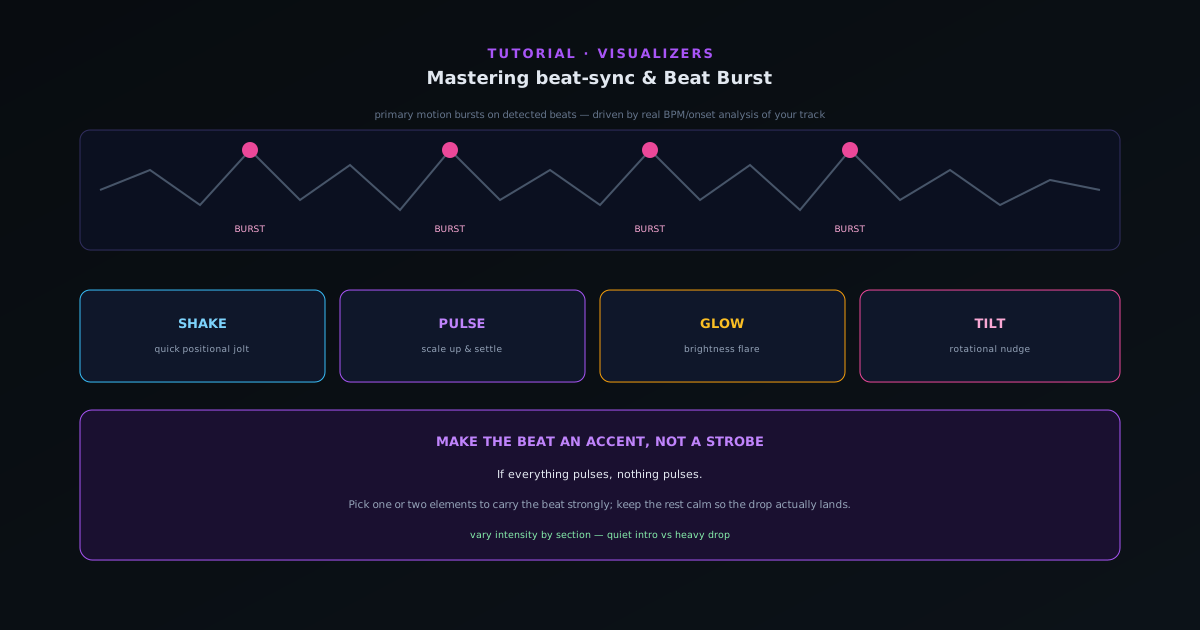
Beat-sync is the difference between a real visualizer and a video that happens to have audio behind it. Novus Visualizers detects the beat from your track and drives motion off it, and this guide covers how to shape that response so it feels intentional.
Contents
- 1
1. Understand Beat Burst
With Beat Burst, the primary motion in every engine bursts on the beats the analyzer detected from your track: comets accelerate, particles swarm, tunnels rush forward in time with the rhythm. It is on by default across engines, which is why even a template reacts to your specific song rather than playing a generic loop.
Because the beats come from the actual audio analysis (BPM and onset detection), the bursts line up with your track, not an estimate.
- Primary motion bursts on detected beats.
- Driven by real BPM/onset analysis of your track.
- 2
2. Layer beat-reactive properties
On top of the primary burst, you can drive secondary properties from the beat: shake (a quick positional jolt), pulse (scale up and settle), glow (brightness flare), and tilt (a rotational nudge). Assigning different properties to different elements is how you get a frame where several things respond to the same hit in different ways: a pulse on the core, a glow on the accents, a subtle shake on the whole frame.
- Shake, pulse, glow, tilt as beat-reactive properties.
- Assign different properties to different elements.
- 3
3. Tune intensity so it’s not constant
The most common beat-sync mistake is making everything react at full strength all the time, which reads as a constant strobe and tires the eye. Dial the response back so the hits feel like accents against calmer motion; a strong pulse on the downbeat is far more effective when the bars between it are relatively still. Contrast is what makes a beat land.
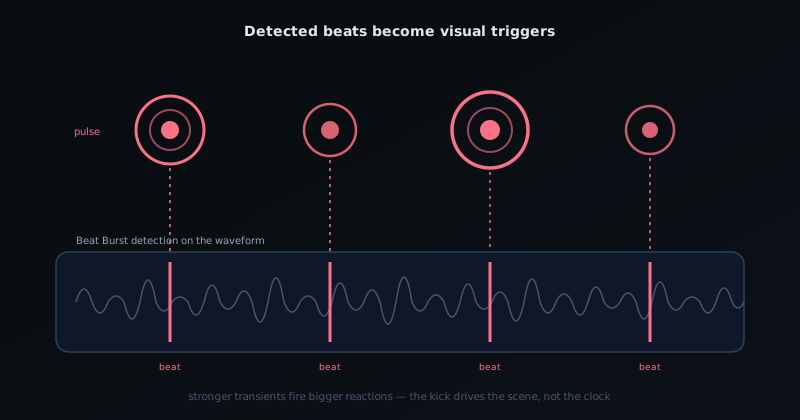
Detected beats become triggers; every marked transient drives a visible reaction. - 4
4. Match the energy to the section
A track is not uniform; a quiet intro and a heavy drop should not look the same. Use calmer beat response in low-energy sections and let the reactive properties open up in the chorus or drop. Because the visuals follow the audio’s loudness and onsets, a lot of this happens automatically, but nudging the intensity per section is what separates a polished result from a flat one.
Make the beat an accent
Restraint is the whole game in beat-sync. If everything pulses, nothing pulses. Pick one or two elements to carry the beat strongly and let the rest stay relatively calm, and your drops and downbeats will actually hit instead of disappearing into constant motion.
Frequently asked questions
Quick answers to common questions about this topic.
How do I make a visualizer react to the beat?
Bind visual properties to the beat using Beat Burst and beat-reactive controls, so elements pulse, scale, or trigger on detected beats. The app analyzes the track in real time to drive them.
What is Beat Burst?
A reactive effect that fires on the beat for emphasis, great for drops and accents. Combine it with beat-reactive properties for motion that tracks the music's rhythm.
Related workflow
A track to a release-ready visualizer, per platform
Render the visual once, then produce the platform masters from it, instead of re-rendering the whole video for every aspect ratio.
- Render the beat-synced videoNovus Visualizers: Pick the engine and mode against your actual track; the analysis is done on your audio, not on a preset preview.
- Trim or upscale the exportNSS Background Remover: The video utilities handle the tidy-up pass so the render does not have to be repeated to fix ten seconds of it.
- Produce the per-platform mastersNovus Convert: Each destination wants a different container and bitrate; converting the finished render is far cheaper than re-rendering it.
Related troubleshooting
Was this page helpful?
Your answer stays in this browser, it is not sent anywhere and no account or cookie is involved.