Novus Visualizers
Audio reactivity in depth: default bindings vs customizing the FFT mapping
Go past the defaults: understand the 32-band FFT and how bass, mid, treble, RMS loudness, and onset detection map to motion, then customize which audio signal drives which visual parameter.
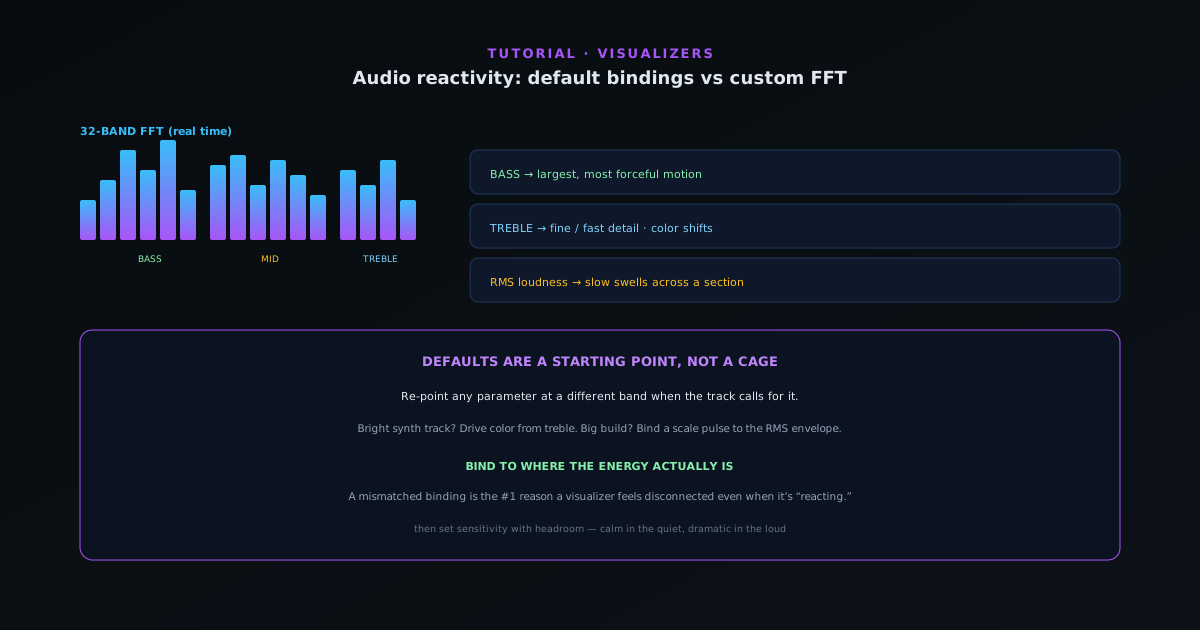
Every visual in Novus Visualizers is ultimately driven by numbers extracted from your audio in real time. Understanding what those numbers are (and which one is driving which part of the picture) is what lets you go from “it reacts” to “it reacts to the right thing.” This guide explains the audio model and how to customize the bindings.
Contents
- 1
1. What the analyzer extracts
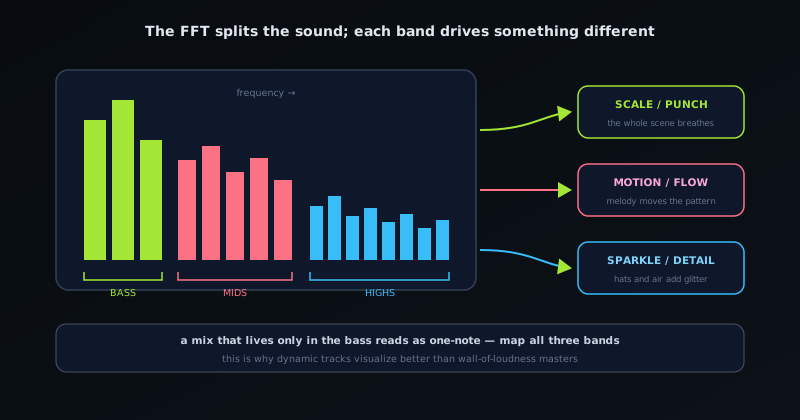
As your track plays, a 32-band FFT breaks the sound into frequency bands in real time. From that, the tool isolates bass, mid, and treble energy, tracks the overall RMS loudness envelope, and detects beats and transient onsets. Those are the signals every reactive parameter can listen to: low-end thump, midrange body, high-end shimmer, overall loudness, and sharp hits.
- 32-band FFT in real time.
- Bass / mid / treble isolation.
- RMS loudness envelope.
- Beat and onset/transient detection.
- 2
2. How the default bindings work
Out of the box, engines come with sensible default bindings: typically bass drives the largest, most forceful motion, treble drives fine or fast detail, and overall loudness scales intensity, while detected beats trigger the Beat Burst. This is why a freshly chosen template already feels matched to your song: the defaults route the obvious signals to the obvious motions.
- 3
3. Customize which signal drives which parameter
The defaults are a starting point, not a cage. Re-point a parameter at a different band when the music calls for it: drive color shifts from treble instead of bass for a track where the energy lives up high, or bind a scale pulse to the RMS envelope so the whole scene swells through a build rather than only popping on the kick. Matching the binding to where your track’s energy actually sits is the single biggest lever on how connected the visuals feel.
- Bind motion to bass/mid/treble depending on the track.
- Use RMS for slow swells across a section.
- Use onsets for sharp, percussive accents.
The FFT splits the sound into bands, and each band drives a different visual parameter. - 4
4. Tune sensitivity and avoid over-reacting
Once a binding is right, sensitivity is the fine adjustment. Too sensitive and a parameter maxes out constantly so there is no dynamic range; too low and the reaction is invisible. Aim for a response that has headroom (calm in the quiet parts, dramatic in the loud parts) which mirrors how the track itself moves. The same restraint principle from beat-sync applies: dynamic range is what makes reactivity legible.
Bind to where the energy is
Before you touch anything, listen for where your track lives: is it a bass-driven beat, a bright synth-led track, or a dynamic build? Route the most prominent motion to that part of the spectrum and the visuals will feel locked to the song. A mismatched binding (big motion on a band the song barely uses) is the most common reason a visualizer feels disconnected even when everything is technically reacting.
Frequently asked questions
Quick answers to common questions about this topic.
How does audio reactivity work in Novus Visualizers?
A real-time 32-band FFT plus beat, onset, and loudness detection maps the audio onto visual parameters. You can use the default bindings or customize which frequency bands drive which elements.
Can I control which frequencies drive which visuals?
Yes. Customize the FFT mapping so bass, mid, or treble energy drives specific layers or properties, giving you precise control over how the visuals respond to the track.
Related workflow
A track to a release-ready visualizer, per platform
Render the visual once, then produce the platform masters from it, instead of re-rendering the whole video for every aspect ratio.
- Render the beat-synced videoNovus Visualizers: Pick the engine and mode against your actual track; the analysis is done on your audio, not on a preset preview.
- Trim or upscale the exportNSS Background Remover: The video utilities handle the tidy-up pass so the render does not have to be repeated to fix ten seconds of it.
- Produce the per-platform mastersNovus Convert: Each destination wants a different container and bitrate; converting the finished render is far cheaper than re-rendering it.
Related troubleshooting
Was this page helpful?
Your answer stays in this browser, it is not sent anywhere and no account or cookie is involved.