NSS Background Remover
Model tiers and bring-your-own-ONNX
Choose the right model tier for your device (Lite, Standard, or Pro) manage what is cached, and point an advanced Pro capability at your own hosted ONNX model, all running locally.
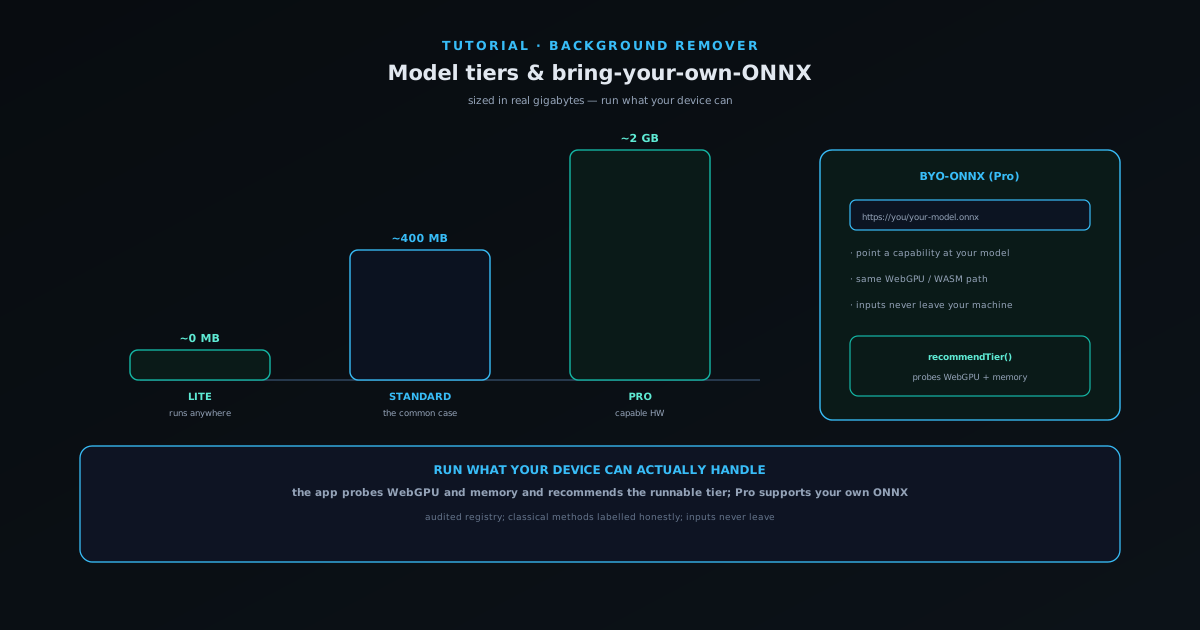
NSS Background Remover sizes its AI in real terms rather than hype. Model tiers are described in actual gigabytes (a Lite path that downloads nothing, a Standard tier of a few hundred megabytes, and a Pro tier for heavy models) and the app only recommends a tier your device can actually run.
This tutorial covers choosing a tier, managing what is downloaded, and the advanced bring-your-own-ONNX option that lets you swap in your own hosted background-removal model, which works because the runtime is already in your browser.
Contents
- 1
1. Let the app recommend a tier
The tool probes your device (checking for a usable WebGPU adapter and available memory) and recommends the highest tier it can actually run. Lite uses classical and lightweight paths with no large download; Standard uses verified mainstream models at a few hundred megabytes; Pro uses heavy models for demanding tasks and needs capable hardware. The tier decides which core background-removal and upscaling models load: the Fast (RMBG-1.4), Best Quality (RMBG-2.0 / BiRefNet), and Glass cutout models and the 2×/4× upscaler scale with the tier you pick.
Following the recommendation means the tool finishes rather than stalling on a model your device cannot handle.
- Lite ≈ 0 MB, Standard ≈ a few hundred MB, Pro ≈ heavier.
- The app recommends the highest tier your device can run.
- 2
2. Manage what is downloaded
You stay in control of the cache: the tool can show how much is cached and lets you delete downloaded models to reclaim space, with accurate, byte-level download progress so you always know what you are fetching.
This matters because the models live in your browser: managing them is managing your own device's storage.
- See how much is cached; delete models to reclaim space.
- Byte-accurate download progress.
- 3
3. Bring your own ONNX model (Pro)
For advanced users, the Pro tier supports bringing your own ONNX model: point the background remover at your own hosted removal model URL, and the loader fetches and runs it in your browser on the same WebGPU-primary, WASM-fallback path as everything else.
This is natural because the runtime already lives in your browser and inference runs on your hardware: the model is just a file, so swapping it is a configuration change, not a different architecture.
- Point the background remover at your hosted ONNX removal model.
- Runs on the same WebGPU/WASM path; inputs never leave your machine.
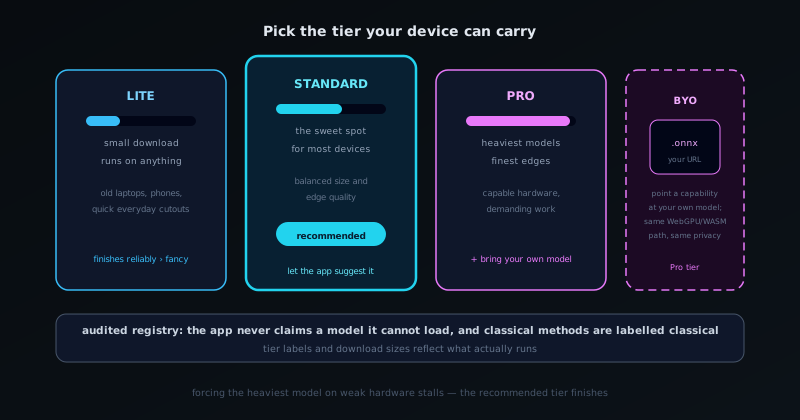
Pick the tier your device can carry, or point the Pro tier at your own ONNX model. - 4
4. Know that honesty is the default
The tiers reflect a broader honesty principle: the model registry is audited so the app does not claim models it cannot load, and classical algorithms are labelled as classical rather than dressed up as neural AI. What you select is what actually runs.
That means you can trust the tier labels and sizes when deciding what your device should run.
- Audited registry; classical methods labelled honestly.
- Tier labels and sizes reflect reality.
Run what your device can actually handle
Resist the urge to force the heaviest model; let the app recommend the tier your device can run, and it will finish reliably rather than stalling. Reserve the Pro tier and bring-your-own-ONNX for capable hardware and genuinely demanding tasks; for most everyday cutouts, Standard is the sweet spot.
Frequently asked questions
Quick answers to common questions about this topic.
How do I choose an AI model tier?
Let the recommender probe your device and suggest the highest tier it can run: Lite (0 MB), Standard (~400 MB), or Pro (~2 GB). You can see and delete cached model data anytime.
Can I run my own model?
Yes: the bring-your-own-ONNX path runs your own weights locally, WebGPU-first with a WebAssembly fallback, entirely on-device.
Related workflow
Product photo to a transparent image every channel accepts
One photograph, cut out once, then re-encoded for a storefront, a marketplace listing and a social post without redoing the cutout each time.
- Cut the background out and check the edgesNSS Background Remover: Hair, glass and drop shadows are where automatic cutouts fail. Fix them once, on the master, before anything downstream copies the mistake.
- Re-encode and resize per destinationNovus Convert: Transparency survives PNG and WebP and dies in JPEG. Convert validates the file it hands back, so a listing never rejects a silently broken upload.
Related troubleshooting
Was this page helpful?
Your answer stays in this browser, it is not sent anywhere and no account or cookie is involved.