NSS Background Remover
Custom tuning: optimize the pipeline for your kind of image
Upload reference images to tune the removal pipeline for a specific category of image (your products, your style) so cutouts get more consistent across a catalog, all on-device.
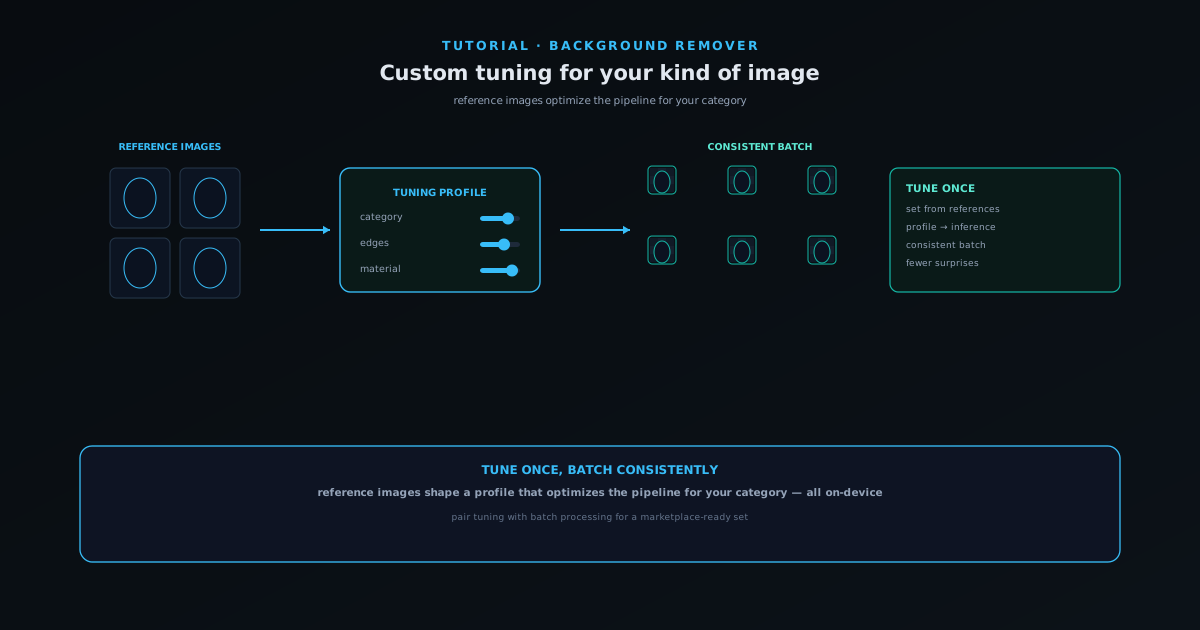
When you process the same kind of image over and over (a catalog of similar products, a consistent style of shot) a general-purpose pipeline can be tuned to do better on your specific case. NSS Background Remover supports custom tuning: an active tuning profile that flows into the inference worker, driven by reference images you provide.
This tutorial covers how custom tuning works, when it helps, and how it keeps cutouts more consistent across a set, all while staying on-device.
Contents
- 1
1. Decide when tuning is worth it
Custom tuning pays off when you have a consistent category of image (the same kind of product, the same lighting, the same style) and want cutouts to behave consistently across all of them. For one-off images, the default pipeline is already strong and tuning is unnecessary.
Think of tuning as something you set up once for a repeated job, not for every image.
- Best for a consistent category processed repeatedly.
- Unnecessary for one-off images.
- 2
2. Provide reference images
Upload reference images that represent your category. These shape a tuning profile that optimizes the pipeline for that kind of image, so the cutouts on your actual catalog reflect the characteristics of the references.
As with everything in the tool, the references are processed on your device; tuning does not send your images anywhere.
- Reference images define the tuning profile.
- Processed on-device, like the rest of the tool.
Profiles remember what your products need: tune once, reuse on every set. - 3
3. Let the profile flow into inference
The active tuning profile flows into the inference worker, so subsequent removals on your category benefit from it. The result is more consistent behavior across a set: fewer one-off surprises on images that are all basically the same kind.
Consistency across a catalog is exactly what makes a set of listings look like one coherent brand rather than a pile of unrelated photos.
- The tuning profile feeds the inference worker.
- More consistent cutouts across a similar set.
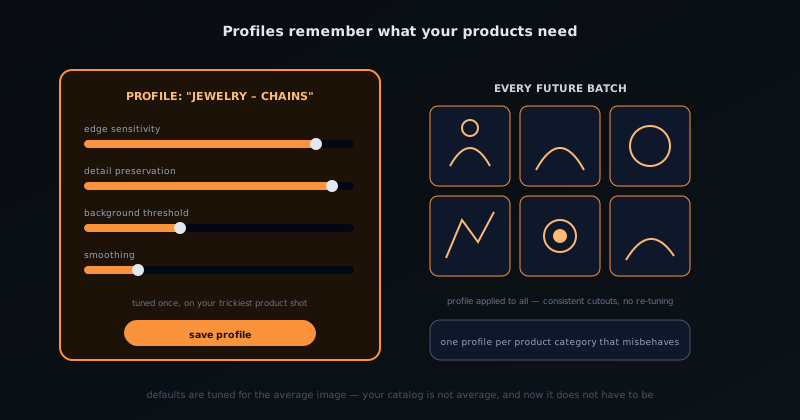
Tune once, stay consistent
Set the profile from references that represent your catalog, then process the set so every image is cut out consistently. That consistency is what turns a pile of similar product shots into a uniform, marketplace-ready set.
Frequently asked questions
Quick answers to common questions about this topic.
What does custom tuning do?
It lets you optimize the removal pipeline for the kind of images you work with (for example consistently fine edges or a particular subject type) so repeated work gives more reliable results.
Who is custom tuning for?
Power users processing similar images often, who want to dial in settings once rather than adjust every image. Casual users can rely on the defaults.
Related workflow
Product photo to a transparent image every channel accepts
One photograph, cut out once, then re-encoded for a storefront, a marketplace listing and a social post without redoing the cutout each time.
- Cut the background out and check the edgesNSS Background Remover: Hair, glass and drop shadows are where automatic cutouts fail. Fix them once, on the master, before anything downstream copies the mistake.
- Re-encode and resize per destinationNovus Convert: Transparency survives PNG and WebP and dies in JPEG. Convert validates the file it hands back, so a listing never rejects a silently broken upload.
Related troubleshooting
Was this page helpful?
Your answer stays in this browser, it is not sent anywhere and no account or cookie is involved.