2026 · Novus PDF StudioAbout 6 min readNovus Stream Solutions
Novus PDF Studio is live: fill, sign, scan, and export PDF forms
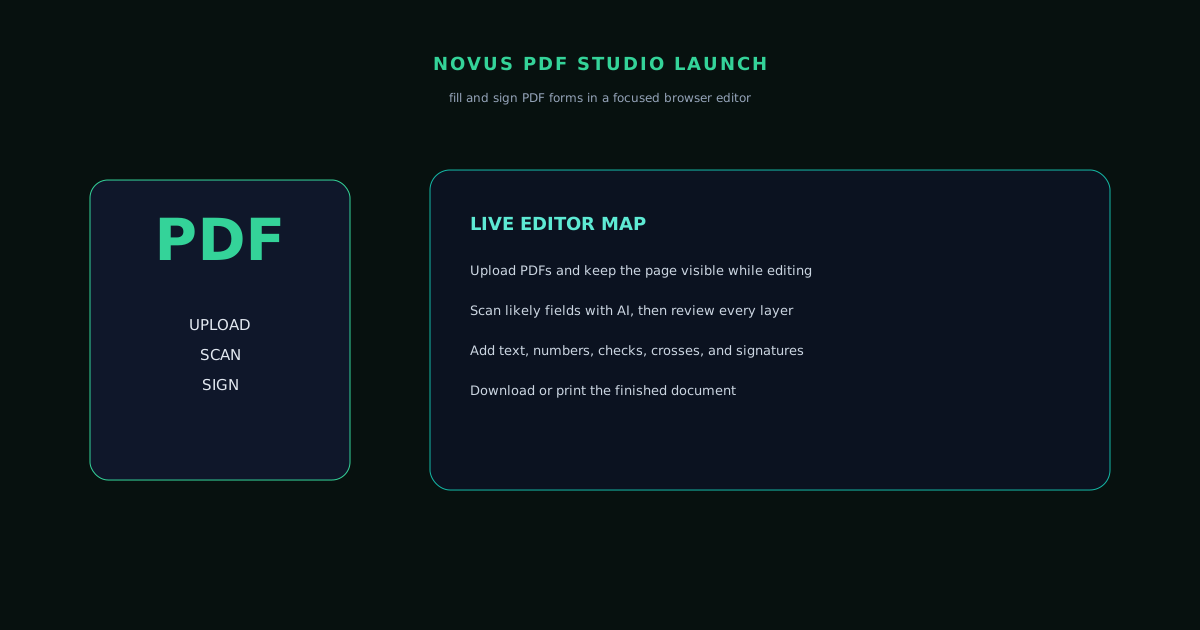
pdf.novusstreamsolutions.com adds a practical document layer to the Novus free-tools portfolio: upload a PDF, scan likely fields, refine every layer, draw signatures, and export a finished form.
Contents
- 1.Overview
- 2.Why PDF form editing belongs in the portfolio
- 3.The current tool map
- 4.The launch workflow we care about first
- 5.Privacy, safety, and realistic boundaries
- 6.How it fits the Novus portfolio
- 7.Where to start
- 8.What shipped after launch
- 9.Why the field scan is the hard part
- 10.What we deliberately did not build
Overview
Novus PDF Studio is now part of the public portfolio at pdf.novusstreamsolutions.com. The goal is deliberately practical and deliberately narrow: help someone upload a PDF form, find likely fields, correct the layout by hand, draw or place a signature, and export a finished document without opening a heavyweight desktop editor.
This has grown into a genuinely capable PDF workspace. Alongside the fill-and-sign core, the live app now offers seven page-level tools: merge, split, organize, rotate, add page numbers, password protection with AES-256, and unlock. What it does not currently offer is compression, format conversion, redaction, or metadata cleanup. Those are possible future directions, but the launch story should describe the product that exists today: a browser-first fill-and-sign workspace with AI-assisted field discovery, manual precision controls, and a suite of page operations.
Why PDF form editing belongs in the portfolio
The strongest free tools solve practical problems that happen often. PDF forms are exactly that kind of surface. They show up in government workflows, benefit forms, client intake packets, invoices, disclosures, receipts, and internal business records. The work is rarely glamorous, but it is high-friction: the boxes are small, signatures need to line up, dates and amounts repeat, and a generic PDF viewer is often not enough.
That problem does not need a giant editor. It needs a focused workspace with the form visible, the fields editable, and the export path obvious. That is the same product philosophy that made the earlier Novus tools useful: solve a specific recurring job, show the result, and keep the user in control instead of making them accept a one-click output they cannot fix.
The current tool map
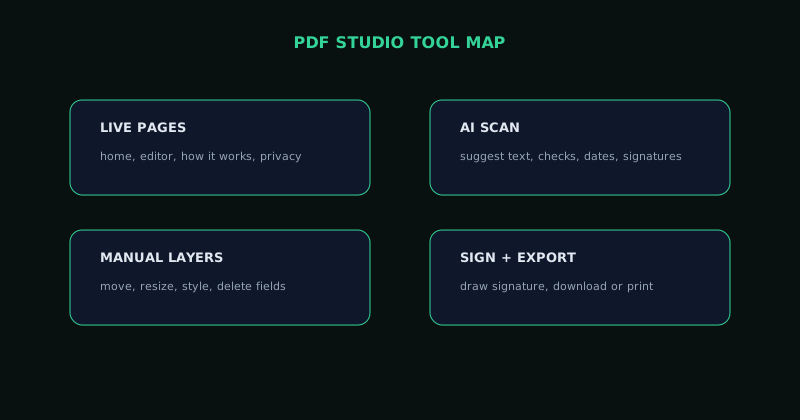
The current map is intentionally small. The public pages are Home, Editor, How it works, and Privacy. Inside the editor, the live capabilities are upload, AI field scan, manual field creation, layer review, text/number/date-style values, check and cross marks, signature drawing, font and position controls, clearing AI fields separately from manual work, and download or print export.
That smaller map is a better promise than a large future-facing one. It tells users what they can actually open today (the fill-and-sign core plus page tools like merge, split, organize, rotate, and password protection) and gives the team room to add compression, conversion, or metadata tools later as separate shipped surfaces rather than as premature marketing claims.
- Live routes: /, /editor, /how-it-works, Privacy policy.
- Editor flow: upload, scan, refine, sign, export.
- Field controls: text, number, check/cross, date-style values, and signatures.
- Layer controls: move, resize, duplicate, delete, clear AI fields, clear workspace.
The launch workflow we care about first
The first tutorial now focuses on the workflow the live product actually supports: upload a form, run the scan if it helps, inspect the suggested layers, correct the layout manually, draw a signature, and export the finished PDF. This is the core loop for government forms, client intake forms, invoices, disclosures, and business records.
A good PDF form editor should reduce anxiety at each step. It should show the document, make suggested fields visible, let the user correct anything, and leave them with a finished file they can review before sending. That is why the launch emphasis is not on “AI does it all,” but on “AI gets you started and manual controls finish the job.”
Privacy, safety, and realistic boundaries
PDF forms often touch sensitive material, so the product language needs to be careful. The live site describes a browser-side editing workflow for the core form experience and does not require an account-first path. That is useful, but it does not turn the editor into a secure document vault, legal review system, redaction engine, or compliance platform.
The launch posture is deliberately honest. PDF Studio is not a magic fix for badly structured forms and does not replace careful review. The scan is a head start. The layers panel and manual tools are there because the user still needs to inspect, correct, and approve the final file.
How it fits the Novus portfolio
With PDF Studio, the live Novus Stream Solutions portfolio covers three practical surfaces: images, videos, and forms. Background Remover prepares images. Visualizers prepares creator video. PDF Studio finishes the documents and records that support real work.
The shared operating model stays the same: focused free tools, hub-side documentation, practical tutorials, and supporting launch notes that explain why each app exists. PDF Studio adds the document layer without pretending the whole PDF roadmap has already shipped.
Where to start
Open pdf.novusstreamsolutions.com/editor to use the app. For the current reference, start with Novus PDF Studio. For the live tool map, use Tool maps. If you want a hands-on first run, How to fill and sign a PDF form with Novus PDF Studio walks through upload, scan, layer cleanup, signature, and export.
What shipped after launch
A launch note ages badly unless it says what happened next, so here is the honest version. The editor arrived first and the page tools followed on 14 July: merge, split, organize, rotate, page numbers, protect with AES-256, and unlock, all running on-device in the same rendering pipeline as the editor so a document exported from a tool and one exported from the editor come out identical.
The AI field scan has been the subject of most of the engineering effort since, and the improvements are unglamorous in exactly the way real accuracy work usually is. It now skips table headers and amount cells that used to be mistaken for inputs, signature-line detection improved so the place to sign gets found rather than guessed at, and the rate of false-positive boxes on documents that were already fillable came down. The grey outline that used to sit around every field during editing is gone, so the page reads as the document rather than as a form builder.
Alongside that: a light theme with a persistent toggle, a blog with preview images, search, and tag filtering, ten in-depth guides covering filling, signing, highlighting, white-out, redaction and rotation, native sharing, and a full set of security response headers with a content security policy.
Why the field scan is the hard part
Detecting a form field sounds like a bounded problem and is not. A PDF does not necessarily know it is a form. Plenty of the documents people actually need to fill are scans, exports, or hand-laid-out pages where a "field" is a horizontal line, a box drawn in a table, or simply empty space beneath a label. There is no structured answer to extract, so detection is inference.
That makes both failure modes expensive. Missing a field is obvious and annoying. Inventing one is worse: a document that looks filled and is not, or a box floating over a table header where nobody was meant to write. The work of the last few months has been mostly about the second kind: teaching the scan what is not a field, which is a harder and less demonstrable problem than teaching it what is.
The design answer to the residual uncertainty is that the scan never gets the last word. Every suggestion lands as an editable layer you can move, resize, retype, or delete, and you can clear only the AI-placed fields while keeping the ones you added by hand. A tool that is confidently wrong and uncorrectable is worse than one that is tentatively right and easy to fix.
What we deliberately did not build
It is worth naming the gaps, because a hub page that lists only strengths is not documentation. Novus PDF Studio is not a redaction tool in the security sense. The markup includes highlight and white-out, but true redaction that removes underlying text rather than covering it is a different and more serious guarantee than we are currently making. It is not a compression or conversion suite; that job belongs to Novus Convert. It is not a metadata scrubber, a compliance platform, or a document vault.
Those omissions are choices rather than a roadmap. A focused tool that does seven page operations and one editor well is more useful than a sprawling one that does thirty things adequately, and the temptation to fill out a feature grid is exactly how browser tools become slow and confusing.
Frequently asked questions
Quick answers to common questions about this topic.
What is Novus PDF Studio for?
It is a browser-based PDF form editor for uploading a PDF, scanning likely fields, manually refining layers, drawing signatures, and exporting a finished document; it also ships seven page tools for merge, split, organize, rotate, page numbers, protect, and unlock.
What are the seven page tools?
Merge, split, organize (reorder, rotate, duplicate, and remove pages), rotate, page numbers, protect with AES-256 passwords and viewer permissions, and unlock using authorized credentials. They share the editor's rendering and export pipeline, so output is identical either way.
How accurate is the AI field scan?
Good and improving, and deliberately never final. It now skips table headers and amount cells, detects signature lines more reliably, and produces fewer false positives on already-fillable forms. But every suggestion lands as an editable layer you can move, retype, or delete, and you can clear only the AI-placed fields while keeping your own.
Can it redact a document?
Not in the security sense. The markup tools include highlight and white-out, which cover content visually. True redaction that removes the underlying text is a stronger guarantee than we currently make, so we do not claim it.
Does it include compression, merge, split, or conversion tools?
Partly. The live product now merges and splits PDFs, organizes and rotates pages, adds page numbers, and can password-protect (AES-256) or unlock a file, alongside the fill-and-sign editor. Compression and format conversion are the pieces that may still come later.
What should I try first?
Start with the editor: upload a form, run the scan, review the suggested fields, correct anything manually, draw a signature, and export the finished PDF.
Related workflow
Any document to a signed, sendable PDF
A form that arrived as a scan, a DOCX or an image becomes a filled, signed PDF small enough to email, without a single upload to someone else’s server.
- Bring the source into PDFNovus Convert: Images, documents and ebooks all land as PDF here, so the editor downstream only ever sees one format.
- Fill the fields and signNovus PDF Studio: The AI field scan proposes the boxes; every one stays editable, because a form editor that cannot be corrected is worse than no editor.
- Compress before sendingNovus Convert: Adjustable quality with the measured output size shown before download, so there is no guessing whether it cleared the limit.
Related troubleshooting
Was this page helpful?
Your answer stays in this browser, it is not sent anywhere and no account or cookie is involved.