2026 · Novus VisualizersAbout 13 min readNovus Stream Solutions
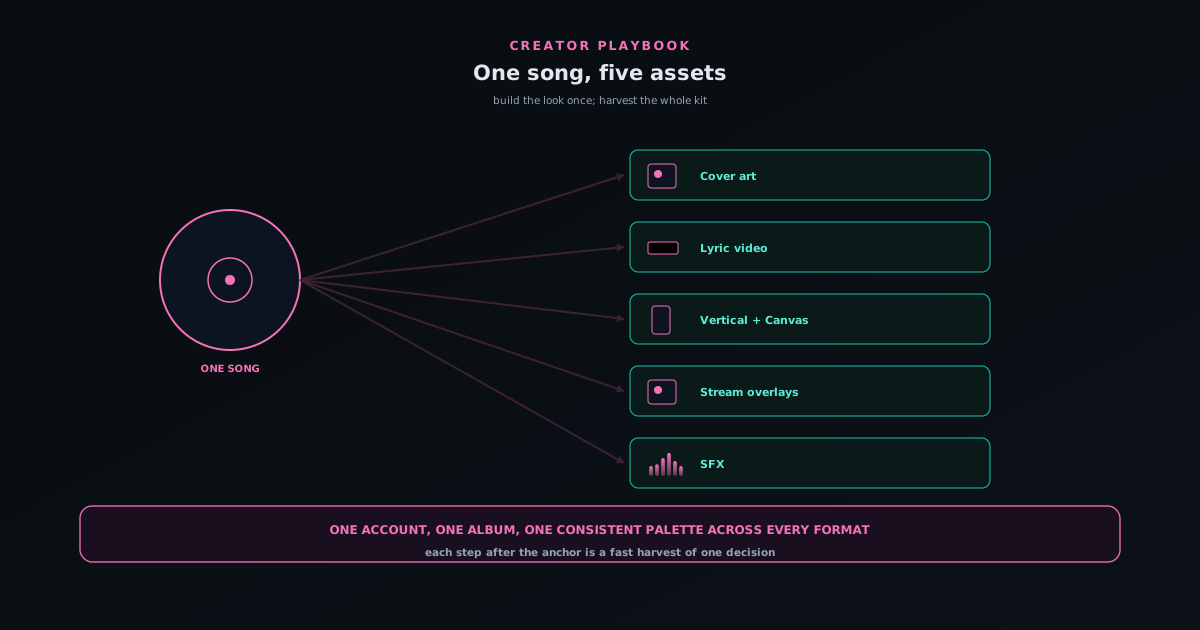
One song, five assets: cover art, Canvas, lyric video, overlays, and SFX from a single track
A release needs more than one video. Here is how to turn a single song into a full asset kit (main visualizer, cover art, lyric video, vertical Canvas, and stream overlays) from one account, with one consistent look.
Contents
- 1.Overview
- 2.The principle: build the look once, harvest everything
- 3.Asset 1: the main visualizer, your anchor
- 4.Asset 2: cover art from the Cover Art Studio
- 5.Asset 3: a lyric video from the same audio
- 6.Asset 4: vertical cuts and a Spotify Canvas
- 7.Asset 5: stream overlays and SFX for the premiere
- 8.Keep it consistent: one palette, one account, one album
- 9.Updating the kit when the release evolves
- 10.A repeatable release-day checklist
Overview
A modern single does not ship as one file. It needs a main video for YouTube, a vertical cut for short-form, a looping Canvas for streaming services, a lyric video for the fans who sing along, cover art for every platform, and increasingly an overlay or two for the stream where you premiere it. Made separately, in separate tools, that is a day of fragmented work and a real risk that none of the pieces quite match. Made the way this playbook describes, it is one focused session: build the look once around the song, then harvest a full asset kit from it using Novus Visualizers and its companion tools, all under one account and one consistent palette.
The reason this works is that the companion tools were designed to orbit a single editor and a single account rather than stand alone. The Cover Art Studio, the Lyric Video Creator, the Audio Effects Generator, Stream Overlays, and the Audio Library all share the same login and the same copyright-clean ownership, so a song you bring in once can become five things without re-uploading or re-explaining itself to five unrelated services. This is a creator playbook for doing exactly that, five assets from one track, with a repeatable checklist at the end so it becomes a habit rather than a scramble.
The principle: build the look once, harvest everything
The mistake that makes release prep painful is treating each asset as a fresh project. The efficient approach inverts that: you make one creative decision, the look of this release, and then express it in five formats. The look is the engine, the palette, the type, and the way the visuals react to the music, and once it is dialled in for the song, every other asset is a reframing or a re-skinning of that single decision rather than a new one. This is why the order matters: settle the identity first, on your primary format, and let everything else inherit it.
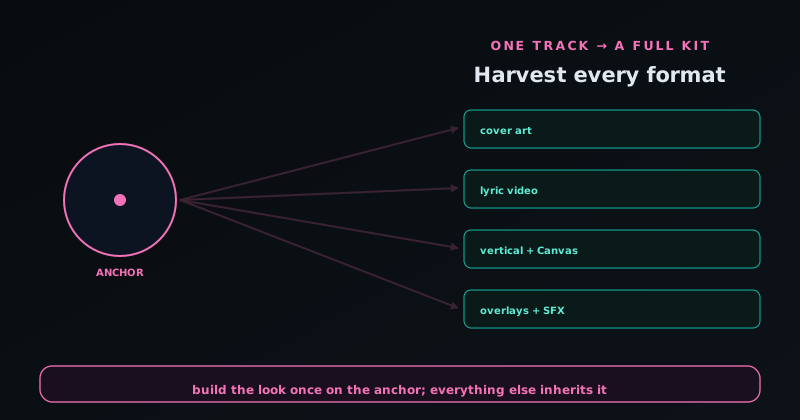
Practically, that means starting on a 16:9 main visualizer where you have the most room to design, getting the engine and theme to genuinely fit the song, and saving it as a project to your account so it is the canonical source the rest of the kit draws from. From there, each additional asset is a known, fast move: a vertical reframe, a cover that echoes the palette, a lyric pass on the same audio, an overlay in the same colors. The creative work is concentrated up front; the rest is harvesting. That is the whole efficiency, and it is also what makes the kit look coherent, because everything genuinely came from one source.
Asset 1: the main visualizer, your anchor
Begin with the main event: a full visualizer for the song on a 16:9 canvas. Upload the track, let the app read it, and choose an engine that matches the song's energy (a calm field for a ballad, something with more motion for an upbeat track) then tune the theme and color so it feels like this release and not a demo. Lean on multi-band beat sync so the bass, mids, and treble drive different elements; that is what keeps the motion feeling married to the music rather than generically pulsing, and it is what makes the same engine look different on a different song. This is the asset every other one inherits from, so it is worth the most care.
Once it looks right, save it as a project and create an album for the release, because the album is what will hold all five assets together. The anchor visualizer establishes the palette, the type treatment, and the visual language; write those choices down or simply keep the project open as a reference, because you will be matching the next four assets to it. Getting this one genuinely good is the highest-leverage thing you will do in the whole session, because every shortcut and every consistency win downstream depends on the anchor being solid.
Asset 2: cover art from the Cover Art Studio
Next, make the cover. The companion Cover Art Studio at visualizers.novusstreamsolutions.com/albums produces cover and square artwork and lets you upload existing art to adapt, so whether you are designing from scratch or refining a piece you already have, it is the right surface. Pull the same palette and type feel from your anchor visualizer so the cover and the video read as one release. Cover art is the single most-seen asset of a release (it is the thumbnail, the playlist tile, the social avatar of the song) so the few minutes to make it match the rest of the kit pay back every time someone sees the track in a list.
Because the Cover Art Studio lives in the same ecosystem as the visualizer, the cover is not a stray file from an unrelated design app; it is part of the same body of work, ownable and reusable everywhere without restriction. Aim for a cover that is legible at tiny sizes (most people first meet it as a small square) and that shares enough DNA with the video that seeing one calls the other to mind. That visual rhyme between the cover and the moving assets is a big part of what makes a small release feel intentional and professional.
Asset 3: a lyric video from the same audio
Now reuse the audio you already uploaded to make a lyric video. The Lyric Video Creator at visualizers.novusstreamsolutions.com/lyric-videos pairs on-device Whisper transcription with caption styling, so it transcribes the words with per-word timing on your device, and you correct and style from there. Set the captions over a background that matches your anchor look (calmer under dense lyrical sections so the words stay readable) and carry the same palette and type. The lyric video is where the most devoted fans engage, because it is the one they sing along to, and it costs you very little since the transcription is automatic and the look is already decided.
The key discipline here is readability over spectacle: the lyric video has one job above all, which is that people can read the words in time with the music, so resist the urge to crank the background to its busiest setting under a key line. Because it is built from the same track and the same visual language as the anchor, it slots into the kit naturally rather than looking like a different project. Save it into the album alongside the main visualizer, and you now have three of your five assets, all visibly from the same release.
Asset 4: vertical cuts and a Spotify Canvas
Short-form and streaming need vertical video, so harvest those from your anchor. Reframe the 16:9 look to 9:16 so the focal motion and any captions stay centered in the tall frame rather than being cropped awkwardly; reframing, not squashing, is what keeps it looking designed. Export a vertical cut for short-form platforms and Stories, and make a Spotify Canvas: a short, looping, vertical video that plays behind your track on streaming. For the Canvas specifically, pick a clean loop with similar energy at the start and end so the seam is invisible, and keep it on the calmer side since it loops endlessly behind the music.
Novus Visualizers exports these client-side with platform presets that set appropriate resolution and frame rate per destination, so you are choosing where the asset is going rather than fiddling with encoder settings. Exports are free and unmetered as you produce multiple cuts, and because you saved the anchor as a project, any of these can be re-exported later without rebuilding. With the vertical cut and the Canvas done, you have four assets, every one of them obviously part of the same release because they all descend from the same look.
Asset 5: stream overlays and SFX for the premiere
The fifth asset is for the moment you share the release live. Stream Overlays at visualizers.novusstreamsolutions.com/overlays provides a curated catalog of broadcast-oriented overlays you can theme to match your palette, so if you premiere the single on a stream, the overlay belongs to the same visual family as the video and the cover. And the Audio Effects Generator at visualizers.novusstreamsolutions.com/audio-effects (a preset library of synth pads, bass, leads, and percussion) gives you short audio elements for stingers, transitions, or a premiere intro, so the sonic side of the launch matches too. These are the finishing touches that make a release feel like an event rather than just an upload.
You will not always need all five, and that is fine: the point of the kit is that the pieces are cheap to make once the anchor exists, so you take the ones the release calls for. A streamer leans on overlays and SFX; an artist focused on playlists leans on the Canvas and cover; everyone benefits from the lyric video. Because every companion tool shares the account and the album, whatever subset you make stays organized together and stays on-brand, which is the whole reason to build them in one place instead of scattering the work across unrelated apps.
Keep it consistent: one palette, one account, one album
Consistency is what turns five assets into a campaign. Decide the palette and type once on the anchor visualizer and carry them deliberately into the cover, the lyric video, the vertical cuts, and the overlay; a viewer who sees any one of them should feel the others in it. This is not about every asset looking identical (a cover and a lyric video have different jobs) but about a shared visual language that makes the release recognizable across formats. The single biggest tell of an amateur release is five assets that clearly came from five different places; the single biggest win of this playbook is that they did not.
The account and the album are the mechanism that makes consistency easy rather than effortful. Saving everything under one account and grouping it into one album means the assets live together, reopen with their settings intact, and can be revisited or re-exported as the release evolves. You are not hunting across tools and downloads folders for the pieces of a launch; they are one set, in one place, owned outright. That organization is quietly the most valuable part of the account era for a working creator, because it is what lets a release be a coherent thing you manage rather than a pile of files you assembled once and can never cleanly touch again.
Updating the kit when the release evolves
Releases are not static, and the kit you build should not be either. A label asks for a different aspect ratio, a platform changes its preferred dimensions, you decide the chorus needs a punchier visual, or you simply want a fresh cut for an anniversary or a playlist placement. Because the anchor visualizer is saved as a project and the whole kit lives in one album, these updates are edits rather than rebuilds: you reopen the project with its settings intact, make the change, and re-export the affected assets. The work you did to establish the look is preserved, so evolving the release costs minutes instead of starting over.
This is where saving to an account pays off beyond simple convenience. A release that lives only as exported files on your hard drive is frozen: to change anything you would have to recreate the project from memory. A release saved as projects in an album is alive: it can be revised, extended, and re-cut as long as it stays relevant, which for a catalog track can be years. Treat the album as the living source of the release rather than the exports as the final word, and you keep the option to update open instead of closing it the moment you download the first version.
A practical habit that makes evolution painless is to keep the anchor genuinely canonical: when you change the core look, change it in the anchor and let the other assets re-inherit it, rather than tweaking each cut independently until they drift apart. The same discipline that built the kit consistently is what keeps it consistent as it changes: one source of truth for the look, harvested into formats, re-harvested when the source updates. Save before each round of re-exports, and the kit stays both coherent and current without ever becoming a pile of slightly-different files nobody can reconcile.
This is also where keeping a small back-catalog of saved anchors starts to pay compounding dividends. Once you have run the one-song-five-assets process a few times, you accumulate a library of release kits in your albums, and each new release gets faster because you are not starting from a blank editor; you are starting from patterns that already worked. You can reopen a previous anchor whose look suited a similar song, adapt it rather than rebuild, and keep a recognizable thread running across your releases. Over a year of singles that adds up to a body of work with a coherent visual identity, produced in a fraction of the time it would take to design each one fresh, which is exactly the kind of leverage a saved, account-backed workflow is supposed to give a working creator.
A repeatable release-day checklist
Turn this into a routine you run every release: one, build the anchor visualizer on 16:9, tune it to the song, and save it as a project in a new album. Two, make the cover in the Cover Art Studio, matching the anchor's palette and type. Three, run the Lyric Video Creator on the same audio, correct the timing, and style it to match. Four, reframe to vertical and export a short-form cut and a clean-looping Spotify Canvas. Five, if you are premiering live, theme a stream overlay and grab any SFX you need. Every step after the first is a fast harvest of one decision, which is why the whole kit fits in a single session.
Print it, pin it, or keep it as a saved note next to your workflow, because the value of a checklist is that it works when you are least inspired. Releases tend to happen under deadline pressure, late, with a dozen other things demanding attention, and that is exactly when a remembered process beats improvisation. Following five known steps in order means you ship a complete, on-brand kit even on the days you have no creative energy to spare, and it means nothing important gets forgotten in the rush: no missing vertical cut, no cover that does not match, no overlay left until the last minute. The checklist turns release prep from a thing you dread into a thing you execute, which over a run of releases is the difference between a sustainable output and a series of scrambles.
The value of having it as a checklist is that release day stops being a creative scramble and becomes a process you can execute even when you are tired or rushed, which is when most launches actually happen. The same five moves, in the same order, every time, with the anchor doing the heavy creative lifting and the companion tools doing the harvesting. Run it once and it is a novelty; run it on every release and it compounds, because each launch reinforces a recognizable visual identity and gets faster to produce. Open visualizers.novusstreamsolutions.com, bring your next single, and build the anchor first; the other four assets are waiting in the same place.
Frequently asked questions
Quick answers to common questions about this topic.
What can I create from a single song?
A full visualizer plus a cover image, a looping Spotify Canvas, a lyric video, stream overlays, and supporting SFX: the Novus Visualizers companion tools turn one track into a whole release kit.
What are the Visualizers companion tools?
The Cover Art Studio, Audio Effects Generator, Lyric Video Creator, Stream Overlays, and an Audio Library, each handling an adjacent job around the core visualizer editor.
Do the companion tools cost extra?
No. They share the same free, ad-supported app and copyright-clean exports at https://visualizers.novusstreamsolutions.com.
Related workflow
A track to a release-ready visualizer, per platform
Render the visual once, then produce the platform masters from it, instead of re-rendering the whole video for every aspect ratio.
- Render the beat-synced videoNovus Visualizers: Pick the engine and mode against your actual track; the analysis is done on your audio, not on a preset preview.
- Trim or upscale the exportNSS Background Remover: The video utilities handle the tidy-up pass so the render does not have to be repeated to fix ten seconds of it.
- Produce the per-platform mastersNovus Convert: Each destination wants a different container and bitrate; converting the finished render is far cheaper than re-rendering it.
Related troubleshooting
Was this page helpful?
Your answer stays in this browser, it is not sent anywhere and no account or cookie is involved.