2026 · Novus VisualizersAbout 11 min readNovus Stream Solutions
From MVP to a two-editor studio: the Novus Visualizers enterprise-grade build
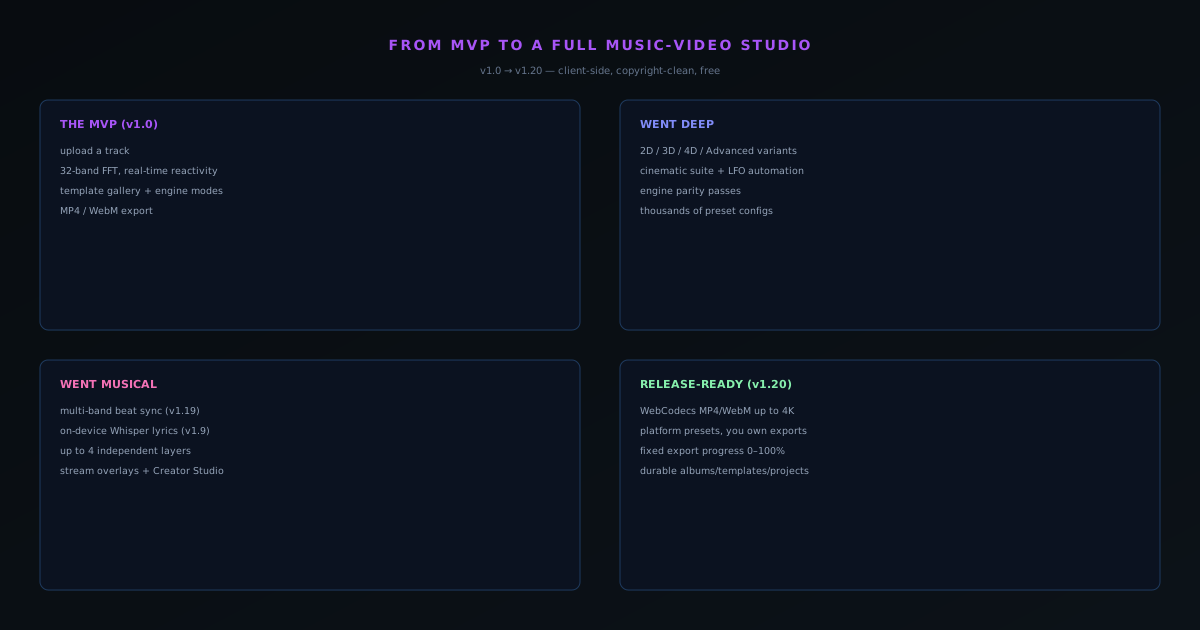
Novus Visualizers launched as a minimal browser editor that turned an uploaded track into a video. Across the v1.0 → v1.20 run it grew into a deep music-video studio: ten engines with six modes each, a guided Classic Editor and a new Studio Workstation sharing one document and one deterministic renderer, multi-band beat sync, on-device Whisper lyrics, and fully client-side WebCodecs export up to 4K.
Reviewed and updated August 1, 2026. Re-checked against the Novus Visualizers V3 catalog on August 1, 2026. The app now ships ten engines with six modes each, sixty modes in total, so the counts, the engine list, and the mode arithmetic in this article have been corrected. The Logo engine landed after this piece was first published.
Contents
- 1.Overview
- 2.The MVP: upload, react, export
- 3.Going deep: ten engines, sixty modes
- 4.Two editors on one document: Classic and Studio
- 5.Going musical: multi-band sync, lyrics, and ordered layers
- 6.Going wider: a release kit around the visualizer
- 7.Going release-ready: client-side WebCodecs export
- 8.The v1.20 reliability pass, in a little more detail
- 9.Ownership: the part most free creative tools quietly take
- 10.What the MVP-to-studio arc actually proves
Overview
Novus Visualizers went live on 2026-04-23 as a deliberately minimal thing: a browser-based editor at visualizers.novusstreamsolutions.com/editor where you upload a track, the page reads the audio in real time, you pick a visual style, and you export an MP4 or WebM. That was the whole MVP, and shipping it small was the right call. But across the release run to v1.20 on 2026-06-08, it grew into something much closer to a full music-video studio, and it did so without ever uploading your audio to a server. This is the update on how that happened, told as the arc of a product rather than a feature dump.
The constraint that makes it interesting is the same one that shapes the Background Remover: everything runs client-side. The audio analysis, the rendering, the lyric transcription, and the final video encode all happen in your browser. So every capability added between launch and now had to be built to run on the visitor's own machine, which is a much harder bar than calling a render farm, and the reason the exports stay free and copyright-clean.
The MVP: upload, react, export
The v1.0 launch established the core loop. The browser reads an uploaded track through the Web Audio API with a real-time 32-band FFT, detecting beats, onsets, and a loudness envelope, and uses that signal to drive a rendered animation frame by frame. You picked an engine and a mode to start from instead of a blank canvas, tuned the look, and the editor could export to MP4 and WebM with intro and outro canvases and resize handles. It was small, but it was complete: a real track went in and a real video came out, with the visuals genuinely synced to the music.
That completeness is what made the expansion possible. Because the audio-to-motion bridge worked from day one, every later release could focus on adding depth (more engines and modes, better sync, richer export, and eventually a second editor) rather than re-litigating the fundamentals. The MVP earned the right to grow by being honest about what it already did well.
Going deep: ten engines, sixty modes
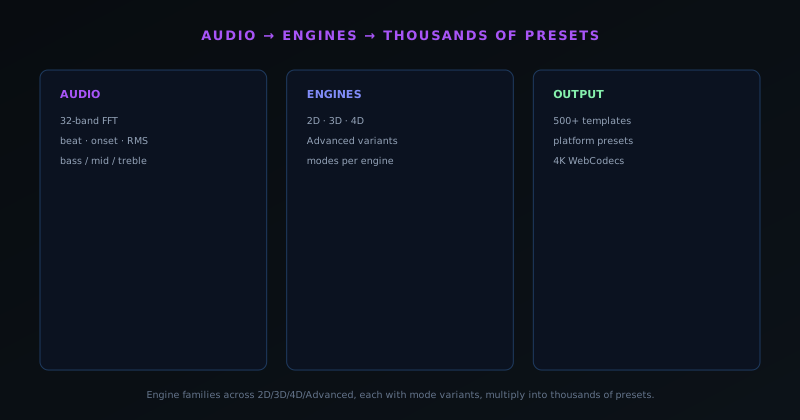
The biggest structural change was consolidating the visual system into something you can actually hold in your head. Instead of a sprawling library to browse, the studio is built on ten engines, each offering six modes: sixty distinct looks in all. The engines are Particles (Dust Storm, Waterfall, Starfield, Fountain Burst, Orbit Swarm, Constellation), Trails (Comet Shower, Ribbon Flow, Snake/Braid, Orbit Trace, Flow Field, Echo Streaks), Bloom (Petal Bloom, Ink Diffusion, Cellular Growth, Vine/Mycelium, Crystal Growth, Ripple Blossom), Character Motion (Glyph Field, Word Wave, ASCII Cascade, 2D Puppet, 3D Performer, Crowd/Clone), Radial (Pulse Orb, Concentric Rings, Mandala, Sunburst, Orbit Halo, Logo Crown), Spectrum (Line Spectrum, Mirrored Area, Ribbon Surface, Spectrogram Waterfall, Frequency Ridge, Spectral Mesh), Bars (Linear Equalizer, Center Mirror, Stacked Bands, Radial Bars, 3D Columns, Piano/Step Grid), Tunnel (Concentric Rings, Corridor Grid, Warp Field, Spectrum Tube, Waveform Tube, Particle Vortex), Waveform (Line, Mirrored, Filled, Ribbon, Oscilloscope/Lissajous, 3D Surface), and Logo (Waveform Ring, Spectrum Halo, Orbiting Bars, Particle Aura, Pulse Frame, Kinetic Reveal).
Depth is not a separate quality dial you flip on the whole scene: it lives inside specific engines and modes. The Bars engine has a 3D Columns mode, Spectrum has a Spectral Mesh, Waveform has a 3D Surface, Character Motion has a 3D Performer, and the Tunnel engine's corridor and tube modes move the eye through space. Reach for those modes when a track wants dimension, and stay in the flatter modes when it wants legibility. The point of the ten-engine, six-mode structure is that it is a genuine vocabulary of form rather than an endless list: a small enough set to learn, wide enough that very different songs end up looking genuinely different.
Two editors on one document: Classic and Studio
The other structural change is that there are now two ways to build a visual, and they are not rival apps: they are two editors over one saved document, driven through one deterministic renderer, which is why the preview you see always matches the file you export. The Classic Editor is the guided path the MVP grew into: upload a track, pick an engine and a mode, then tune colors, geometry, direction, audio bindings, captions, logos, and overlays before you export. It is deliberately beginner-friendly, walking you from a blank start to a finished video without ever exposing the machinery underneath.
The Studio Workstation is the new, deeper path for people who want to direct every detail. It is a direct-canvas editor with ordered layers and normalized nodes, a beat-aware timeline marked with beats and bars, keyframes and graph curves for shaping any parameter over time, clips and loop regions, groups, masks, blend modes, and ranges, schema-generated controls that adapt to whatever engine a layer runs, an assets panel, manual 2D and 3D character rigs, and full-document undo/redo. Because it edits the same document the Classic Editor does, you can rough a piece out in the guided editor and then open it in the Studio to refine the timing by hand. Nothing is re-imported or converted; it is one project seen at two levels of control.
Going musical: multi-band sync, lyrics, and ordered layers
A visualizer is only as good as how tightly it tracks the music, so a lot of the run went into the audio coupling. v1.19 added multi-band beat sync, letting bass, mid, and treble trigger effects independently rather than the whole frame pulsing on one global beat, the difference between motion that follows a kick drum and motion that follows the actual arrangement. It rides on the same real-time analysis the app has always run: a 32-band FFT with BPM tracking and onset detection, which drives every one of the ten engines.
Composition grew alongside it. Rather than a single full-screen effect, a project stacks ordered layers, each running its own engine and mode, so a calm field can sit behind a reactive spectrum behind a particle accent. On top of that, v1.9 added on-device Whisper lyric transcription through Transformers.js (your audio is transcribed to captions in the browser and never leaves it) with per-word timing edits and preset caption styles, and a dedicated Lyric Video Creator wizard sits on top at visualizers.novusstreamsolutions.com/lyric-videos. The tool stopped being just a visualizer and became a small content system around a release.
Going wider: a release kit around the visualizer
Somewhere in the run the product stopped being a single tool and became a small content system around a release, because a music release is never one asset. A Cover Art Studio handles the cover; an Audio Effects Generator ships a sound-effects preset library spanning synth pads, bass, leads, and percussion; a Lyric Video Creator turns the on-device transcription into a finished lyric piece; a Stream Overlays system at visualizers.novusstreamsolutions.com/overlays provides a curated catalog (Now Playing, Spectrum, Alerts, Ambient) for creators who broadcast; and an Audio Library rounds out the kit. Kept together in one studio, sharing one source track and one palette, they let a solo creator ship a coherent visual identity instead of a scatter of mismatched files.
Underneath, the whole thing runs on a lean, edge-compatible stack: Next.js App Router, React, TypeScript, and Zustand on the front, Turso (libSQL) for edge-compatible data, and Web Audio, WebGL, Canvas 2D, WebCodecs, and Transformers.js for Whisper doing the actual media work in the browser. The shape of that stack is the point: the heavy lifting (analysis, rendering, transcription, encoding) happens on the user's device, and the server side stays light enough to run cheaply, which is exactly what lets the whole studio stay free and ad-supported. Folding a full release kit into a single free tool is the quiet point of the whole expansion: not just more capability, but a complete release kit one person can run.
Going release-ready: client-side WebCodecs export
The export path is where "enterprise-grade" gets real, because a beautiful preview that cannot be exported reliably is worthless. Export runs through WebCodecs, entirely client-side, with no upload and no server render queue, producing MP4 (H.264) and WebM (VP9) up to 4K (3840×2160) at 24, 30, or 60 fps, with platform presets for YouTube, TikTok and Reels, Instagram, Spotify Canvas, X, and Discord. Because it is local and copyright-clean, you own your exports outright, with no attribution required, no watermark, and no export quota. Rendering is free and unlimited.
The most recent release, v1.20 on 2026-06-08, is a reliability and sharing pass in the same spirit as the Background Remover's v1.5.0: it fixed durability for saved documents and projects; fixed the export progress display so it reads a clean 0–100% instead of going negative during MP4 conversion; improved export performance on the heaviest engine and mode combinations by eliminating per-frame canvas read-backs; unified audio unlock behind a single gesture; corrected Open Graph and Twitter link previews for shared visualizers; added a native mobile share sheet; and shipped the public changelog itself. That is the through-line of the whole v1.0 → v1.20 arc: a small honest MVP grown into a deep studio, kept free and client-side, and hardened release by release into something you can actually ship a release with.
The v1.20 reliability pass, in a little more detail
It is worth dwelling on that last release, because it is the clearest signal of what stage the product has reached. Early releases add capability; mature releases protect it. The durability fix for saved documents and projects (corrected through a configuration fallback) addresses the worst possible failure for a creator tool, which is losing work you thought was saved. The export-progress fix, taking the bar from a confusing negative percentage during MP4 conversion to a clean 0–100, is the kind of thing that does not add a feature but removes a moment of doubt at the exact point a user is waiting on their finished video. Eliminating per-frame canvas read-backs on the heaviest modes is a real performance change that makes the most demanding visuals export faster, and unifying audio unlock behind a single gesture removes a class of "why is there no sound" confusion that browser autoplay rules create.
The sharing half of the release is just as telling. Correcting Open Graph and Twitter link previews so a shared visualizer resolves to the right domain, adding a native mobile share sheet, and shipping a public changelog are all about the work leaving the tool cleanly and being seen. A studio that produces great videos but botches the preview when one is shared has not finished the job; v1.20 finished it. Taken together, the pass is the same move the Background Remover made at v1.5.0 (stop adding surface area for a release and instead harden the surface that exists), and seeing both apps reach that stage at once is the strongest evidence that the ecosystem is past the MVP era and into the keep-it-dependable era.
Ownership: the part most free creative tools quietly take
There is one guarantee here that is rarer than all the rest combined, and it deserves its own section because it is the one an independent artist feels most directly: you own what you make. Many free creative tools quietly take something in exchange for the zero price: a watermark stamped on the corner, a usage license buried in the terms, a resolution cap that nudges you toward a paid tier, a monthly export limit, a credit line you are not allowed to remove. Novus Visualizers exports are yours outright. They are copyright-clean, carry no watermark, require no attribution, and are not metered by any export quota, and you can use them commercially or personally without restriction.
That ownership is not a separate generosity bolted onto the product; it is the same architectural fact as the privacy, viewed from the other side. Because the render happens on your own device through WebCodecs with no upload and no server queue, there is no point in the pipeline where a service inserts itself between you and your video to take a cut, stamp a mark, or assert a claim. The audio that drives the visual and the transcription behind the captions never leave the browser, and the finished file belongs wholly to the person who made it. For a working artist weighing tools, that combination (professional 4K output, full ownership, real privacy, and no cost) is not a feature list to compare line by line; it is the entire reason to choose this one.
What the MVP-to-studio arc actually proves
The v1.0 to v1.20 arc is a foundation, not a conclusion, and the most useful thing to take from it is the proof it offers rather than the feature count. The product grew from a single reactive editor into a two-editor studio (ten engines with sixty modes, a guided Classic Editor and a deep Studio Workstation over one shared document and one deterministic renderer, on-device transcription, a companion release kit, and a reliable 4K export path), and every one of those additions obeyed the constraint the MVP started with: it runs in the browser, on the user's device, and the audio never leaves it. What that demonstrates is that a deep, professional creative tool does not require the centralizing, data-hungry, subscription-shaped architecture the industry treats as inevitable. The same depth can be built on a client-side foundation that keeps the work private and free.
That is the claim worth holding onto, because it generalizes past visualizers. The next addition (another engine, a deeper timeline behavior, a new companion tool) will have to pass the same test before it ships, which is what keeps the growth coherent rather than letting the studio sprawl into something that betrays its own premise. If you want the mechanics behind any single piece (how the audio becomes motion, how multi-band sync follows the arrangement, how the in-browser WebCodecs export runs without a server), the linked posts cover each in turn, and the tool itself, free and needing no signup to try, is the fastest way to confirm that the studio does what this update describes.
Frequently asked questions
Quick answers to common questions about this topic.
How much has Novus Visualizers grown since launch?
From a minimal editor into a two-editor studio: ten engines, each with six modes (sixty modes in all), a guided Classic Editor and a new Studio Workstation that share one saved document and one deterministic renderer, 32-band FFT with BPM and onset reactivity, on-device Whisper captions, ordered layers, companion release tools, and fully client-side 4K export.
What did the Studio Workstation add?
The Studio Workstation is a direct-canvas editor with ordered layers, normalized nodes, a beat-aware timeline with beat and bar markers, keyframes and graph curves, clips and loop regions, groups, masks, blend modes, ranges, schema-generated controls, assets, manual 2D/3D character rigs, and full-document undo/redo. The Classic Editor stays for guided upload-pick-tune-export work, and both drive the same document through the same renderer, so the preview matches the export.
Is the expanded Visualizers still free?
Yes. It is free and ad-supported, with copyright-free exports that carry no watermark. Export is free and unlimited: there is no export quota, so you can render as many videos as you like.
Related workflow
A track to a release-ready visualizer, per platform
Render the visual once, then produce the platform masters from it, instead of re-rendering the whole video for every aspect ratio.
- Render the beat-synced videoNovus Visualizers: Pick the engine and mode against your actual track; the analysis is done on your audio, not on a preset preview.
- Trim or upscale the exportNSS Background Remover: The video utilities handle the tidy-up pass so the render does not have to be repeated to fix ten seconds of it.
- Produce the per-platform mastersNovus Convert: Each destination wants a different container and bitrate; converting the finished render is far cheaper than re-rendering it.
Related troubleshooting
Was this page helpful?
Your answer stays in this browser, it is not sent anywhere and no account or cookie is involved.