2026 · Field notesAbout 12 min readNovus Stream Solutions
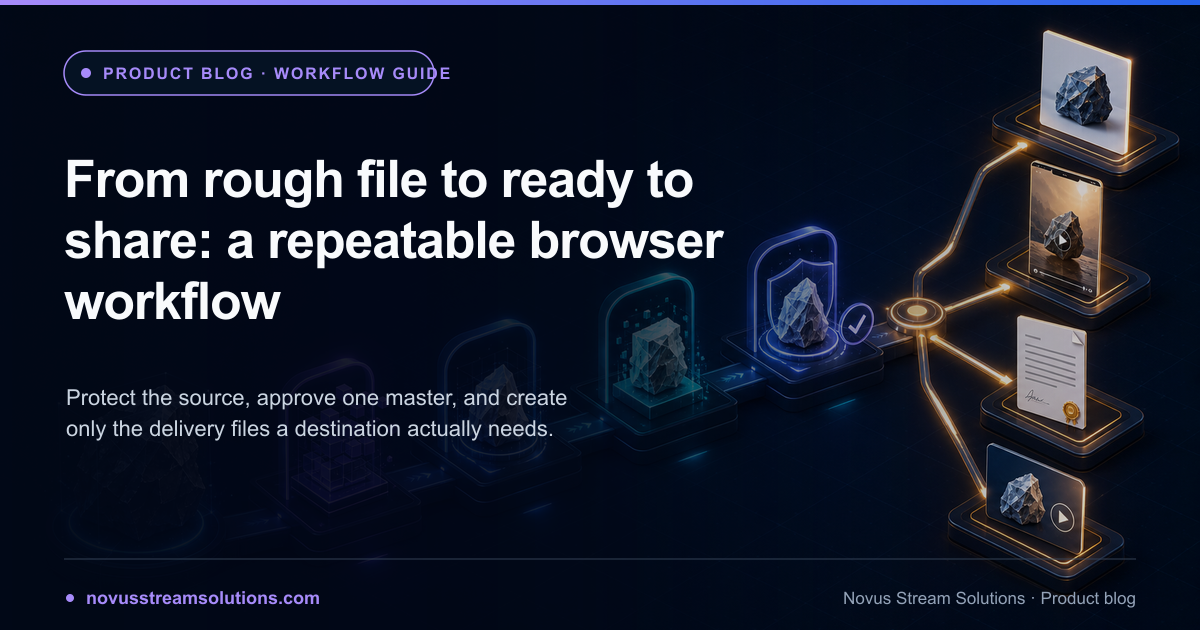
From rough file to ready to share: a repeatable browser workflow
Turn one rough source into a dependable set of delivery files with a browser-first production line for organizing, refining, converting, checking, publishing, and archiving.
Contents
- 1.Overview
- 2.Write the delivery specification before touching the source
- 3.Protect the source and establish a working master
- 4.Separate creative transformations from delivery transformations
- 5.Give every handoff a filename and an invariant
- 6.Refine once at the highest useful quality
- 7.Convert late, and only for a named destination
- 8.Treat batches as repetitions of a proven single-file path
- 9.Run a quality gate outside the creating tool
- 10.Collect feedback without forking the master
- 11.Publish with a reversible handoff
- 12.Archive the recipe, not every intermediate
- 13.Three worked paths through the same production line
- 14.The workflow is finished when it can be repeated calmly
Overview
A rough file becomes expensive when nobody can explain what happened to it. The original sits in Downloads, an edited copy lives on the desktop, a compressed version was sent in chat, and the file on the website may have come from any of them. When a change arrives, the work begins with archaeology. This problem affects solo creators as easily as teams because it is not primarily about scale; it is about stages that were never named. A repeatable production line gives every file a role and every transformation an owner.
The browser is now capable of handling much of that line: image refinement, audio-reactive video, PDF organization and signing, conversion, compression, study-material extraction, and testing can all happen in focused web apps. The benefit is speed and accessibility, but the workflow still needs structure. This guide moves from source to master to delivery to archive, with a checkpoint between each. It is general enough for a product photo, song release, client document, lesson source, or test fixture, and specific enough to run the next time a rough asset lands in your inbox.
Write the delivery specification before touching the source
Begin at the destination. A website image needs dimensions, format, transparency behavior, and a size budget. A social video needs aspect ratio, duration, caption treatment, and platform compatibility. A PDF handoff needs page order, signature state, accessibility expectations, and perhaps protection. A converted data file needs an exact target format and a way to validate its contents. Write these as acceptance conditions before editing. The specification can be five lines; its job is to prevent the source from being shaped by whichever tool you happened to open first.
Include the audience and the action. “Share-ready image” is incomplete if one destination needs a transparent product cutout and another needs a composed square thumbnail. “Finished PDF” is incomplete if one copy is for review and another is the signed record. Naming the recipients and what they will do with the file exposes the real variant list early. It also protects against speculative exports. Produce only the versions with a destination, because every unnecessary variant adds storage, review work, and a new opportunity to send the wrong thing.
- Destination: where the file will be opened, uploaded, printed, or published.
- Format and geometry: extension, dimensions, aspect ratio, pages, duration, or orientation.
- Behavior: transparency, form fields, playback, captions, links, layers, or protection that must survive.
- Limits: maximum size, device capability, deadline, privacy boundary, and approval owner.
- Proof: the exact check that will show the deliverable works.
Protect the source and establish a working master
Copy the source into a job folder and preserve the original unchanged. The original is evidence: it lets you restart after a bad edit, compare quality, and prove whether a problem arrived with the source or was introduced later. Rename only the working copy if the incoming filename is unclear. For a camera image, audio recording, or PDF, avoid saving edits directly over the only copy even when the tool permits it. Browser downloads usually create new files by default, which helps, but a deliberate source folder removes doubt.
The working master should retain the qualities future stages may need. Keep transparency before compositing, full resolution before resizing, a high-quality audio source before video rendering, editable document structure before flattening, and the richest useful format before conversion. “Master” does not have to mean a proprietary project file. It means the best approved state from which every delivery copy can be recreated. Once it exists, treat it as a checkpoint: later tools may derive from it, but they do not redefine it silently.
Separate creative transformations from delivery transformations
Creative stages change meaning or appearance. Removing a background, refining an edge, composing a scene, choosing visualizer motion, adding a signature, or arranging PDF pages changes what the audience experiences. Delivery stages change how that approved work travels: converting PNG to WebP, re-encoding a video, compressing audio, or packaging files into an archive. Keep these categories separate and finish the creative decision before optimizing the delivery. Otherwise a quality-lossy export becomes the new canvas and every revision compounds the damage.
This separation maps neatly onto the app portfolio. Sonic Weaver owns the designed motion created from a track and artwork. A converter owns format and size after the content is approved. Examples supplies test inputs when a route is unfamiliar. A workflow can cross these boundaries, but the handoff should be explicit: “creative master approved; now create the web delivery copy.” That sentence prevents the converter, compressor, or uploader from becoming an accidental editing environment.

Give every handoff a filename and an invariant
A handoff is the point where one tool stops owning the file and another begins. Name the output by role and version, then state what the next stage must preserve. A cutout handed to a converter might be product-name_master-transparent_v03.png with the invariant “keep transparency and 2400-pixel width.” A finished visualizer might be track-name_master-16x9_v02.webm with “keep audio sync and full duration.” A signed packet might be agreement_signed_2026-07-26.pdf with “keep page order, visible signature, and searchable text.” These are not bureaucracy; they are compact debugging information.
Prefer monotonic versions over adjectives. Version 03 is unambiguously later than version 02; final-final-revised is not. Put destination variants after the approved master: _web-1600.webp, _social-vertical.mp4, or _client-review.pdf. If the workflow is automated, the same naming model can be generated from a job ID and preset. If it is manual, a text note beside the files is enough. The goal is that a person arriving cold can identify the source, master, current delivery files, and obsolete drafts without opening everything.
Refine once at the highest useful quality
Do the difficult visual or editorial work before producing variants. For an image, clean the edge, correct color, compose the background, and inspect at full size. For a track-based video, approve the audio, artwork, engine, timing, and layout in the master aspect ratio. For a PDF, settle page order, fields, redactions, and signatures before compression or distribution. The highest useful quality is not necessarily the largest theoretical file; it is the state that preserves every property a downstream destination might need without making the device unstable.
Review the master at two scales. Close inspection finds halos, compression artifacts, clipping, alignment errors, and broken form elements. Normal viewing distance reveals whether the hierarchy and overall result work. A technically perfect edge around a poorly framed subject is not a good master; neither is a beautiful preview with a broken transparent channel. Approve both craft and behavior. If another person is responsible for the content, collect approval here, before delivery variants multiply and make every correction more expensive.
Convert late, and only for a named destination
Conversion belongs near the end because formats carry different capabilities. JPEG cannot preserve transparency. Some video containers and codecs have uneven browser support. Flattening a document can make its text or fields harder to use. Aggressive audio compression may be fine for a preview and wrong for an archive. Choose the delivery format from the destination’s documented needs, not from a generic “best format” list. When two destinations need different properties, create two siblings from the same master rather than forcing one compromise file into both.
Use the conversion directory to confirm that the exact route exists, and make the first export a test rather than a batch. Compare dimensions, duration, page count, color, transparency, and size with the master. For a lossy route, decide whether the savings are worth the visible or audible change. Keep the converter’s job narrow: encoding, resizing, compressing, or packaging an already approved asset. If the export reveals a creative problem, return to the master stage instead of repairing the delivery copy.
Treat batches as repetitions of a proven single-file path
Batching feels efficient because it reduces clicks, but it multiplies any wrong assumption. Prove one representative item end to end before loading the whole folder. Choose a sample with the hardest edge, longest duration, largest dimensions, most complex page structure, or strangest format, not the friendliest file. If that item passes, process a small group and inspect more than the first output. Only then run the complete batch. This staged ramp catches memory limits, naming collisions, and route-specific failures while the mistake is still cheap.
A mixed batch needs even more care. Group files by the transformation they need, not merely by where they came from. Product images requiring cutouts should not share a preset with images that only need resizing. Signed PDFs should not be mixed with unsigned review copies. Audio masters should not inherit the delivery settings of voice previews. Consistency comes from applying one proven specification to a coherent set, not from sending everything through one queue. The right batch is a repeated decision; the wrong batch is an avoided decision.
Run a quality gate outside the creating tool
The tool that created an export is the least independent place to verify it. Open the file in a second viewer and, whenever practical, load it into the actual destination. A web image belongs on a test page at responsive sizes and on both light and dark backgrounds when it has transparency. A social video belongs on a phone, with sound on and off, and should be scrubbed near transitions. A PDF belongs in a common reader and, if it contains fields or signatures, should be tested there. A converted archive should be listed and extracted into a safe folder.
Turn the delivery specification into pass or fail statements. Correct filename. Expected format and dimensions. Opens without warning. Required behavior survives. Visual or audio quality meets the threshold. File size fits. Metadata is intentional. Destination accepts it. A failed assertion sends the file back to the stage that owns the defect; it does not invite a random fix in the final copy. This routing is what makes the production line debuggable. It also creates a clear definition of done, which is more valuable than another round of subjective polishing.
Collect feedback without forking the master
Review creates its own file problem. If every reviewer downloads, edits, and returns a separate copy, the workflow forks just before completion. Prefer feedback that points to the current review version: comments in the agreed channel, timestamps for media, page numbers for documents, and marked screenshots for visual details. One owner applies the accepted changes to the working master and advances the version. Reviewers confirm the new export rather than merging their own competing files.
Freeze the brief during a review round. A correction to an edge, caption, page order, or timing belongs in the current job; a request for a new aspect ratio, alternate campaign, or different audience may be a new deliverable with its own specification. Separating corrections from scope changes keeps approval meaningful. Once the named owner marks the master approved, later feedback must either reopen that approval deliberately or begin a new version. This small rule prevents a share-ready file from drifting while people believe they are reviewing the same thing.
Publish with a reversible handoff
Publishing should be reversible even when the destination is public. Keep the approved delivery file beside a note recording where and when it was used. If a website deploy changes an image, know the previous asset and the path to restore it. If a client link expires, retain the authoritative record in the agreed location. If a social platform recompresses a video badly, keep the master so a revised encoding can be generated without rebuilding the creative work. Reversibility turns a distribution problem into a small operational fix.
The handoff message should name the file, purpose, version, and requested action. “Here is product-a_web-1600_v03.webp for the launch page; approved against the dark and light cards” is more useful than “new image attached.” When several variants exist, include a tiny manifest or list. The recipient should never have to guess which file belongs where. Good production work is not complete at export; it is complete when the next person or system can use the result without reconstructing your intentions.
Archive the recipe, not every intermediate
After publication, keep the untouched source, the approved master, the final delivery files, and the specification or recipe needed to reproduce them. Remove failed exports, duplicate downloads, temporary extraction folders, and superseded variants unless a policy requires them. If the workflow used settings that are not obvious (visualizer engine and mode, output dimensions, compression target, page operation order), record those settings in a short README or job note. A recipe is often more valuable than a pile of opaque intermediates because it explains how to make a fresh version from the clean master.
Archive according to future value. A one-off resized screenshot may need only the final. A brand image or song-release visual deserves the source and master. A signed document may require a controlled retention period. A test fixture may belong in a versioned library so the same bug can be reproduced. The production line ends when the retained set is intentional, not when every file has been swept into an archive folder. Storage is cheap; ambiguity is expensive.
Three worked paths through the same production line
For a product image, the source is the original photograph and the specification names transparent and composed destinations. An image editor creates and refines the cutout and the approved visual master, and a converter creates WebP or resized delivery siblings. The gate checks the edge on light and dark backgrounds, dimensions, color, and file size. For a music release, the source set is the approved track and artwork. Sonic Weaver creates the motion master; a converter creates a platform-specific copy only when required. The gate checks sync, framing, duration, playback, and sound. The structure is the same even though the craft differs.
For a document packet, the sources are preserved PDFs and the specification names page order, required fields, signatures, and recipients. A PDF editor merges or organizes pages and adds the approved marks. Convert enters only if a recipient explicitly needs another supported format or a smaller delivery copy. The gate reopens the result, inspects every page, tests links or fields, confirms signatures, and checks metadata before the restricted handoff. Across all three examples, the apps change but the control points do not: define, preserve, transform, hand off with an invariant, verify in the destination, publish reversibly, and archive intentionally.
The workflow is finished when it can be repeated calmly
A good production line does more than create one correct file. It lowers the effort of the next similar job. Save the delivery specification as a template, keep the folder and filename pattern, record the app and settings that produced the master, and retain the quality gate. On the next run, change only what the new source or destination requires. This is how a solo creator gains the consistency of a team and how a small team avoids depending on one person’s memory. Repeatability is not mass production; it is the removal of avoidable decisions.
The browser makes the individual transformations accessible. The workflow makes them dependable. Protect one source, approve one master, derive only destination-owned variants, and prove each result outside the tool that made it. That discipline keeps a three-app chain from becoming fragile and keeps a one-app job from generating ten mystery downloads. The result is not merely ready to share. It is understood, recoverable, and easy to make again, which is the standard a useful creative system should meet.
Frequently asked questions
Quick answers to common questions about this topic.
What is the difference between a master file and a delivery file?
The master preserves the highest useful quality and the ability to revise the work. A delivery file is derived for a destination, such as a compressed WebP for a site, a vertical MP4 for social, or a flattened signed PDF for a recipient. Keep the master stable and regenerate delivery files from it instead of editing a compressed export repeatedly.
When should format conversion happen in a creative workflow?
As late as practical. Finish visual, editorial, or document changes in a high-quality working format, approve that master, then convert copies for specific destinations. Early conversion can discard transparency, color, editable structure, audio quality, or metadata that a later stage still needs.
How many tools should a production workflow use?
Use the fewest that can produce and verify the result. Each tool should own one necessary transformation and each handoff should have a named invariant. If a stage does not change the file in a required way or verify a known risk, remove it. Short chains are easier to repeat, troubleshoot, and keep private.
What should I check before sharing a finished file?
Open it outside the creating tool, test it in the real destination when possible, confirm dimensions or pages, inspect transparency or playback, verify text and links, check file size and metadata, and make sure the filename communicates the version. A completed download is an event; a passed destination check is completion.
Related troubleshooting
Was this page helpful?
Your answer stays in this browser, it is not sent anywhere and no account or cookie is involved.