2026 · Field notesAbout 14 min readNovus Stream Solutions
A simple system for organizing digital project files
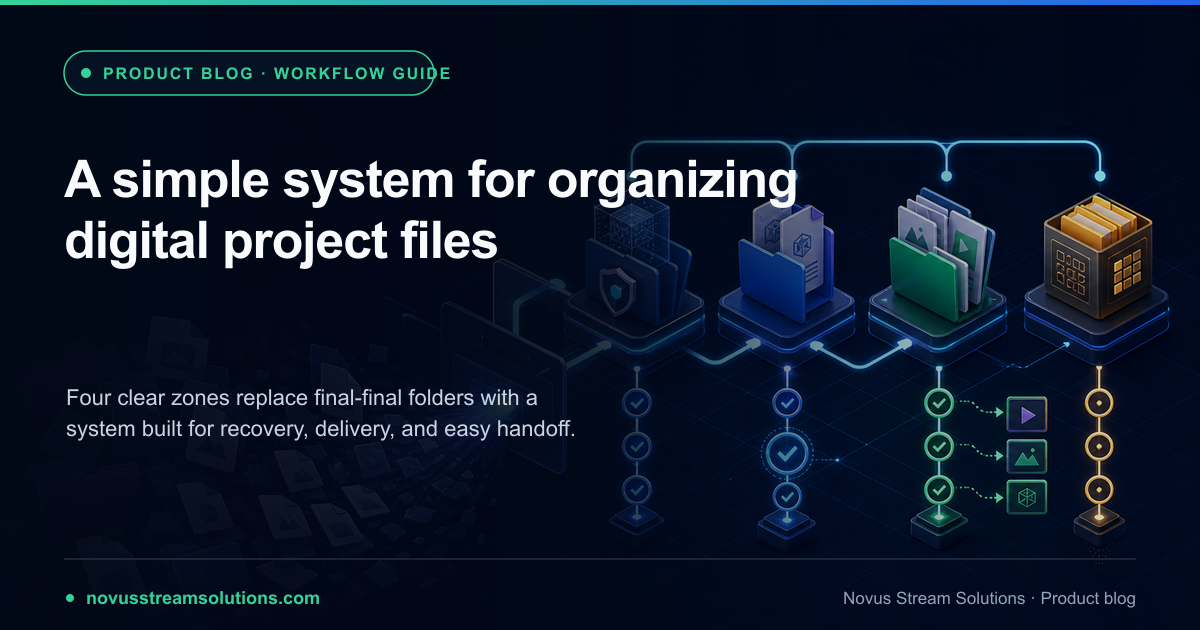
Replace “final-final” folders with a four-stage system for protected sources, active work, approved deliveries, and intentional archives. Simple enough for every project.
Contents
- 1.Overview
- 2.Start with one container for the whole job
- 3.Zone one: Source is protected evidence
- 4.Zone two: Work is allowed to change
- 5.Zone three: Delivery contains only approved outputs
- 6.Zone four: Archive keeps the ability to understand and rebuild
- 7.Use filenames to communicate role, not location
- 8.Version the decisions, not every copy
- 9.Folders establish state; search retrieves detail
- 10.Control the Downloads folder at the project boundary
- 11.Make feedback point to one review version
- 12.Keep a tiny manifest beside the files
- 13.Back up state, not clutter
- 14.End every project with a short cleanup pass
- 15.Turn the structure into a reusable template
- 16.A worked example: one product image, four clear states
- 17.The system works when the next action is obvious
Overview
File clutter is rarely a storage problem. It is a decision problem that has been postponed into filenames. Final, final-two, use-this, newer, and copy-of-newer are attempts to remember which artifact plays which role after the roles were never defined. The mess becomes visible at the worst moment: a client asks for a revision, a platform needs another format, a teammate publishes the wrong export, or the only clean source is overwritten. Search can find the files, but it cannot tell you which one is authoritative.
A useful system needs to be simpler than the disorder it replaces. This one uses four zones (Source, Work, Delivery, and Archive) and one rule: every file has one current role. The system works for an image, video, track, PDF packet, research source, website asset, or mixed campaign. It does not require special software, a database, or a naming committee. A folder template, monotonic versions, one approved master, and a short delivery note are enough to make most small projects understandable, recoverable, and easy to hand off.
Start with one container for the whole job
Create a project folder before opening the source in an editor. Name it from the durable identity of the job: client or product, project, and a date or release identifier when useful. Avoid naming the container after the current task if the work is likely to expand. A folder called resize-images stops making sense when the same project later gains a video, PDF, and launch copy. Product-launch-2026-07 or artist-track-name gives related artifacts one stable home without predicting every transformation.
Put the brief or delivery specification at the root. It can be a short text file with the required destinations, dimensions, formats, deadline, approval owner, and privacy classification. This note explains why the folder exists and gives every later file a context. If the project is shared, include the canonical link or location rather than letting parallel copies grow in personal folders. The root should answer three questions at a glance: what is this, what must be delivered, and where is the authoritative working set?
Zone one: Source is protected evidence
Source contains what arrived before the project changed it: camera originals, client documents, approved audio, brand artwork, raw exports, downloaded public references, or known test fixtures. Preserve these files unchanged. If a filename is meaningless, record a clearer alias in the project note or copy the file into Work under a useful name; do not rewrite the only original merely for tidiness. The source proves whether a defect was present at arrival and lets the project restart after a destructive edit or bad conversion.
Separate private sources from public references when the distinction matters. A signed form and a public logo should not inherit the same sharing rule just because they support one project. For archives, keep the original container and extract into a temporary Work subfolder after inspection. If a source is generated elsewhere and can be retrieved reliably, record its origin and revision. Source is not a dumping ground for every download. It is the smallest set of inputs whose loss would make an accurate rebuild difficult or impossible.
- Keep originals unchanged and, where practical, read-only.
- Record origin, owner, license, revision, or consent when those facts affect reuse.
- Classify sensitive sources before syncing or sharing the project folder.
- Use representative test fixtures instead of real sources while proving a new route.
Zone two: Work is allowed to change
Work contains active editable files, checkpoints, review exports, and temporary material that supports the transformation. This is where a cutout is refined, a visualizer is composed, a PDF packet is organized, or a study set is shaped. Unlike Source, Work can be overwritten deliberately when the application has its own reliable history; otherwise use numbered checkpoints. The zone should contain enough information to continue the job, not every automatic cache or download the tools create.
Give the active master an obvious role in its filename and keep one current owner. If several people need to contribute, divide by artifact or use a collaboration system that can merge changes; do not let each person create a competing master in a private folder. Review copies can live under Work/review with the version they came from. When feedback is accepted, one owner applies it to the master and advances the version. This keeps commentary and authority separate: many people may review, but the project still has one current editable state.
Zone three: Delivery contains only approved outputs
Delivery is not another export folder. It is a controlled surface containing only files that passed the destination-specific quality gate. Organize by destination when the project has more than a few outputs: web, social, print, client-review, signed-record, or archive-package. A person opening Delivery should be able to send or publish any file without wondering whether it is a draft. Failed exports, thumbnails used only for review, and temporary conversions belong in Work until they are approved or removed.
Derive every delivery file from the approved master, not from another delivery file. A transparent PNG master can produce a WebP for the site and a composed JPEG for a marketplace. A high-quality video master can produce vertical and compressed siblings. A signed PDF master can produce a recipient copy when the workflow permits it. Chaining variants (WebP from JPEG from screenshot) loses quality and obscures provenance. The delivery filename should name the destination or constraint so its purpose remains clear outside the folder.
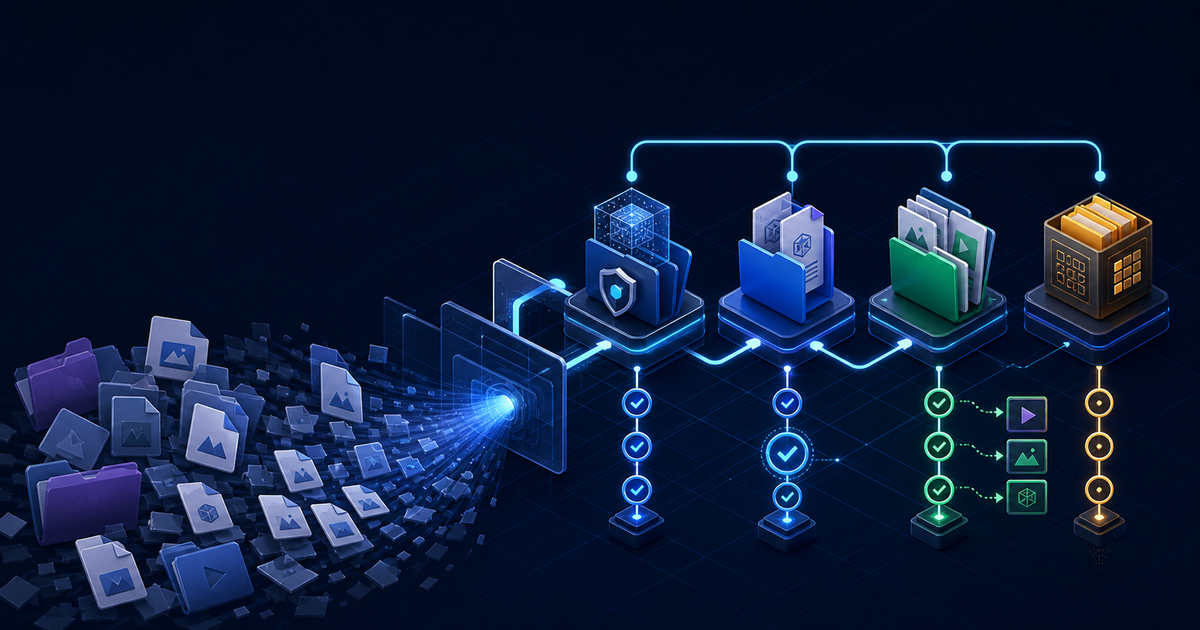
Zone four: Archive keeps the ability to understand and rebuild
Archive is the retained project, not a graveyard containing every intermediate. Keep the source when it has future, contractual, or evidentiary value; the approved editable master; the actual delivery files; and a short recipe or manifest. The recipe names important settings, tool routes, destinations, approvals, and anything that would be hard to infer later. A five-line note can be more valuable than fifty unlabeled versions because it explains how the final artifact was produced and why it exists.
Apply a retention rule before moving the project. Some signed records need a defined legal period. Brand masters may remain useful indefinitely. A one-time compressed preview may need no archive at all. If private material should be removed after delivery, document that cleanup and keep only what the agreement permits. Compressing the whole project into a ZIP does not make it organized; it merely makes the ambiguity harder to inspect. Archive should be small enough that future you can understand it without reopening the entire production process.
Use filenames to communicate role, not location
A file will eventually leave its folder. Its name should still communicate the asset, role, version, and destination when needed. A dependable pattern is project-or-asset_role_vNN.ext for masters and project-or-asset_destination-spec_vNN.ext for deliveries. Product-a_master_v03.png and product-a_web-1600_v03.webp explain their relationship without becoming sentences. Dates are useful for events and signed records; they are less useful as a substitute for versions because several revisions can happen on the same day.
Use lowercase or a consistent case, choose hyphens or underscores once, and avoid characters that travel poorly across systems. Keep names short enough for humans to scan. Do not put passwords, account numbers, health details, or unnecessary client information into filenames that may appear in links, notifications, logs, or download histories. The folder holds context; the filename holds identity and role. If the name needs a paragraph to explain it, put the paragraph in the manifest instead.
- Master: campaign-hero_master_v04.png
- Review: campaign-hero_review_v04.jpg
- Delivery: campaign-hero_web-1600_v04.webp
- Record: agreement_signed_2026-07-27.pdf
Version the decisions, not every copy
Advance the version when the content or behavior changes in a way a reviewer might care about. Correcting an edge, changing page order, replacing artwork, adjusting timing, or accepting feedback earns a new version. Downloading the same export twice does not. Moving a file between folders does not. A destination variant usually inherits the master version because it represents the same approved content under another encoding or geometry. This relationship makes it obvious which outputs need regeneration after the master changes.
Monotonic versions beat adjectives because they preserve order without argument. V04 follows v03; final-new may precede final-use-this depending on who named it. Keep a short change note when several reviewers are involved: v03 corrected caption timing, v04 approved new artwork. You do not need software-style source control for every binary asset, but you do need enough history to identify the approved state and recover the previous one when a late change proves wrong.
Folders establish state; search retrieves detail
Modern search is excellent at finding a phrase, extension, date, or filename. It cannot reliably infer whether a matching file is an untouched source, abandoned draft, approved master, or published output. Use the four folders to encode state and search to retrieve within that state. This combination avoids both extremes: a hundred nested folders that nobody remembers and one flat directory whose meaning exists only in someone’s head.
Add subfolders only when they remove a recurring ambiguity. Work/review is useful when approvals create many disposable exports. Delivery/web and Delivery/social are useful when destinations have different specifications. Source/client and Source/reference can separate ownership or licensing. A folder for each file extension rarely helps because the job already determines how formats relate. The test is whether a newcomer can predict where a file belongs from its role. If not, the hierarchy is describing technology rather than the project.
Control the Downloads folder at the project boundary
Browser workflows naturally create files in Downloads, where correct exports sit beside installers, receipts, screenshots, and previous attempts. Treat Downloads as an inbox, not storage. After verifying an export, move it immediately into Work or Delivery according to its status and rename it from the tool’s generic default. If the browser lets you choose a destination, select the project folder only when you are certain about the role; otherwise the inbox provides a useful pause before a file enters the authoritative set.
At the end of a session, reconcile the inbox. Remove duplicate downloads, keep a failed export only when it helps reproduce a bug, and move reusable public samples to a separate test library rather than Source. This habit closes a common privacy gap: sensitive exports left in Downloads are easy to attach to the wrong message or sync unintentionally. A two-minute inbox pass is cheaper than trying to reconstruct which of five identically named files was actually sent.
Make feedback point to one review version
Send reviewers a named review export tied to the current master version. Ask for page numbers, timestamps, slide identifiers, or marked screenshots rather than edited copies when the feedback can be expressed as comments. One owner accepts or rejects the notes, updates the master, and creates the next review version. This prevents the project from forking into several files that each contain part of the truth. When direct co-editing is necessary, use one shared document or project surface with actual history rather than exchanging attachments.
Separate corrections from new deliverables. A typo, bad crop, broken link, or timing issue belongs in the current review. A new aspect ratio, different audience, alternate campaign, or translated edition may deserve its own specification and delivery branch. Treating scope changes as casual feedback is how an approved master quietly stops being approved. The folder system cannot make the decision for you, but it makes the consequence visible: a correction advances the master; a new output gets a named destination and its own gate.
Keep a tiny manifest beside the files
A manifest is a short human-readable map of the project. List the approved master, current delivery files and destinations, source restrictions, important tool settings, approval date, and anything scheduled for deletion. Markdown or plain text is enough. For a visualizer, record the track, artwork, engine or preset, aspect ratio, and export format. For a product image, record the source, transparent master, composed master, dimensions, and marketplace variants. For a PDF, record the source packet, page operations, signature state, and recipient copy.
The manifest should not duplicate obvious information or become a second project-management system. Its purpose is to preserve decisions that filenames and folders cannot. When a platform asks for a new size six months later, the note tells you which master to open and which settings mattered. When private sources have a retention deadline, the note tells you what to remove. When a teammate inherits the project, it replaces a meeting about where everything is. Ten accurate lines beat a comprehensive document nobody updates.
Back up state, not clutter
A backup should preserve the ability to recover the project at meaningful checkpoints. Source and the current master deserve protection during active work; approved deliveries and the manifest deserve protection at completion. Temporary previews, caches, duplicate downloads, and easily regenerated variants often do not. Backing up every artifact without classification increases cost and makes restoration slower because the same ambiguity returns with the files. The four zones let backup policy follow value.
Use more than one physical or service boundary for irreplaceable material, and verify that restoration works. Sync is convenient but not identical to backup: deletion, corruption, or accidental overwrite can synchronize too. Version history can help, but its retention should be known rather than assumed. For restricted work, use approved storage and encryption practices even if a personal cloud would be easier. A folder system improves recovery only when the storage behind it can actually return an earlier known-good state.
End every project with a short cleanup pass
Cleanup begins after the final delivery has been reopened, accepted, and backed up. Remove failed exports, duplicate downloads, obsolete review copies, extracted temporary folders, cache files, and destination variants that were never used. Confirm that Source contains only retained originals, Work contains the approved master rather than every experiment, Delivery matches what was actually published or sent, and Archive includes the manifest. If a sensitive share link or temporary workspace should expire, close it as part of the same pass.
Do not delete aggressively merely to make the folder look minimal. Preserve evidence and recovery before removing intermediates. The correct retained set depends on the project: a brand system needs more editable history than a one-off conversion; a signed document may have obligations a social image does not. The discipline is to give every remaining file a reason. “Storage is cheap” is not a reason, because the future cost is not bytes; it is the time and risk of deciding which copy to trust.
Turn the structure into a reusable template
Once the system survives one real job, save an empty template with Source, Work, Delivery, Archive, and a brief-manifest starter. Add only the subfolders your projects repeatedly need. A creator might include Work/review and Delivery/web, Delivery/social, and Delivery/video. A document workflow might include Source/forms, Work/assembled, Delivery/review, and Delivery/signed. The shared top-level language stays constant, so moving between project types does not require learning a new filing philosophy.
The template should reduce decisions, not freeze the workflow. Delete unused destination folders at project creation. Add a specialized branch when a real ambiguity appears. Review the template occasionally and remove categories that have become ritual without value. Good organization is adaptive: consistent enough that roles are predictable, light enough that people use it under deadline pressure. If filing a small export takes longer than creating it, the system has become the problem.
A worked example: one product image, four clear states
Imagine a product photograph that needs a transparent marketplace cutout, a composed website hero, and a small WebP card. Source holds the untouched camera file and a note about ownership. Work begins with product-a_cutout_v01.png, advances through edge corrections, and establishes product-a_master_v03.png as the approved full-resolution transparent asset. A composed website master may be a separate artifact if it contains a designed background rather than a simple variant. Review JPEGs remain in Work/review and are removed after approval.
Delivery contains product-a_marketplace-2000_v03.png, product-a_web-1600_v03.webp, and product-a_card-800_v03.webp, each verified in its destination. The manifest records that all three derive from the transparent v03 master, names the website placement, and notes the marketplace background rule. Archive retains the camera source if permitted, the transparent master, the composed master if one exists, the three used deliveries, and the manifest. It does not retain every test compression or download. A revision begins from the master, not from whichever small WebP is easiest to find.
The system works when the next action is obvious
You do not need perfect naming or a pristine archive to gain value. The system succeeds when an incoming file has an obvious home, the current editable state can be found quickly, approved outputs cannot be confused with drafts, and a future revision can start from the right master. Those outcomes remove the most expensive uncertainty from everyday digital work. The folders are only a way to make state visible.
Start with the next project rather than reorganizing your entire drive. Create the four zones, write the delivery note, protect the source, and name one master. Move verified outputs into Delivery and finish with a cleanup pass. After a few repetitions, the structure becomes muscle memory. That is the right amount of organization for most creators and small teams: enough to recover, hand off, and reuse the work, without turning file management into a second project.
Frequently asked questions
Quick answers to common questions about this topic.
What are the four folders in this project file system?
Source contains untouched originals, Work contains active editable files and review versions, Delivery contains only approved destination-ready outputs, and Archive contains the retained source, approved master, final deliveries, and a short recipe or manifest. Temporary exports and downloads should not become a fifth permanent category.
How should I name versions without using final-final?
Use a stable project or asset name, a role, and a monotonic version such as product-photo_master_v03.png. Add destination only to derived files, such as product-photo_web-1600_v03.webp. Advance the version when the content changes; do not create a new version merely because a file was copied or downloaded.
Do I need special digital asset management software?
Not for most solo or small-team projects. A consistent folder template, clear filenames, one approved master, a delivery manifest, and reliable backups solve the common problems. Add a database or asset platform only when volume, permissions, search, licensing, or reuse across many teams makes the folder system insufficient.
Which files should be kept after a project is finished?
Keep the untouched source when it has future or evidentiary value, the approved editable master, the actual delivery files, and a short note describing destinations and important settings. Remove duplicate downloads, failed exports, cache files, extracted temporary folders, and superseded review copies unless a policy or contract requires retention.
Related troubleshooting
Was this page helpful?
Your answer stays in this browser, it is not sent anywhere and no account or cookie is involved.