Novus Visualizers
Building an audience with Creator Studio
Use the Creators hub and Creator Studio to share visualizers, build a public body of work, and grow an audience, with an honest read on what the young creator network can and cannot do yet.
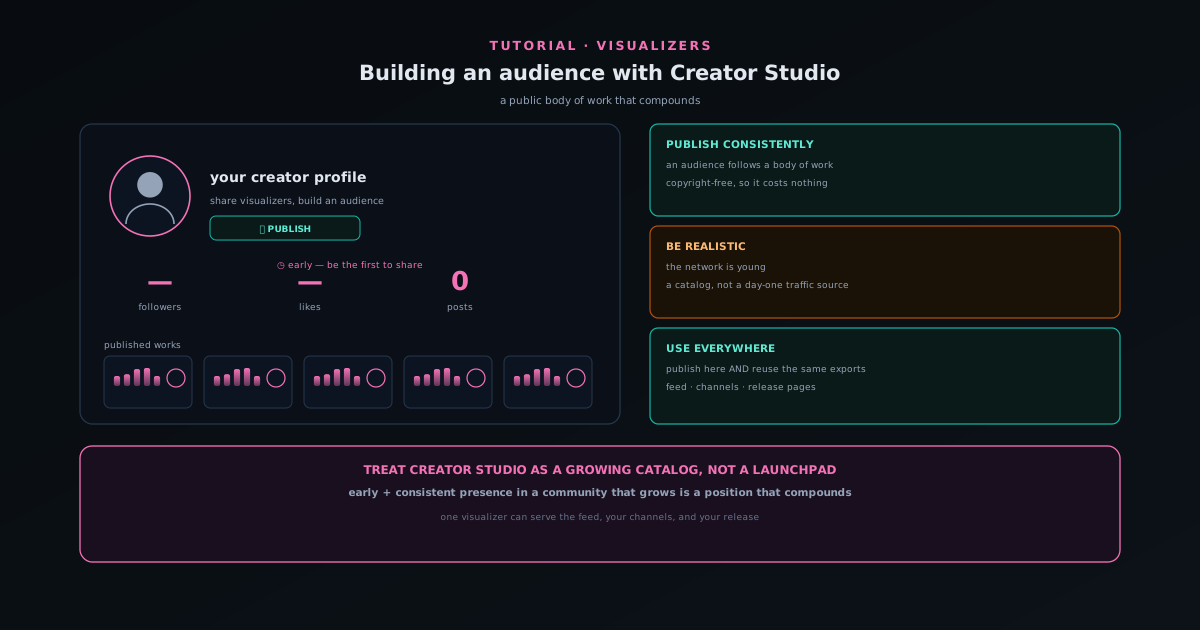
Creator Studio is your dashboard for managing your own work and your public presence, and the Creators hub is the audience-building side of the same system, a place to discover talented visualizer creators and to share your visualizers and build an audience.
This tutorial covers how to use these surfaces to build a public body of work, and it is honest about the stage: the creator network is early, so the right way to treat it is as a place to accumulate work that grows alongside the platform rather than a traffic source you can lean on from day one.
Contents
- 1
1. Set up your creator presence
Sign in and use Creator Studio to manage your visualizers, saved projects, and community presence in one place. This dashboard is where your published work and your saved projects live, and it is the foundation of a public presence.
Posting visualizers from the editor adds them to your presence, so building an audience starts with simply publishing the work you are already making.
- Creator Studio manages visualizers, saved projects, and presence.
- Publishing from the editor builds your public body of work.
- 2
2. Publish consistently to build a body of work
An audience follows a body of work, so the practical move is to publish consistently; each release adds to your presence and gives people a reason to follow. Because every visualizer is copyright-free and fully yours, posting to the community costs you nothing in rights while building your public catalog.
Strong work rises via Top Creators, so consistent, good posts get surfaced rather than buried.
- Publish each release to grow your catalog.
- Top Creators rewards strong, consistent work.
- 3
3. Be realistic about the stage
The Creators hub is genuinely early: at the time of writing it can still greet you with "no creators yet" and an invitation to be the first to share a visualizer. That is worth knowing rather than discovering: there is not a massive built-in audience to tap yet.
Being early in a small community is a different bet than joining a large one. You will not find instant reach, but you also will not be one of millions, and the copyright-free model means anything you post stays fully yours to promote everywhere else too.
- The creator network is young and growing.
- Treat it as a place to keep a public body of work, not a day-one traffic source.
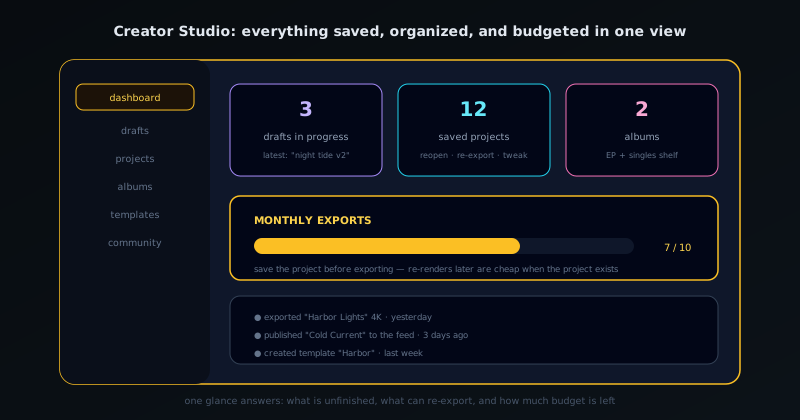
Creator Studio is the home base: everything saved, organized, and budgeted in one view. - 4
4. Use your work everywhere, not just here
Because your exports are copyright-free and fully owned, the smartest strategy is to publish to the community and also use the same work across your own channels: your social profiles, your release pages, your streams. The community presence and your external presence reinforce each other.
A visualizer made once can be the post in the feed, the video on your channel, and the asset in your release, all owned outright.
- Publish to the community and reuse the same exports everywhere.
- One visualizer can serve the feed, your channels, and your release.
Keep a public catalog that compounds
The most pragmatic way to use Creator Studio right now is to treat it as a growing public catalog of your work rather than a launchpad. Publish every release, keep the body of work coherent, and let it accumulate alongside the platform. Early, consistent presence in a community that grows is a position that compounds quietly over time.
Frequently asked questions
Quick answers to common questions about this topic.
How do I build an audience with Creator Studio?
Use Creator Studio to publish visualizers, manage your saved projects, and grow a following on the community feed. Consistent posting and a recognizable style help your work surface to viewers.
Is the Creators hub active yet?
It is a young, growing surface: early on it may show few creators, inviting you to be among the first to share. The ownership stance is unchanged: your exports stay copyright-free.
Related workflow
A track to a release-ready visualizer, per platform
Render the visual once, then produce the platform masters from it, instead of re-rendering the whole video for every aspect ratio.
- Render the beat-synced videoNovus Visualizers: Pick the engine and mode against your actual track; the analysis is done on your audio, not on a preset preview.
- Trim or upscale the exportNSS Background Remover: The video utilities handle the tidy-up pass so the render does not have to be repeated to fix ten seconds of it.
- Produce the per-platform mastersNovus Convert: Each destination wants a different container and bitrate; converting the finished render is far cheaper than re-rendering it.
Related troubleshooting
Was this page helpful?
Your answer stays in this browser, it is not sent anywhere and no account or cookie is involved.