Novus Visualizers
Saving a project you can reuse across tracks
Once you have dialed in a look you love, save it as a project so every future track starts there. How to build, save, and reopen a saved document for a fast, consistent production line.
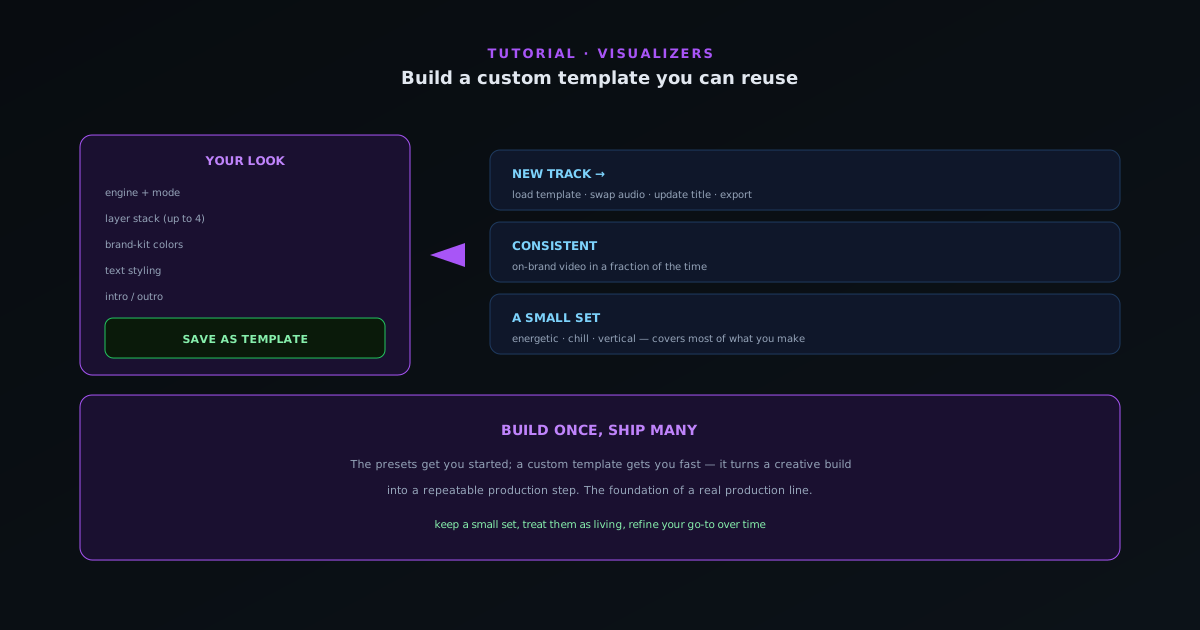
Picking an engine and mode gets you started; a saved project gets you fast. When you have built a look that is unmistakably yours (engine and mode, ordered layers, colors, text, intro/outro) saving it as a project turns every future release into a five-minute job instead of a from-scratch build.
Both editors (the guided Classic editor and the Studio workstation) read and write the same saved document, so a look you save in one reopens in the other. This guide covers saving a project and reusing it across tracks.
Contents
- 1
1. Build the look you want to repeat
Pick an engine and one of its modes, then dial in everything: your ordered layer stack, your colors, your text styling, and your intro/outro. Build it against a representative track so the reactivity settings make sense for the kind of music you usually release.
- Engine + mode + ordered layers + colors + text + intro/outro.
- Tune against a representative track.
- 2
2. Save it as a project
Save the document from the editor. The saved project captures the whole setup (engine and mode, layers, colors, text, timeline) so you can reopen it for the next track without rebuilding. Name it clearly (by mood, genre, or series) so you can find the right one when you have several.
- Save the full document as a reusable project.
- Name it by mood/genre/series.
- 3
3. Reuse it for the next release
For the next track, reopen your saved project, swap in the new audio, update the title, and tweak only what the new song needs. Because the look is already yours, you get a consistent, on-brand video in a fraction of the time, the foundation of a real production line.
- New track → reopen project → swap audio + title → export.
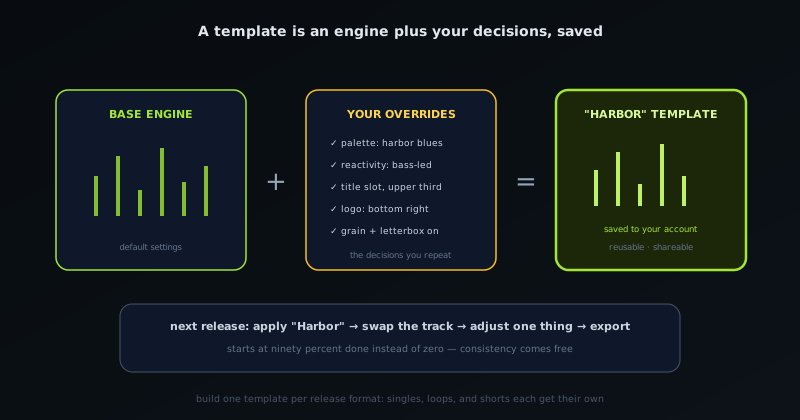
A saved project is an engine, mode, and all your decisions in one document; next release starts at almost done. - 4
4. Build a small set of projects
Most creators end up with two or three saved projects: say, one for energetic singles, one for chill releases, and one vertical for short-form. A small, deliberate set covers most of what you make while keeping everything recognizably yours, and you can refine them over time as your style evolves.
Build once, ship many
A saved project is the highest-leverage thing a regular creator can make here; it turns a creative build into a repeatable production step. Keep a small set rather than dozens, and treat them as living: reopen and refine your go-to project whenever you discover something better.
Frequently asked questions
Quick answers to common questions about this topic.
How do I reuse a visualizer setup across tracks?
Configure a scene the way you like (engine and mode, ordered layers, colors, reactivity) and save the project. Both editors share one saved document, so reopening it gives you a working starting point you can point at the next track.
Do I need an account to save a project?
Saving your own projects requires a free account, which makes them durable and available across devices. Editing and exporting still work without one.
Related workflow
A track to a release-ready visualizer, per platform
Render the visual once, then produce the platform masters from it, instead of re-rendering the whole video for every aspect ratio.
- Render the beat-synced videoNovus Visualizers: Pick the engine and mode against your actual track; the analysis is done on your audio, not on a preset preview.
- Trim or upscale the exportNSS Background Remover: The video utilities handle the tidy-up pass so the render does not have to be repeated to fix ten seconds of it.
- Produce the per-platform mastersNovus Convert: Each destination wants a different container and bitrate; converting the finished render is far cheaper than re-rendering it.
Related troubleshooting
Was this page helpful?
Your answer stays in this browser, it is not sent anywhere and no account or cookie is involved.