2026 · NSS Background RemoverAbout 13 min readNovus Stream Solutions
Bring your own ONNX model: running your own weights in the browser
The NSS Background Remover added a bring-your-own-ONNX tier: host your own model at a URL, point one of seven capabilities at it, and it runs in your browser with WebGPU primary and WebAssembly fallback. Here is why a free tool would let you swap in your own model, and how it works.
Contents
- 1.Overview
- 2.The architecture makes it natural, not exotic
- 3.How you actually use it
- 4.Who this is actually for
- 5.What ONNX is, and why it is the right format for this
- 6.The seven capabilities you can point at your own model
- 7.Why the URL gets validated before anything runs
- 8.Handling models that structure their output differently
- 9.Your model inherits the same acceleration path
- 10.Hosting your model: the practical notes
- 11.Why it is a Pro tier and not the default
- 12.The privacy property survives the swap
- 13.What it deliberately does not try to be
- 14.Why it signals where on-device AI is going
Overview
Here is a question most consumer AI tools never let you ask: what if I do not want to use your model? In almost every case the answer is "tough": the model is on their server, behind their API, and you take what they give you. The NSS Background Remover's v1.3.0 release answered it differently with a bring-your-own-ONNX Pro tier. You host your own model at a URL, point one of seven capabilities at it, and the tool runs it for you in your browser. This post is about why a free, on-device tool would do something that unusual, and how it actually works.
The short version is that BYO-ONNX is not a bolt-on gimmick. It is the logical conclusion of the entire on-device philosophy. Once you accept that the computation runs on the user's machine and their files never leave it, there is no architectural reason the model itself has to be ours.
The architecture makes it natural, not exotic
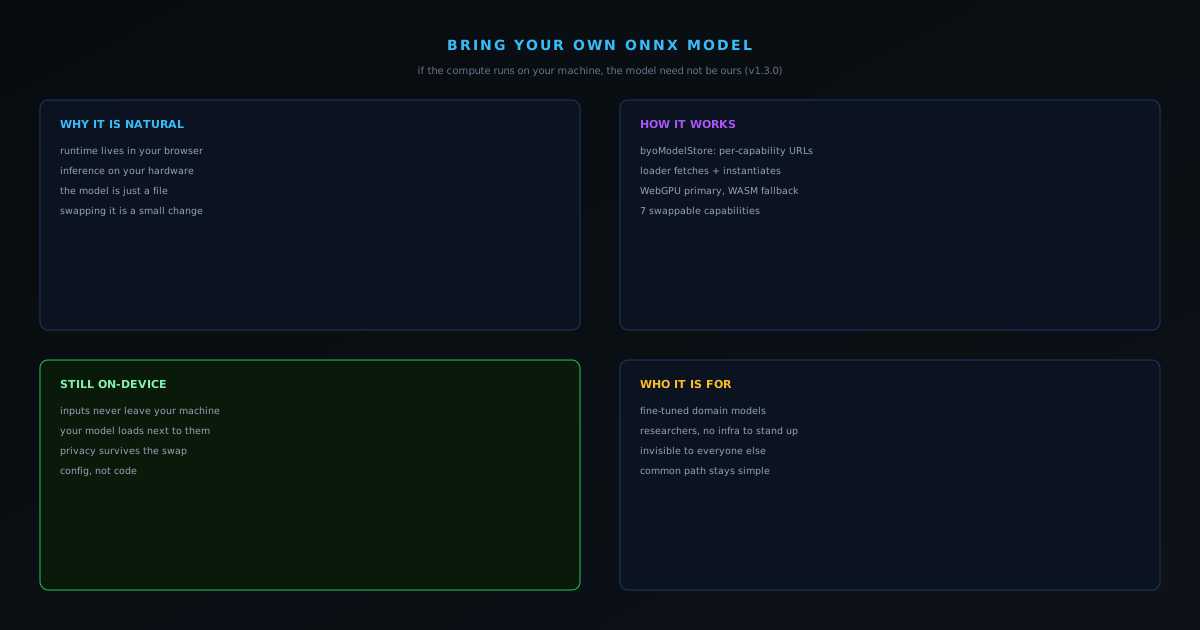
In a server-side tool, the model is the crown jewel sitting on infrastructure the company owns and pays for, so letting users swap it out makes no sense: it is literally the thing they are renting you access to. In an on-device tool, the topology is inverted. The runtime lives in your browser, the inference happens on your hardware, and the model is just a file the runtime loads. Swapping that file for one you provide is a small change, because the hard part (running a model locally, fast, with a fallback) was already built for the bundled models.
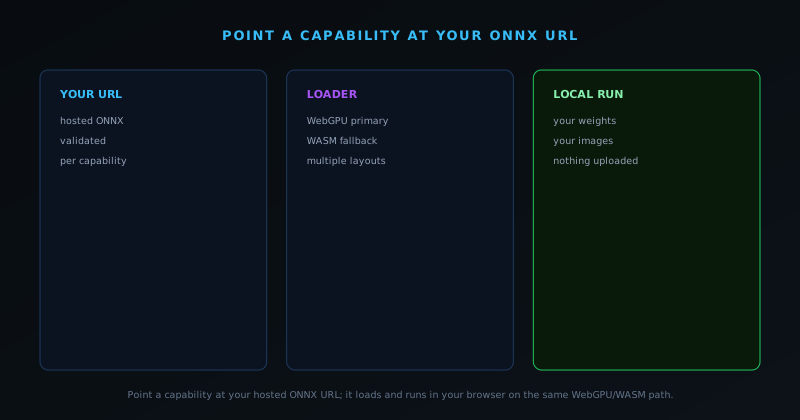
So BYO-ONNX reuses the existing machinery. The byoModelStore holds your per-capability hosted ONNX URLs across seven capabilities, and the loader fetches your URL and instantiates a session with WebGPU as the primary backend and WebAssembly as the fallback, exactly the dual-path strategy the built-in models already use. Your model inherits the same graceful degradation: fast on a GPU-capable browser, still functional everywhere else.
How you actually use it
From the user side, in the Background Remover it is a Pro-tier panel with a row per capability. You paste the URL where your ONNX model is hosted, the manager validates it, and that capability now runs against your weights instead of the default. A real ONNX runner handles the swapped model: it handles multiple output layouts so a model that structures its output differently still works. The point is that it is configuration, not code: you are pointing the tool at a model, not rebuilding the tool.
Because everything still runs in your browser, your inputs stay on your device even when the model is your own. You are not uploading your images to your model on a server; you are loading your model into the browser and running it next to your images, locally. The privacy property survives the model swap completely.
Who this is actually for
BYO-ONNX is unapologetically a power-user feature, and that is fine: not every feature has to serve the median visitor. It is for the developer who has fine-tuned a model for their specific domain, the researcher who wants to run their own weights against real inputs without standing up infrastructure, and the team with a model they trust more than a generic default for their particular task. For those users, the ability to bring their own model to a tool that already handles loading, acceleration, fallback, and a clean UI is genuinely valuable.
For everyone else, it is simply invisible: the bundled, verified, honestly-tiered models cover the mainstream cases, and most people will never touch the BYO tier. The feature does not complicate the common path; it just refuses to wall off the advanced one.
What ONNX is, and why it is the right format for this
ONNX is an open interchange format for machine-learning models: a standard way to represent a trained network so that different runtimes can load and execute it. That openness is exactly what makes bring-your-own-model feasible, because it means a model is a portable file rather than something locked to one framework or one vendor. A model exported to ONNX can be run by any runtime that speaks the format, and the browser-side runtime the suite already uses speaks it, so pointing the tool at an ONNX file is asking it to do something it is fundamentally built to do rather than bolting on a foreign capability.
The choice of ONNX is therefore not incidental; it is what turns "use your own model" from a vague aspiration into a concrete feature. A proprietary, framework-specific model format would have made user-supplied models nearly impossible to support, because the tool would have to understand every framework anyone might use. An open standard collapses that problem to one: if your model is in ONNX, the tool can run it. The format is the interoperability, and the interoperability is what lets the line between the tool's models and yours blur in the first place.
The seven capabilities you can point at your own model
The feature is not a single swap but a set of slots. A dedicated store holds your per-capability hosted ONNX URLs across seven distinct capabilities, so you are not replacing one monolithic model but choosing, capability by capability, where the tool should look. That granularity matters because few people have a custom model for everything; the realistic case is that you have fine-tuned or sourced a better model for one or two specific jobs in your domain, and want those jobs to use it while everything else stays on the verified defaults. Per-capability slots let you do exactly that, mixing your models and the built-in ones freely.
This design respects how custom models actually get used. A researcher might have a specialized segmentation network; a studio might have a generation model tuned to their style; a developer might have one capability where a particular open model outperforms the default for their inputs. Rather than forcing an all-or-nothing replacement, the seven-slot store lets each of those be slotted in precisely where it helps, leaving the rest of the suite untouched. The tool becomes a frame you can partially re-fit with your own parts, not a fixed appliance.
Why the URL gets validated before anything runs
Letting a user point a tool at an arbitrary URL invites a class of confusing failures (a typo, a dead link, a file that is not actually a model) so the Pro-tier manager validates the URL before accepting it. That validation is a small thing that prevents a large category of frustration: instead of the tool silently failing later when it tries to run a capability against a URL that does not resolve to a usable model, the problem is caught at the point of entry, where the user can fix it immediately. It is the same honest-failure instinct the rest of the suite applies, brought to the configuration step.
The per-capability manager UI, with a row for each capability and validation on each URL, is what makes a genuinely advanced feature usable rather than a foot-gun. Advanced features earn their reputation for being fragile precisely when they accept input without checking it and then fail opaquely; validating up front and showing the state per capability turns bring-your-own-model from an expert-only gamble into something a careful user can set up with confidence. The feature is powerful, but the design works to keep its power from becoming a source of silent breakage.
Handling models that structure their output differently
A real obstacle to running arbitrary models is that two models doing the same job can format their output differently, and code that assumes one layout will break on another. The bring-your-own runner addresses this directly: it is written to handle multiple output layouts rather than assuming a single fixed shape. That flexibility is what lets a user-supplied model actually work instead of technically loading and then producing garbage because its output did not match a rigid expectation. The tool meets the model where it is rather than demanding the model conform to one exact specification.
This kind of accommodation is unglamorous but essential, because it is the difference between a feature that works only for models built exactly like the developer expected and one that works for the models people actually have. Tolerating variation in output structure is part of taking interoperability seriously: an open format gets you a loadable model, but real interoperability also means handling the legitimate differences between models that the format permits. Building the runner to flex around those differences is what makes the seven-capability promise hold up against real, varied user models.
Your model inherits the same acceleration path
A user-supplied model does not run on a slower or lesser code path than the built-in ones; it inherits the same dual-backend strategy the whole suite uses. The loader instantiates a session with WebGPU as the primary backend and WebAssembly as the fallback, so your model runs on the GPU where the browser supports it and degrades gracefully to the CPU where it does not, exactly the same graceful-degradation behavior the bundled models get. You are not trading performance or compatibility for the privilege of using your own weights; the custom model gets the full benefit of the runtime engineering already done for the defaults.
That inheritance is a quiet but important reassurance for anyone considering the feature seriously. A bring-your-own-model capability that ran custom models on a slow, untested path would be a token gesture; one that runs them through the same accelerated, fallback-protected pipeline as the first-party models is a real capability. It means the work that went into making the built-in models fast and universally functional (capability detection, the WebGPU path, the WebAssembly fallback) pays off for your model too, with no extra effort on your part beyond providing the URL.
Hosting your model: the practical notes
Because the tool fetches your model from a URL, the practical requirement is simply that the model be hosted somewhere the browser can reach it. That is liberating in that it imposes no particular vendor (any host that can serve the file works) but it does mean the usual realities of fetching a resource cross-origin apply, so the host needs to serve the file in a way the browser will accept. For a developer or researcher, this is familiar territory; for a less technical user, it is the main reason the feature sits in a Pro tier rather than the default experience, since hosting a model is a step beyond clicking a button.
The upside of the URL-based approach is that it keeps the tool out of the business of storing or managing your model. Your weights live where you put them, under your control, and the tool simply references them; it is not uploading your model to a service or holding a copy. That arrangement is consistent with the whole on-device philosophy (the tool is a runtime that runs models, not a repository that collects them) and it means your custom model stays as much yours as your input images do, hosted on your terms and loaded into your browser only when you use it.
Why it is a Pro tier and not the default
Placing bring-your-own-model in a Pro tier is a deliberate matching of the feature to its audience rather than a paywall in the usual sense. The default experience is built around verified, honestly-tiered, ready-to-use models precisely so that the typical user never has to think about model selection at all: they get good results from a button. Bring-your-own-model is the opposite kind of feature: it assumes you have a model, can host it, and have a reason to prefer it, which describes a small and capable slice of users. Putting it in its own tier keeps the common path simple while still serving that slice.
This is the same progressive-disclosure logic the tool applies across its features: make the simple thing simple and the advanced thing possible, without letting the advanced thing complicate the simple one. A casual user never encounters the bring-your-own-model panel and is not confused by it; a power user finds it exactly where they would look. Segmenting the feature by tier is how a single product serves both the person who wants a one-click cutout and the researcher who wants to run their own segmentation network, without compromising either experience for the other.
The privacy property survives the swap
A reasonable worry about running a custom model is whether doing so reopens the privacy hole that the on-device architecture closes, but it does not, because the model loads into your browser and your inputs run against it there. You are not uploading your images to your model on some server; you are loading your model into the same local runtime that already keeps your files on the device, and the inference happens there. The data-flow story is unchanged: your inputs stay local, the model (whether ours or yours) runs locally, and nothing about the source material is transmitted. Swapping the model does not move the computation off the device.
This is the reassuring symmetry of the design. The privacy guarantee was never about whose model was being used; it was about where the computation happened, and that does not change when the model becomes yours. So a studio with a confidential in-house model can run it against confidential inputs entirely within the browser, getting both the benefit of their proprietary model and the assurance that neither the model's inputs nor its outputs left the machine. For exactly the users most likely to have a custom model (those with proprietary data and proprietary weights) the on-device guarantee is most valuable, and it holds.
What it deliberately does not try to be
It clarifies the feature to say what it is not. Bring-your-own-model is not a model marketplace, a training service, or a hosting platform: it does not help you find a model, fine-tune one, or store one, and it is not trying to. It is narrowly and deliberately one thing: a way to run inference, in your browser, against a model you already have and host. Keeping the scope that tight is what keeps the feature coherent and the privacy story clean, because the moment a tool starts hosting or training models it takes on data and responsibilities the on-device design is specifically built to avoid.
That restraint is in keeping with how the whole ecosystem treats scope. The tool does the part that belongs on the device (running the model against your local data) and leaves the parts that belong elsewhere, like producing or hosting the model, to you and your own infrastructure. Resisting the temptation to grow into a model platform keeps bring-your-own-model a sharp, comprehensible capability rather than a sprawling sub-product, and it keeps the trust boundary exactly where the rest of the suite puts it: the computation and the data stay on your machine, and the tool never becomes a place your model or its inputs have to live.
Why it signals where on-device AI is going
There is a bigger idea here than one Pro tier. The default shape of AI on the web is centralizing: your data goes to their model on their servers, and you get an answer back. On-device AI inverts that, and BYO-ONNX inverts it one step further: not only does the computation come to your data, but you can choose the model that does the computing. The tool becomes a runtime and a UI for AI you control, rather than a gate in front of AI someone else controls.
That is a meaningfully different relationship between a person and their AI tools, and it is only possible because the whole stack already runs locally. The browser-AI explainer covers how a model runs in a tab in the first place, the WebGPU-vs-WASM post covers the backend path a custom model inherits, and the product update places BYO-ONNX in the arc of how the suite grew up.
Frequently asked questions
Quick answers to common questions about this topic.
Can I run my own AI model in the browser?
Yes. The bring-your-own-ONNX path lets advanced users load their own weights and run them locally, WebGPU-first with a WebAssembly fallback, so a custom model runs on-device with no upload.
What format does a custom model need to be?
ONNX, the open neural-network exchange format, which the in-browser runtime can execute. If your model exports to ONNX, it can run client-side here.
Why run a custom model client-side instead of on a server?
Privacy and cost: your data and your model stay on the device, with no inference server to host or pay for. It is the same architecture the built-in tools use.
Related workflow
Product photo to a transparent image every channel accepts
One photograph, cut out once, then re-encoded for a storefront, a marketplace listing and a social post without redoing the cutout each time.
- Cut the background out and check the edgesNSS Background Remover: Hair, glass and drop shadows are where automatic cutouts fail. Fix them once, on the master, before anything downstream copies the mistake.
- Re-encode and resize per destinationNovus Convert: Transparency survives PNG and WebP and dies in JPEG. Convert validates the file it hands back, so a listing never rejects a silently broken upload.
Related troubleshooting
Was this page helpful?
Your answer stays in this browser, it is not sent anywhere and no account or cookie is involved.