2026 · Novus Stream SolutionsAbout 12 min readNovus Stream Solutions
Account-based vs no-account creative tools: which one keeps your work safe?
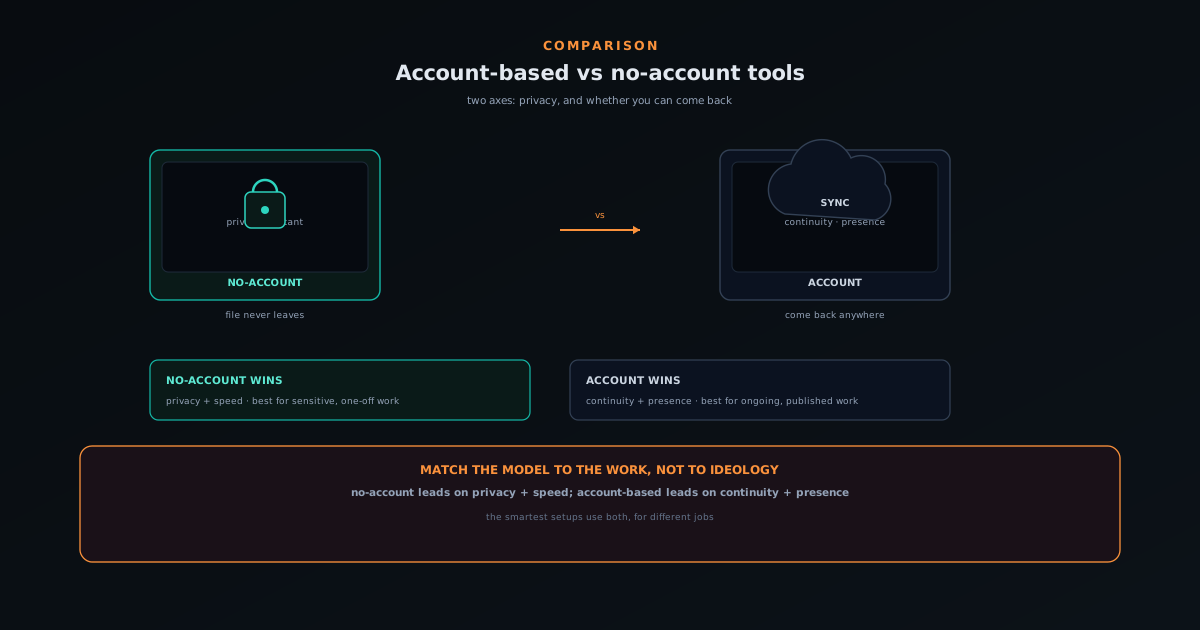
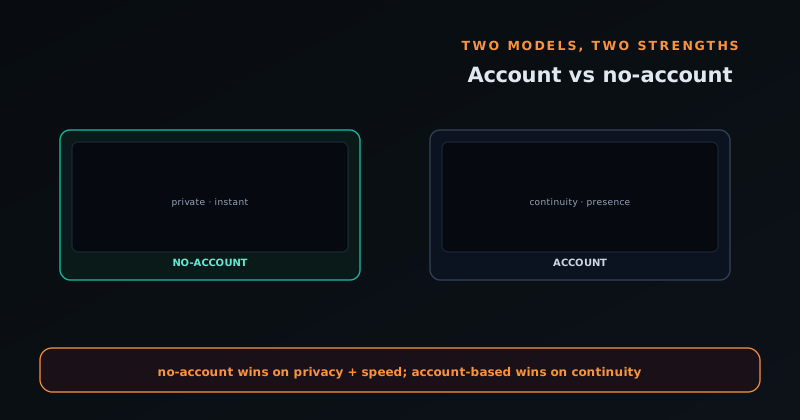
No-account tools win on privacy and speed; account-based tools win on continuity and presence. Here is how to tell which model a creative tool uses, what each one actually protects, and how to match the choice to your work.
Contents
- 1.Overview
- 2.What "no account" really buys you
- 3.What "account-based" really buys you
- 4.The privacy axis: where do your files live?
- 5.The continuity axis: can you come back?
- 6.A live case study: two Novus tools, two models
- 7.How to choose for your own work
- 8.A field guide to spotting which model a tool uses
- 9.It is about the use case, not ideology
Overview
Every creative tool you use has quietly made a decision about your work: it either keeps it on your device and asks nothing of you, or it ties it to an account and keeps it for you. That single choice, account or no account, shapes almost everything about how the tool feels and what it protects. A no-account tool is private and instant but forgetful; an account-based tool is continuous and social but asks you to sign in and trust it with your data. Neither is universally better, and the marketing rarely makes the trade explicit, so it is worth understanding the axes for yourself so you can tell which model a tool uses and whether it fits what you are doing.
The clearest way to think about it is two axes rather than one spectrum. The first is privacy: where do your files actually live while you work, and after? The second is continuity: can you leave and come back to your work, possibly from another device? No-account tools optimize the first axis at the cost of the second; account-based tools do the reverse. The Novus ecosystem happens to run one tool of each kind (a no-account image editor and an account-based music-video platform), which makes it a useful live case study, and we will get to that. But first, what each model genuinely buys you.
What "no account" really buys you
A no-account tool buys you privacy and speed, and it buys them in a way that is hard to fake. If there is no account, there is usually no upload: the work happens on your device, which means your files are never sitting on someone else's server to be logged, mined, breached, or retained after you thought they were gone. For sensitive material, that is decisive: a client deliverable under NDA, unpublished artwork, a confidential document, a photo you simply do not want copied anywhere. The absence of an account is not a missing feature in these cases; it is the feature, because it is a structural guarantee that there is no copy of your work to worry about.
The second thing it buys is immediacy. With no account, there is no signup wall, no email verification, no onboarding before you can do the thing you came to do: you open the tool and you are working. That lowers the cost of trying it to nearly zero and removes a whole category of friction. The price you pay is memory: a pure no-account tool typically keeps your work only as long as the session or, at best, in the browser on that one machine. Close the tab or switch computers and the work may be gone. For quick, one-off tasks that is no loss at all; for ongoing projects it can be a real limitation, which is exactly where the other model earns its place.
What "account-based" really buys you
An account-based tool buys you continuity and presence. Continuity means your work survives the session and follows you: you can start something, leave, and reopen it later, often from a different device, because the work lives with your account rather than in one volatile tab. For anything you build over time (a project you revisit across days, a body of work you accumulate, a release you return to months later) that persistence is the whole point, and a tool without it forces you to either finish in one sitting or rebuild from scratch. The account is what turns a tool from a sketchpad into a workspace you can actually depend on.
Presence is the second thing accounts unlock: identity, sharing, and community. With an account you can publish work under your name, build a following, save other people's work, and be part of a feed, none of which is possible when the tool does not know who you are. For creative work that is meant to be seen, that social layer is valuable, and it can only exist on top of accounts. The cost is the mirror image of the no-account model's benefit: you are signing in, and you are trusting the service to hold your data responsibly. That trust is reasonable for work you intend to publish anyway, and heavier for work you would rather no server ever touched, which is why the use case has to drive the choice.
The privacy axis: where do your files live?
The sharpest question to ask any creative tool is simply: where do my files live while I use this? There are really three answers. They can live entirely on your device, never transmitted: the on-device, no-account model. They can live on a server the moment you upload them: the traditional cloud model, account or not. Or they can live on your device for the computation but be saved to your account when you explicitly choose: a hybrid that keeps the heavy processing local while still offering persistence. Knowing which of these a tool does tells you most of what you need to know about its privacy posture, and it is usually discoverable from whether it requires an upload and whether it requires an account.
The reason this axis matters is that "free" tools have to be sustainable somehow, and the cheapest thing to be careless with is data you have collected. A tool that uploads everything has, at minimum, a copy of your work and a decision to make about what to do with it; a tool that never uploads has nothing to be careless with in the first place. This is not a claim that all cloud tools are reckless (many are scrupulous) but it is a reason that, when privacy is the priority, the structural guarantee of on-device processing beats a promise about how uploaded data will be handled. You cannot leak what you never received.
The continuity axis: can you come back?
The second question is the one that bites you later: can I leave and come back to this? A tool can be perfectly private and still frustrating if it forgets everything the moment you close it. Continuity has gradations. The weakest is session-only: your work exists until you navigate away. Stronger is local persistence, where the tool saves to the browser's storage so you can return on the same machine, in the same browser, until that storage is cleared. Strongest is account-backed persistence, where the work lives with your identity and reopens anywhere you sign in. Each step up in continuity is a step toward treating the tool as a place you keep work rather than a place you pass through.
Which level you need depends on the shape of your work, not on which is objectively best. A one-shot task (make a transparent PNG, caption a clip once) needs no continuity at all, and demanding an account for it would be pure friction. A multi-session project, a recurring workflow, or a growing portfolio needs the strongest continuity you can get, because the cost of rebuilding lost work compounds every time. The mistake is assuming one answer fits everything you do. Most people actually want different continuity for different tasks, which is why the smartest setups use a no-account tool for disposable work and an account-based tool for the things they intend to keep.
A live case study: two Novus tools, two models
The Novus ecosystem runs one tool of each kind, built deliberately, which makes the trade-off concrete. NSS Background Remover at bgremover.novusstreamsolutions.com is the no-account model taken to its conclusion: it processes images and video entirely on your device, never uploads, requires no signup, and saves projects locally in your own browser storage. That is the correct design for it because its users are routinely handling sensitive files, and an account would weaken the exact guarantee that makes it trustworthy. It optimizes the privacy axis completely and accepts the continuity limit that work is kept on your machine rather than in the cloud.
Novus Visualizers at visualizers.novusstreamsolutions.com makes the opposite choice for the opposite reason. It keeps the heavy compute on your device too (audio analysis, rendering, and export are local) but it adds free accounts so that saved projects, albums, and a community presence persist and follow you across devices. That is correct for it because its users want to keep, revisit, and publish creative work over time, where local-only saving would be the limitation rather than the protection. Same parent, same on-device computation, opposite saving model, and the difference is driven entirely by what each audience needs, which is exactly how the choice should be made.
How to choose for your own work
Start by sorting the task, not the tool. Ask whether the work is sensitive: if it must not be copied to a server, prioritize on-device, no-account processing and accept that you will manage saving yourself. Ask whether the work is ongoing: if you will revisit it, build on it, or need it on more than one machine, prioritize account-backed continuity and accept that you are trusting a service to hold it. Ask whether the work is meant to be seen: if publishing and audience matter, you need an account-based tool, because presence cannot exist without identity. Most real workflows have a mix of these, so the answer is often to use both kinds of tools for different jobs rather than forcing everything through one.
A practical default for creators is exactly that hybrid: reach for a no-account, on-device tool for disposable and sensitive work, and reach for an account-based tool for the projects you intend to keep and share. When a tool offers both (local compute plus optional, opt-in saving) you can get most of the benefit of each: the privacy of on-device processing and the continuity of saving only the things you choose to. The worst outcome is using an account-based, upload-everything tool for sensitive one-offs, or a session-only tool for a long project, because each mismatches the model to the need. Match them and both axes work for you instead of against you.
A field guide to spotting which model a tool uses
Most tools do not announce their model in plain terms, so it helps to know the tells. The fastest signal is whether you can do anything before signing in: if the tool puts a signup wall in front of the first result, it is account-based by design, and often upload-based too. If you can drop a file in and get a result without an account, it is at least account-optional, and the next question is where the processing happened. A second tell is the presence of an upload step (a progress bar when you add a file, or a noticeable pause while something is sent) versus a one-time model download on first use followed by fast, local work. The first pattern means your file went somewhere; the second means the tool came to your file.
The single most reliable check costs nothing: try the tool with your network disconnected after it has loaded. A genuinely on-device tool keeps working offline because the computation is local; an upload-based tool fails because it cannot reach its server. This one test cuts through all the marketing language, because architecture cannot lie about whether it needs the network. Pair it with reading the claims literally: a tool confident in local processing says "no upload" and "your files never leave your device" directly, while one that only reassures you vaguely about "security" and "privacy" is usually uploading and hoping you will not ask where.
Putting those signals together tells you which of the two models you are in, and therefore which kind of safety you are getting. If the tool requires an account and an upload, you are trusting a server with your files and getting continuity in return; treat the work accordingly and avoid it for anything sensitive. If the tool runs offline, downloads a model once, and states plainly that nothing is uploaded, you are getting on-device privacy and managing saving yourself. Neither reading is a verdict on quality (both models produce excellent tools) but knowing which one you are using is what lets you put the right work through the right door instead of discovering the mismatch after the fact.
- Signup before the first result → account-based by design, often upload-based.
- Upload progress bar on add → your file is leaving the machine.
- One-time model download, then fast local work → on-device processing.
- Works offline once loaded → local; fails offline → upload.
- Plain "no upload" claims → confident on-device; vague "secure" talk → usually cloud.
It is about the use case, not ideology
It is tempting to treat this as a values war (accounts are surveillance, or no-account tools are toys) but that framing gets in the way of good decisions. Accounts are not inherently bad; they are how continuity and community exist, and for work you are going to publish anyway, the privacy cost is small and the benefit is large. No-account tools are not inherently limited; for sensitive and disposable work they are simply the right shape, and the lack of an account is a guarantee rather than a gap. The model is a tool-design decision that should follow the use case, and the best tools choose it on purpose rather than defaulting to whatever was easiest to build.
The ideological framing also obscures the most useful insight, which is that the two models are complements, not rivals. A creator who understands both can assemble a personal toolkit that gets the best of each: on-device, no-account tools standing guard over anything sensitive or one-off, and account-based tools holding the projects worth keeping and publishing. Seen that way, the question stops being which side to join and becomes which tool to reach for in a given moment, which is a far more productive question. The people who get the most out of modern creative tools are rarely the ones loyal to a single model; they are the ones fluent in both, who can tell at a glance which one a task calls for and route the work accordingly without ever having to think of it as a stance.
So the question that keeps your work safe is not "which model is better" but "which model fits this piece of work." Safety means different things on the two axes: on the privacy axis it means your files are not somewhere they can leak; on the continuity axis it means your work is not somewhere it can be lost. A no-account tool keeps the first kind of safety and risks the second; an account-based tool does the reverse. Knowing which kind of safety a given project needs, and choosing the tool to match, is the whole skill. The Novus docs lay out exactly which model each of its tools uses, so you can choose deliberately rather than discovering it the hard way.
Frequently asked questions
Quick answers to common questions about this topic.
Are no-account tools safer for my work?
They are more private and instant (nothing to sign up for and often nothing uploaded) but your work lives only in that browser. Account-based tools trade a signup for durable, cross-device saves. The best of both is optional accounts.
Why do some free tools offer optional accounts?
So the core workflow stays open and private while a free account adds persistence: saved projects that reopen on any device. Novus tools follow this model: use without signing in, sign in only to save.
Does signing in mean my files get uploaded?
Not necessarily. In the Novus apps the heavy compute stays on your device even with an account; only your project data and community presence are account-backed.
Related troubleshooting
Was this page helpful?
Your answer stays in this browser, it is not sent anywhere and no account or cookie is involved.