NSS Background Remover
Cutting out hair and fur cleanly
Hair and fur are where most background removers fall apart. The model choice, settings, and brush technique that keep individual strands instead of a helmet-shaped blob, for portraits, pets, and fur textures.
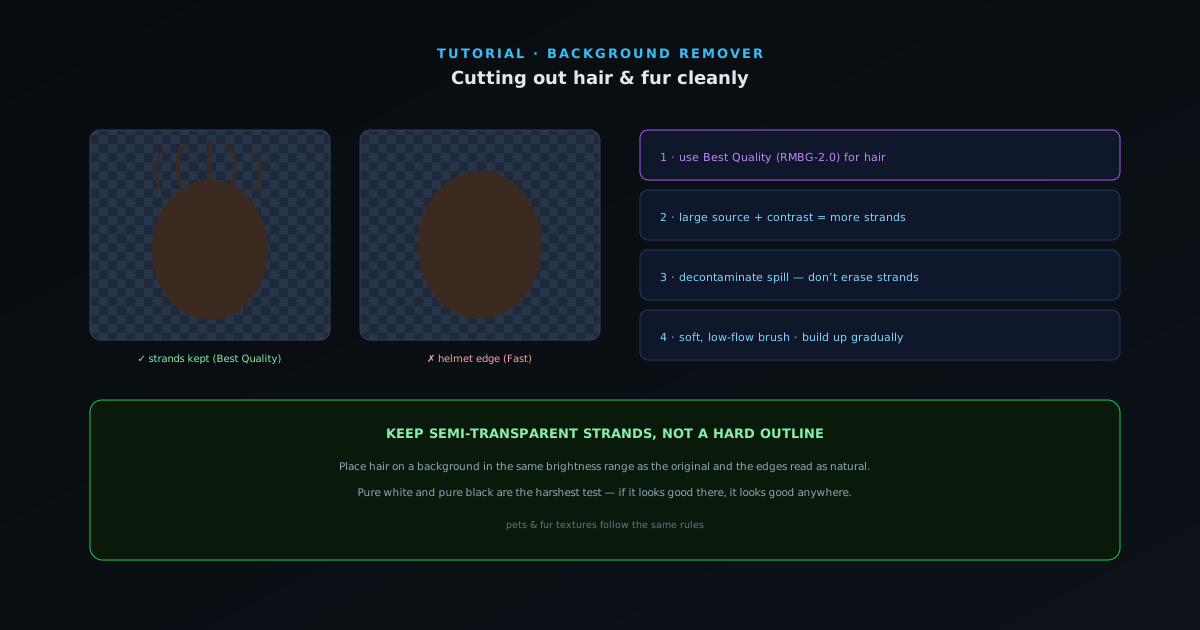
Flyaway hair and fur are the hardest thing in background removal because the edge is not really an edge; it is hundreds of fine, semi-transparent strands. Get it wrong and the subject looks like it is wearing a helmet. This guide is the workflow that keeps the strands.
Contents
- 1
1. Always use Best Quality for hair
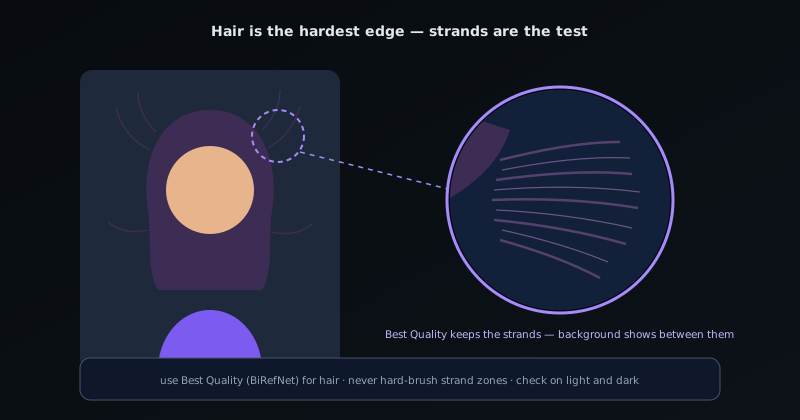
For anything with hair or fur, start with the Best Quality model (RMBG-2.0, a bilateral reference network). It is built specifically for fine-grained edges and will resolve individual strands the Fast model flattens into a solid outline. The extra processing time is always worth it here.
- Best Quality (RMBG-2.0) for hair, fur, and fine detail.
- 2
2. Keep the source large and well-lit
Hair detail the model can keep depends on detail in the source. A higher-resolution original gives the model more strands to resolve, and contrast between the hair and the original background helps enormously: the same blonde hair is far easier to cut from a dark background than a beige one. Start as large as you can; the tool downscales internally if needed and scales the mask back up.
- Higher-resolution source = more recoverable strands.
- Contrast between hair and background helps the model.
- 3
3. Decontaminate, do not just erase
Hair edges are where color spill is worst: strands pick up the background color. Lean on the decontamination pass rather than erasing semi-transparent strands, which would delete the very detail you want. Strong decontamination recolors the spill toward the hair while keeping the strand’s transparency, so the result blends onto a new background instead of glowing with the old one.
- Decontaminate spill instead of erasing strands.
- Keeps strand transparency while fixing color.
Hair is the hardest edge; the Best Quality model keeps strands the eye expects to see. - 4
4. Brush with a soft, low-flow brush
For the few areas the model misses (a clump that went solid, a gap between strands) use a soft brush at low strength and build up gradually. Hard, full-strength strokes create exactly the helmet edge you are trying to avoid. Paint back the body of the hair and let the model’s semi-transparent edge do the fine work.
- Soft, low-flow brush; build up gradually.
- Avoid hard strokes that flatten the edge.
- 5
5. Place on a realistic background
Hair cutouts reveal themselves against a mismatched background. Composite onto a backdrop whose brightness is in the same range as the original, and the semi-transparent strand edges will read as natural rather than fringed. Pure white or pure black backgrounds are the harshest test; if it looks good there, it looks good anywhere.
Strands, not silhouettes
The whole game with hair is keeping semi-transparent strands instead of forcing a hard outline, so reach for Best Quality, lean on decontamination, and brush softly. Pets and fur textures follow exactly the same rules. For the deepest reference, the app’s help center has a dedicated hair guide that stays current with the models.
Frequently asked questions
Quick answers to common questions about this topic.
How do I cut out hair or fur without it looking jagged?
Use the Best Quality model, which is built for fine detail like hair and fur, and let the Float32 alpha mask preserve the soft strands. Refine any stray wisps with the brush afterward.
Why does hair look hard-edged in other tools?
They threshold the mask to on/off, which destroys soft detail. The NSS tool keeps a continuous opacity per pixel, so fine hair stays soft and composites naturally.
Related workflow
Product photo to a transparent image every channel accepts
One photograph, cut out once, then re-encoded for a storefront, a marketplace listing and a social post without redoing the cutout each time.
- Cut the background out and check the edgesNSS Background Remover: Hair, glass and drop shadows are where automatic cutouts fail. Fix them once, on the master, before anything downstream copies the mistake.
- Re-encode and resize per destinationNovus Convert: Transparency survives PNG and WebP and dies in JPEG. Convert validates the file it hands back, so a listing never rejects a silently broken upload.
Related troubleshooting
Was this page helpful?
Your answer stays in this browser, it is not sent anywhere and no account or cookie is involved.