2026 · Web & UXAbout 12 min readNovus Stream Solutions
Designing a help mode that pulses the control you need
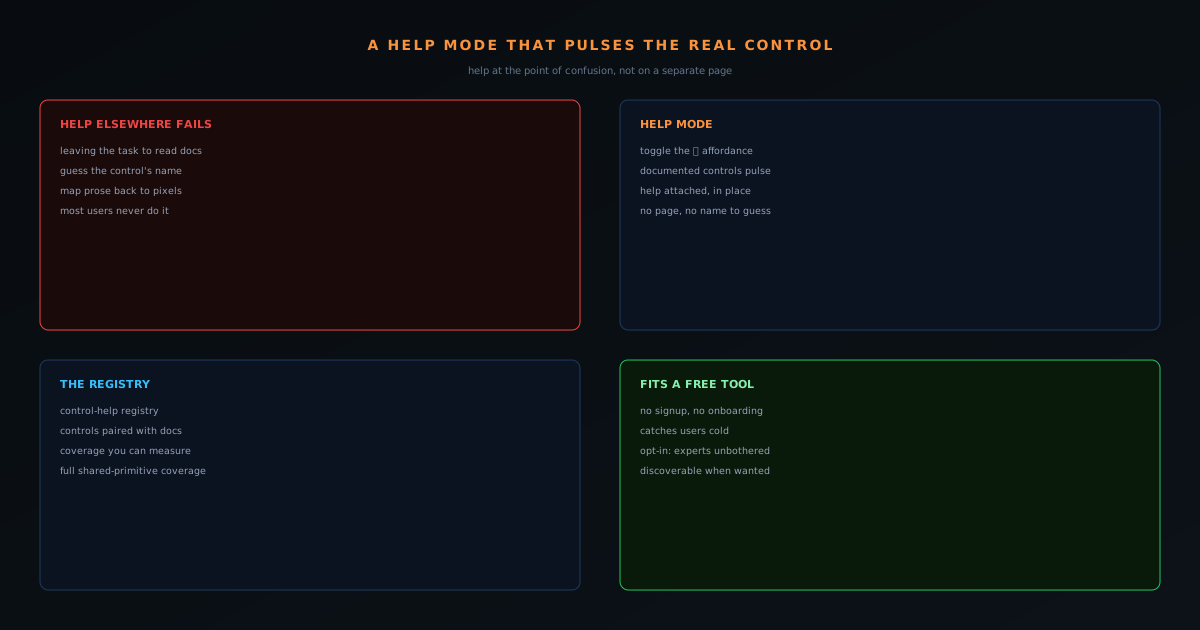
Documentation that lives on a separate page is documentation most users never read. The NSS Background Remover built a universal Help mode that makes documented controls pulse in place: help that points at the actual button instead of describing it elsewhere. Here is the design thinking.
Contents
- 1.Overview
- 2.The problem with help that lives elsewhere
- 3.Help mode: make the documented controls pulse
- 4.The registry that keeps coverage honest
- 5.The tab-switch tax nobody measures
- 6.Why a name you cannot guess defeats search
- 7.Help as an overlay, not a destination
- 8.Coverage you can measure is coverage you can trust
- 9.Respecting the expert while helping the novice
- 10.The same instinct, applied across the suite
- 11.Making the help itself discoverable
- 12.Where in-context help reaches its limit
- 13.Why in-context help fits a free, no-onboarding tool
Overview
Most software help is in the wrong place. It lives on a documentation site, in a separate tab, behind a search box, anywhere except next to the control the user is actually confused about. So users do not read it. They guess, they give up, or they leave. The NSS Background Remover took a different approach with a universal Help mode: toggle it on, and the controls that have documentation pulse in place, with a help button that draws your attention to the actual interface rather than describing it somewhere else. This post is about why that design beats a help page.
The core idea is proximity. Help is most useful at the exact moment and location of confusion, and every step of distance between the question and the answer (a tab switch, a search, a scroll) loses people. In-context help collapses that distance to zero.
The problem with help that lives elsewhere
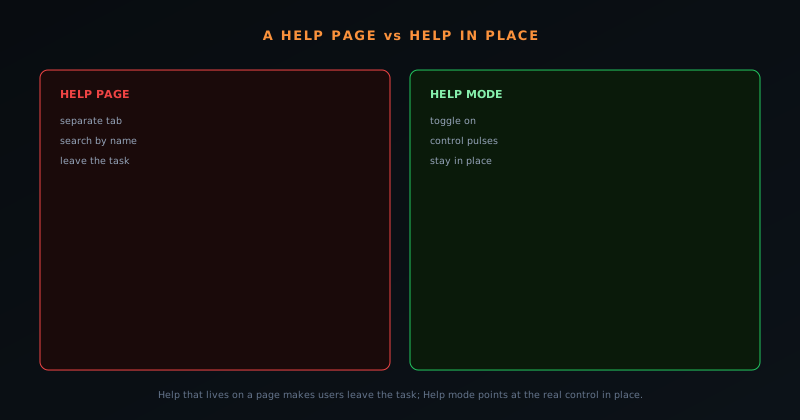
When help is a separate page, using it requires leaving the task. The user has to notice they are confused, decide it is worth interrupting their flow, find the docs, search for the right control by whatever name they guess it has, read a description written without the screen in front of them, and map that description back onto the interface. Every one of those steps sheds users, and the ones who make it through have broken their concentration to get there. The help technically exists, but the friction means it rarely gets used.
There is also a naming problem. Documentation refers to controls by name, but a confused user often does not know the name: that is part of being confused. Searching docs for a thing you cannot name is its own small failure. Pointing at the control sidesteps the whole issue.
Help mode: make the documented controls pulse
The design is direct. A Help mode toggle (surfaced with a clear affordance) puts the interface into a state where every control that has associated documentation pulses, drawing the eye to it on the actual screen. The help is attached to the control, in place, so the user sees what is documented and where it is at the same time. There is no separate page to find, no name to guess, no mental mapping from prose back to pixels. The answer is on the button.
This reframes documentation from something you go read to something that overlays the thing you are already looking at. The user stays in their task the entire time; help becomes a lens they switch on over the live interface rather than a destination they navigate away to.
The registry that keeps coverage honest
A pulsing help affordance is only trustworthy if it is comprehensive: a Help mode that highlights some controls and silently skips others teaches users not to rely on it. Behind the feature is a control-help registry, a structured set of entries pairing controls with their documentation, built toward full coverage of the shared interface primitives. Because the help content is registered against the controls in a single place, coverage can be measured and completed rather than left to chance, and the components that make up the interface all participate.
This is the engineering that makes the UX honest. The registry turns "we have some tooltips" into "every documented control is covered," which is the difference between a help feature users learn to trust and one they learn to ignore. Coverage is a property you can verify, not a vibe.
The tab-switch tax nobody measures
There is a hidden cost to help that lives on a separate page, and it is worth quantifying conceptually because it explains why such help goes unused. Every step between a moment of confusion and its answer is a place where a user drops out: noticing they are stuck, deciding it is worth interrupting their work, leaving the task, finding the docs, searching by a term they have to guess, reading a description written without the screen in front of them, and mapping that description back onto the interface. That is seven opportunities to give up, and in practice many people take one of them: they guess instead, or they leave. The help technically exists; the path to it leaks users at every joint.
This tax is invisible in any usage metric because the people it affects never reach the help to be counted: they bounce before they get there, and their failure looks like disinterest rather than friction. In-context help collapses the entire path to a single toggle, eliminating all seven steps at once: the answer is on the control, in place, the instant it is wanted. Measuring the tax is hard precisely because it is paid in absence, but designing it away is straightforward once you accept that distance between question and answer is the enemy. The pulsing control is the design that takes that distance to zero.
Why a name you cannot guess defeats search
A specific reason page-based help fails deserves its own attention: documentation refers to controls by name, but a confused user frequently does not know the name, because not knowing what a thing is called is a large part of being confused in the first place. Searching docs for a control you cannot name is a small, self-defeating task: you are asked to supply the very word whose absence is your problem. This naming gap is why so much help goes unread even by users who genuinely try to find it; the search box assumes a vocabulary the confused user does not yet have.
Pointing at the control sidesteps the naming problem entirely. When Help mode makes the documented control pulse on the actual screen, the user does not need to know what it is called: they need only to see where it is and that it has an explanation, both of which the pulse provides directly. The help is indexed by location and visual identity rather than by a name the user must already know, which matches how a confused person actually relates to an unfamiliar interface: they know what they are looking at, not what it is called. Designing help around where things are rather than what they are named is a better fit for the moment of confusion it serves.
Help as an overlay, not a destination
The deeper shift Help mode represents is reframing documentation from a place you go to a lens you switch on over the thing you are already looking at. Traditional help is a destination: a separate page, a different tab, a place you navigate away to and then have to navigate back from, breaking your concentration in both directions. Help mode is an overlay: it does not move you anywhere, it annotates the live interface in place, so your context is never lost. You stay in your task the entire time, with the help layered onto the screen you were already working on rather than replacing it.
This overlay model respects the user's flow in a way a destination cannot. Concentration is fragile, and every navigation away from a task is a small reset that costs more than the time it takes: you lose your place, your train of thought, the mental state you were in. By keeping help in the same view, as a mode you toggle rather than a page you visit, the design lets a user resolve a confusion without ever leaving the work that produced it. The help and the task occupy the same screen at the same time, which is the only arrangement that does not force a trade between getting help and staying in flow.
Coverage you can measure is coverage you can trust
A pulsing-help affordance carries an implicit promise (that if a control has an explanation, the mode will reveal it) and that promise is only credible if the coverage is comprehensive. A Help mode that highlights some controls and silently skips others is worse than none, because it teaches users that the absence of a pulse is meaningless, which destroys the signal. This is why the control-help registry matters: by pairing controls with their documentation in a single structured place, coverage becomes something you can measure and complete rather than hope for. You can ask "what fraction of controls have help?" and drive that number toward complete.
Measurability is the difference between a help feature users learn to rely on and one they learn to ignore. When coverage is tracked against the shared interface primitives and pushed toward full, a user can trust that if a control is documented, Help mode will show it, and if it does not pulse, that genuinely means there is nothing to explain. That reliability is what makes the feature worth using repeatedly; an unreliable help affordance gets abandoned after the first time it fails to illuminate something the user needed. The registry turns "we have some tooltips" into "documented controls are covered," and only the second is a promise a user can lean on.
Respecting the expert while helping the novice
A well-designed help system has to serve two opposite users without compromising either: the novice who needs guidance and the expert who needs to be left alone. Help mode threads this by being opt-in and in-place. The novice toggles it on and gets exactly the guidance they need, exactly where they are stuck; the expert never turns it on and is never slowed by tooltips, badges, or hand-holding cluttering their interface. The same feature serves both because it is a mode the user invokes rather than a permanent layer imposed on everyone, so its presence costs nothing to the person who does not want it.
This is harder to achieve than it sounds, and many help systems fail by defaulting their guidance on, taxing experienced users with constant tips to reach novices who could have asked. The opt-in pulse inverts that: help is available the instant it is wanted and invisible the rest of the time. That balance (discoverable when needed, absent when not) is the mark of help designed for a real, mixed audience rather than bolted on to satisfy a checklist. It treats the user as capable of asking for help when they want it, which respects the expert's competence and the novice's autonomy at the same time.
The same instinct, applied across the suite
In-context help is not an isolated feature but an expression of a consistent instinct visible throughout the products: meet the user where they are rather than making them come to you. The no-upload architecture brings the model to the user's file instead of sending the file to a server; the goal-based entry points bring the tool to the user's intent instead of making them learn the tool catalog; and Help mode brings the documentation to the control instead of making the user find the docs. Each is the same move (collapse the distance between the user's need and its satisfaction) applied to a different part of the experience.
Seeing the pattern explains why the help system feels coherent with the rest of the product rather than bolted on. A tool built around bringing capability to the user would feel inconsistent if its help required the user to go somewhere else, and Help mode resolves that by applying the product's core instinct to documentation itself. This consistency is part of what makes a large, capable tool feel approachable: the same respect for the user's context that shapes the architecture also shapes the help, so the experience holds together. Good help is not a separate discipline here; it is the product's philosophy, applied to the moment a user gets stuck.
Making the help itself discoverable
A help system has its own bootstrapping problem: help only works if users know it exists, and a mode that has to be toggled is invisible until discovered. The design addresses this with a clear, recognizable affordance (a help toggle marked in a way that reads as "explain this") placed where a confused user would plausibly look. The affordance has to be visible enough to find in a moment of confusion without being so prominent that it clutters the interface for everyone who does not need it, which is the same opt-in balance the whole feature strikes, applied to the entry point.
Getting that discoverability right is what keeps the feature from being a well-built thing nobody finds. A pulsing-control help mode is only as useful as the number of stuck users who think to activate it, so the toggle's recognizability is not a cosmetic detail but a functional requirement. The goal is that a user who is confused and looking for help encounters the affordance naturally, understands what it offers, and invokes it, at which point the in-place pulsing takes over. Help that is excellent once activated still fails if activation is obscure, so the design treats the visibility of the help entry point as part of the help itself.
Where in-context help reaches its limit
Honesty about the approach requires acknowledging what pulsing a control cannot do: it explains what an individual control is for, but it does not teach a multi-step workflow or the why behind a process. Knowing what each button does is not the same as knowing the sequence to accomplish a complex task, and for that kind of understanding a longer-form guide or tutorial is the right tool. In-context help and written documentation are complements, not substitutes: the pulse answers "what is this control," and the guide answers "how do I accomplish this larger goal," and a complete help strategy needs both.
Recognizing the boundary keeps each form of help focused on what it does best. Overloading in-context help to try to teach entire workflows would bloat it back toward the cluttered, always-on guidance it was designed to avoid; keeping it to per-control explanation preserves its lightness. Meanwhile the deeper procedural knowledge lives in tutorials and docs that the user reaches when they want to learn a process rather than identify a button. The two layers cover different needs (momentary "what is this" versus deliberate "how do I") and a tool with a large surface benefits from having both, each kept to its strength rather than stretched to cover the other.
Why in-context help fits a free, no-onboarding tool
In-context help is an especially good fit for a tool with no signup and no onboarding flow. A free browser tool catches users cold: they arrive, they start, there is no tutorial sequence holding their hand. In that context, help that surfaces exactly where someone is stuck, on demand, without making them leave, is far more useful than an onboarding they skipped or docs they will not open. It meets the user at the point of confusion instead of front-loading information they were not ready for.
It also respects the experienced user, who never turns the mode on and is never slowed by tooltips they do not need. Help that is opt-in and in-place serves the confused without taxing the confident. That balance (discoverable when wanted, invisible when not) is the mark of help designed for a real product rather than bolted on to satisfy a checklist. Keeping a large toolset approachable is the broader discipline this fits inside.
Frequently asked questions
Quick answers to common questions about this topic.
What is an in-context help mode?
A help layer that, instead of opening a separate manual, highlights or pulses the actual control a user needs for a task right where it lives. Guidance happens in the interface, in context, rather than in docs they have to leave to read.
Why is contextual help better than tooltips or a manual?
It meets users at the moment of confusion and points at the real control, which is faster than reading and mapping instructions back to the UI. It keeps a dense tool approachable without cluttering the default view.
How does this keep a complex app usable?
Combined with progressive disclosure, in-context help means advanced features stay discoverable without overwhelming newcomers, so even a capable tool stays approachable.
Related troubleshooting
Was this page helpful?
Your answer stays in this browser, it is not sent anywhere and no account or cookie is involved.