NSS Background Remover
Removing backgrounds from video, GIFs, and PDFs
Background removal is not just for stills. Walk through per-frame video removal, the video editor (color grading, text, trim/fade), animated GIFs, per-page PDF removal, and live webcam/screen capture.
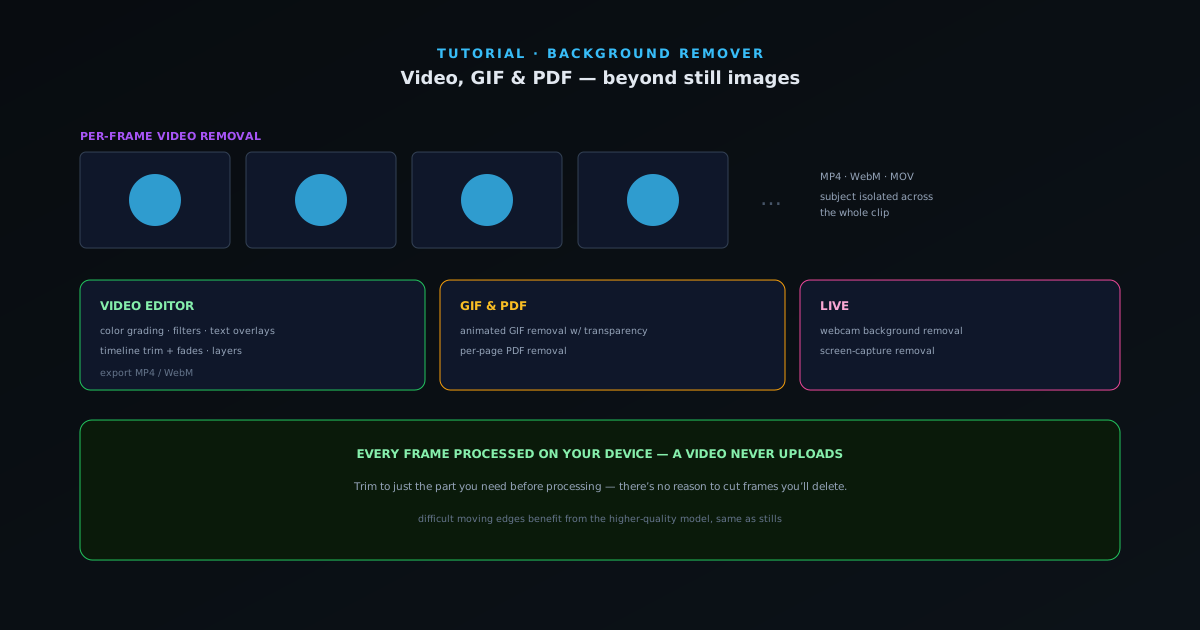
The same on-device engine that cuts a single image can cut every frame of a clip. This guide covers the moving-image and document surfaces: video, GIF, PDF, live webcam, and screen capture — and the video editor you can finish a clip in.
As with images, everything is processed locally; a video never uploads, which matters even more when the file is large.
- 1
1. Remove a video background per frame
Open the video surface and add a clip (MP4, WebM, MOV and more). The tool applies background removal to each frame so the subject is isolated across the whole video rather than a single still. Larger or longer clips take more time because every frame is processed on your device — that is the cost of keeping it private and server-free.
- Inputs: MP4, WebM, MOV and more.
- Per-frame removal across the whole clip.
- 2
2. Finish in the video editor
The video editor adds the rest of the workflow: color-grading sliders, filters, and text overlays, plus timeline trimming with fade effects, all organized in layers. Grade the subject to match a new background, add a title, trim the dead air at the head and tail, and you have a finished clip rather than just a cutout.
- Color grading sliders and filters.
- Text overlays and layers.
- Timeline trim with fades.
- Export to MP4 or WebM.
- 3
3. Animated GIFs and multi-page PDFs
GIF support removes the background across an animation, preserving the motion with transparency. PDF removal works per page, which is useful for cleaning scanned documents or pulling a subject off a page. Both follow the same local-processing model as everything else.
- GIF: animated background removal.
- PDF: per-page removal.
- 4
4. Live webcam and screen capture
For real-time use, the tool can remove the background from a live webcam feed or a screen capture directly in the browser — handy for a quick virtual-background effect or pulling a clean subject out of a recording without a green screen.
Plan for processing time
Video is per-frame work done on your own hardware, so trim the clip to just the part you need before processing rather than after — there is no reason to remove the background from seconds you are going to cut anyway. For the cleanest moving-subject edges, the same mode logic applies: difficult hair and soft edges benefit from the higher-quality model even though it is slower.