NSS Background Remover
AI vision tools: describe, OCR, tag, and analyze your images
Let AI read your images: generate captions and alt text, extract text with OCR, auto-tag and categorize, ask questions about a photo, score quality, and find similar images — all on-device.
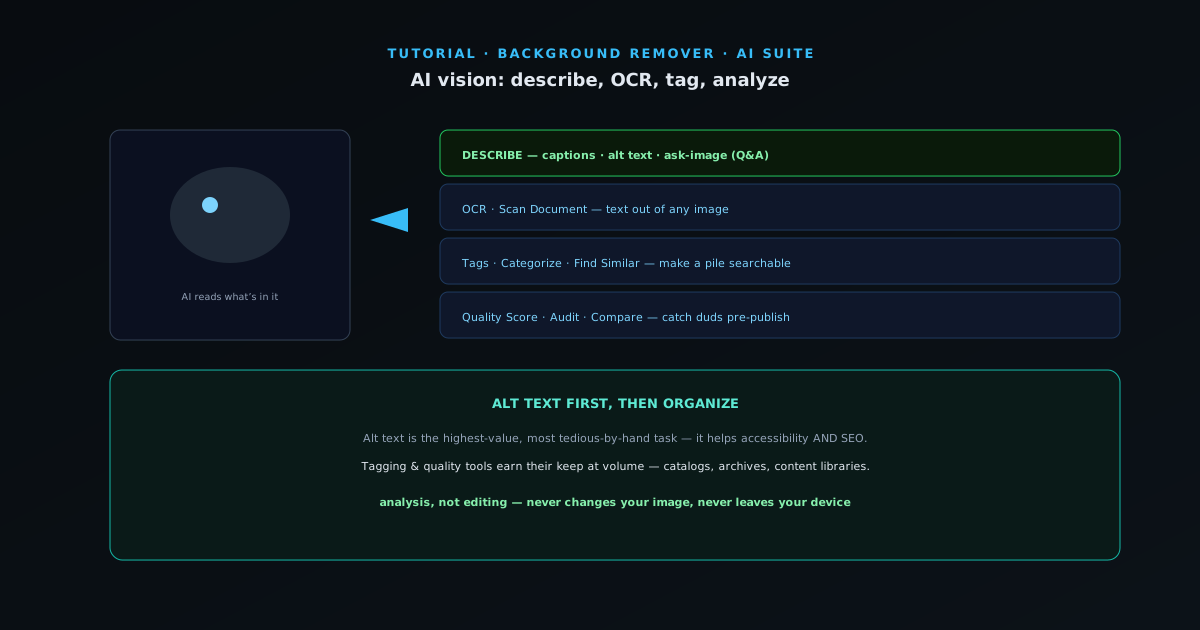
Most of the AI suite changes how an image looks. The vision tools do something different: they understand what is in it. That unlocks captions, accessibility text, searchable tags, extracted text, and quality checks — useful for anyone managing more than a handful of images. This guide covers them.
Like the rest of the suite, these run on your device, so even captioning or reading text from sensitive images keeps them private.
- 1
1. Describe and write alt text
AI Describe generates a caption or description of an image, and can produce alt text for accessibility and answer questions about the picture. Alt text is the single highest-value vision task for most people: it makes images accessible to screen readers and helps search engines understand them, and writing it by hand for a whole library is tedious.
- Describe: captions, alt text, and image Q&A (Ask Image).
- 2
2. Extract text with OCR
OCR reads text out of an image — a sign, a screenshot, a scanned document, a receipt — and gives it back as editable text. Combined with Scan Document (which detects and flattens a document from a photo), it turns your phone into a quick document digitizer, all locally.
- OCR: pull text out of any image.
- Scan Document: detect + flatten a page from a photo.
- 3
3. Tag, categorize, and find
For managing many images, Tags auto-labels an image with keywords, Categorize sorts images into groups, and Find Similar surfaces visually related images. Together they make a pile of photos searchable and organized without manual labeling — valuable for catalogs, archives, and content libraries.
- Tags · Categorize · Find Similar · Looks Like.
- 4
4. Check quality before you publish
Quality Score rates an image and Audit flags issues like poor exposure, soft focus, or weak composition. Run them across a batch to catch the duds before they go into a listing or a feed. Compare Images puts two side by side when you are choosing between options.
All of this is analysis, not editing — so it never changes your image, and it never leaves your device.
- Quality Score · Audit · Compare Images.
Alt text first, then organize
If you only use one vision tool, make it alt text — it is the highest-value, most tedious-by-hand task, and it helps both accessibility and SEO. Beyond that, the tagging and quality tools earn their keep when you are dealing with volume: a catalog, an archive, or a content library you need to keep searchable and clean.