2026 · NSS Background RemoverAbout 12 min readNovus Stream Solutions
What CLIP zero-shot tagging does on your device
The NSS Background Remover suite tags, categorizes, and finds similar images using real CLIP — running entirely in your browser. Here is what zero-shot classification actually is, how cosine similarity finds related images, and why it all happens on-device.
Overview
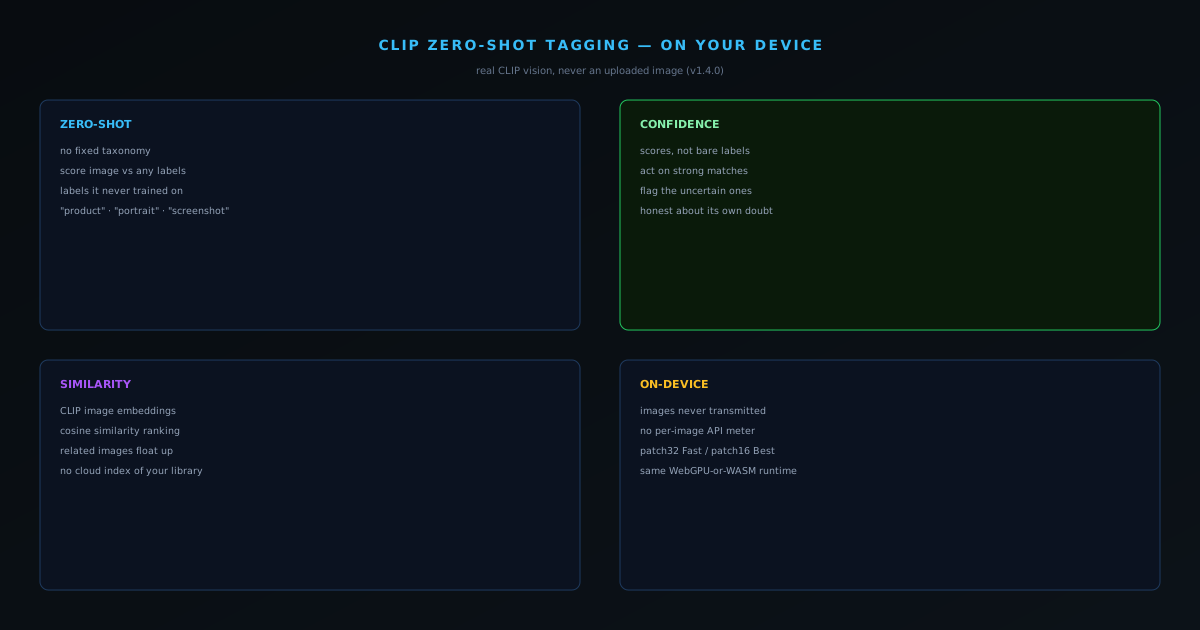
When a tool says it "tags your images with AI," there is a wide gap between what that can mean. At the cheap end, it matches filenames against a keyword list and calls it intelligence. At the real end, it actually looks at the pixels and reasons about what they depict. The NSS Background Remover suite is at the real end: its v1.4.0 release shipped genuine CLIP vision, so AI Image Tags uses real CLIP zero-shot classification, AI Categorize returns confidence scores, and the similar-image finder uses CLIP embedding cosine similarity — all running in your browser. This post explains what those terms actually mean.
CLIP is a model trained to understand images and text in the same space, which is what makes everything below possible. The interesting part is not just that it works, but that it works on your device, on your images, without any of them being uploaded.
What "zero-shot" actually means
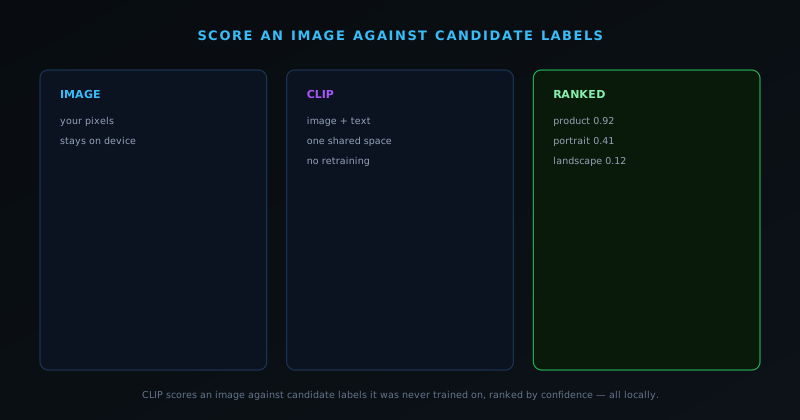
A traditional image classifier is trained on a fixed list of categories and can only ever output one of those. Want a new category? Retrain the model. Zero-shot classification breaks that limit. Because CLIP understands images and text together, you can hand it an image and a set of candidate labels it was never specifically trained on — "a product photo," "a portrait," "a screenshot," "a landscape" — and it will score how well the image matches each one. No retraining, no fixed taxonomy. That is the "zero-shot" part: it classifies against labels it is seeing for the first time.
This is why the tagging is genuinely useful rather than rigid. The model is reasoning about the visual content against whatever labels make sense for the task, which is far closer to how a person would describe an image than a fixed-bucket classifier ever gets.
Confidence scores, not blind guesses
AI Categorize returns a confidence score rather than a bare label, and that distinction matters. A score tells you how strongly the image matches a category, which lets you treat a 0.9 match very differently from a 0.4 one. For organizing a catalog or routing images by type, the confidence is what makes the output trustworthy — you can act on the strong matches and flag the uncertain ones for a human glance instead of pretending every classification is equally sure.
Honest confidence is part of the suite's broader stance against overclaiming. A tool that emits a single definitive label for everything is hiding its own uncertainty; one that surfaces a score is telling you the truth about how sure it is. That is the same honesty the model registry and the tier system embody, applied to vision.
Finding similar images with cosine similarity
The similar-image finder uses a related trick. CLIP can turn an image into an embedding — a vector of numbers that captures its visual meaning. Two images that depict similar things produce embeddings that point in similar directions, and the standard way to measure "similar direction" between two vectors is cosine similarity. So to find images like a given one, the tool computes embeddings and ranks the rest by cosine similarity to it. Visually related images float to the top; unrelated ones sink.
This is the same mathematics that powers serious image-search systems, running on your device against your own set. There is no cloud index of your pictures, because the embeddings are computed and compared locally. You get semantic similarity search without handing a server a copy of your library.
What CLIP is, in one paragraph
CLIP is a model trained to place images and text into the same representational space, learned from a very large number of image-and-caption pairs. The practical upshot of that training is that the model can measure how well a piece of text describes an image, because both the image and the text get turned into vectors that live in the same space and can be compared directly. That single capability — scoring the affinity between a picture and a phrase — is what powers everything the suite does with it, from tagging to categorization to similarity search. It is not a classifier with a fixed list of outputs; it is a bridge between language and pixels.
Understanding that one idea demystifies the rest. When the tool tags an image, it is asking CLIP how well each candidate phrase matches the picture. When it finds similar images, it is comparing the picture-vectors directly. The reason the same model can do several different-looking jobs is that they are all the same underlying operation — measuring affinity in a shared space — pointed at different questions. That generality is exactly why CLIP became the backbone of the suite's vision features rather than a handful of narrow, single-purpose classifiers.
Why this beats keyword and filename tagging
The cheap way to "tag" images is to look at filenames, surrounding text, or a small fixed list of detectable objects, and it fails constantly because none of those actually look at the picture. A file named IMG_4821.jpg carries no information; a product shot saved with a generic name is invisible to a filename-based tagger; and a fixed-object detector can only ever report the handful of things it was trained to find. CLIP-based tagging sidesteps all of that by reasoning about the visual content itself against whatever labels make sense for the task, which is far closer to how a person would actually describe what they are looking at.
This difference compounds at scale. For a single image the gap between real vision and keyword guessing might not matter, but across a catalog of hundreds it is the difference between tags you can organize and search by and tags that are mostly noise. Because CLIP is reasoning about the image rather than pattern-matching its metadata, the tags it produces are grounded in what is depicted, which is the only kind of tag that is actually useful for finding, sorting, and routing images later.
You choose the labels, which is more powerful than it sounds
A subtle consequence of zero-shot classification is that you, not the model's training set, decide the categories. Because CLIP scores an image against arbitrary candidate phrases, the label set can be tailored to the job in front of you — "product photo," "lifestyle shot," "screenshot," "document," "needs retouching" — and the model will score the image against exactly those, even though it was never specifically trained on your list. That turns tagging from a fixed taxonomy you have to live with into a flexible question you get to ask, phrased however suits your workflow.
This is genuinely useful for organizing a real collection, because the categories that matter to your business are rarely the generic ones a fixed classifier ships with. A seller might want to sort by "on white background" versus "in a scene"; a photographer might want "keepers" versus "rejects" expressed as visual qualities. The ability to define the label set means the same vision capability adapts to many different organizational schemes without anyone retraining anything — you simply change the phrases you score against.
patch16 vs patch32: the quality knob
The CLIP tools are wired into the suite's quality preference, and the concrete expression of that is which CLIP variant loads. On the Fast setting the tools use the lighter patch32 model, and on Balanced or Best they use the heavier patch16. The numbers refer to how finely the image is divided before the model processes it: the smaller patch size gives the model more detail to work with, which generally improves accuracy on subtle distinctions at the cost of more computation. For quick, bulk tagging of obviously-different images, patch32 is plenty; for finer discriminations where the categories are visually close, patch16 earns its extra cost.
Exposing this as a setting rather than hiding it is consistent with the suite's honest-about-the-machine stance. A user on modest hardware can keep the lighter model and get fast, good-enough results across a large set, while a user who needs precision on a hard case can step up. The point is that the speed-versus-accuracy tradeoff is a real lever the user can pull, defaulting sensibly, rather than a single fixed choice imposed on every machine and every task regardless of what either can bear.
Where similarity search actually earns its place
Cosine-similarity search over CLIP embeddings sounds abstract until you hit the jobs it makes easy. Finding near-duplicates in a large image set — the almost-identical frames, the slight variations of the same shot — becomes a matter of ranking by similarity rather than eyeballing hundreds of thumbnails. Grouping a catalog by visual theme, locating every image that looks like a chosen reference, or pulling the variants of a single product together are all the same operation: compute the embeddings and sort by closeness. For anyone managing a real library, that is a genuine time-saver, not a novelty.
The reason it works well is that the embeddings capture visual meaning rather than surface pixels, so two photos of the same kind of thing rank as similar even if their lighting, crop, or background differ. That semantic quality is what separates CLIP-based similarity from naive pixel comparison, which is fooled by any change in framing. And because the whole comparison runs locally over your own set, you get this semantic search without building or trusting a cloud index of your pictures — the intelligence is in the model, and the model is on your machine.
Tagging a sensitive catalog without exposing it
The on-device nature turns a routine capability into one that is safe for material you could not otherwise process. Tagging or organizing an unreleased product catalog, a set of client deliverables, or a folder of personal photos through a cloud vision API means uploading every one of those images to a third-party server — a real exposure for anything sensitive or pre-release. Doing it locally removes the exposure entirely: the images are analyzed in the same browser tab you are working in and are never transmitted, so the privacy of the source material is preserved no matter how sensitive it is.
This is the same structural privacy the rest of the suite is built on, applied to vision. The value is not just philosophical; it is what makes the feature usable for a whole class of professional work. A designer under an NDA can tag and sort embargoed assets, a shop can organize an unreleased line, and a person can categorize private photos, all without the question of "do I trust this server with these images" ever arising — because there is no server in the path. The capability and the privacy are the same fact.
The honest limits of zero-shot vision
It would be overselling to present CLIP as flawless, and the honest framing helps you use it well. Zero-shot scoring is only as good as the labels you give it, so vague or overlapping candidate phrases produce vague or overlapping results; the quality of the tagging depends partly on the quality of the questions you ask. The model can also be confidently wrong on genuinely ambiguous images, which is exactly why the categorize feature returns a confidence score rather than a bare label — the score is the model telling you how sure it is, and treating a low score as "look closer" rather than "trust me" is the right way to read it.
Knowing these limits is what turns the feature from a magic box into a useful instrument. Used well — clear candidate labels, attention to the confidence scores, a human glance at the uncertain cases — CLIP tagging is a genuine accelerator for organizing images. Used naively, with sloppy labels and blind trust, it will occasionally mislabel something and surprise you. The tool is honest about its uncertainty by surfacing the scores; the user's job is to read them, which is a far better arrangement than a classifier that hides its doubt behind a single confident-looking answer.
How it connects to the rest of the suite
CLIP vision does not live in isolation; it feeds the export pipeline that turns images into finished, organized assets. The same understanding of what an image depicts is what lets the export pipeline auto-name a file with a descriptive, kebab-case name at export time, and what informs the smart format recommendation that steers each image toward the right file type. Vision that knows what the picture is can do more than tag it — it can help name it, describe it for alt text, and route it to the right output, which is why the tagging capability and the export packs are part of one connected system rather than separate features.
Seen that way, on-device CLIP is a quiet enabler across the suite rather than a single standalone tool. It is the layer of understanding that makes several downstream conveniences possible, from sensible filenames to embedded alt text to format choice, all without an upload. That connectedness is the payoff of building the vision capability properly and locally: once the tool can genuinely see the image, that sight can be reused everywhere it helps, and every reuse inherits the same privacy and the same zero marginal cost.
A practical workflow for tagging a folder
Putting the pieces together, a sensible way to organize a real set of images looks like this. Decide the few categories that actually matter for your work and phrase them as clear candidate labels, run the set through the tagger on the Fast setting first to get a quick pass, and use the confidence scores to separate the obvious matches from the ones that need a second look. Then handle only the uncertain remainder by hand, optionally bumping those to the more detailed model, rather than reviewing every image individually. The result is a folder sorted mostly automatically, with human attention spent only where the model was genuinely unsure.
For finding structure you did not anticipate, lean on similarity search rather than labels: pick a representative image and pull everything visually close to it, which surfaces clusters and duplicates you would not have thought to write a label for. The combination of label-driven tagging for the categories you know you want and similarity-driven grouping for the patterns you did not is a fast, local way to bring order to a large library — and because every step runs in the browser, you can do it to a sensitive or unreleased set with no hesitation about where the images are going.
Why doing it on-device is the whole point
Every one of these capabilities — tagging, categorizing, similarity — could be done by uploading your images to a vision API. Doing them on-device instead changes the deal completely. Your images are never transmitted, so tagging an unreleased catalog or sorting personal photos carries no exposure, and there is no per-image API meter, so the features are free and unlimited. The model loads as part of the tiered system (CLIP loads a lighter patch32 variant on the Fast setting and a heavier patch16 on Balanced/Best), runs through the same WebGPU-or-WASM runtime as the rest of the suite, and stays on your machine.
That is the through-line of the whole on-device AI approach: take capabilities that the industry delivers by uploading your data, and deliver them locally instead so your data stays yours. The browser-AI explainer covers how a model like CLIP runs in a tab at all, and the tier post explains how its size fits the honest tier system.